
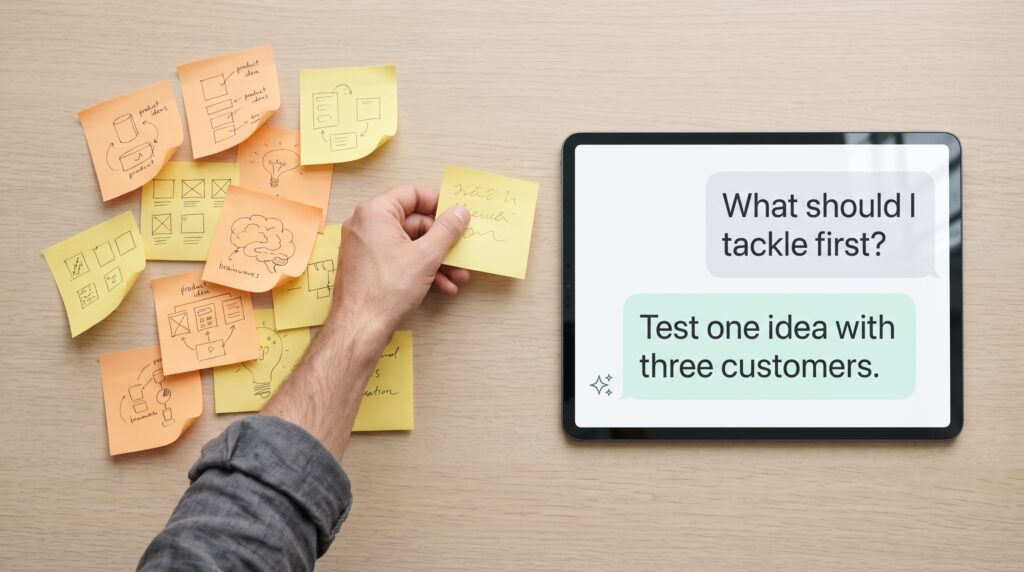
AI productivity technology can help entrepreneurs turn a crowded list of ideas into one decision they can act on this week. Maybe you want to launch a digital product, start a newsletter, and redesign your store. Each idea has a case behind it. Yet switching between all three can leave you with several half-finished drafts and little evidence about what customers want.
Start by giving each idea a place to go. Then compare a short list against the time, audience, and resources you actually have. The workflow below takes you from scattered notes to a small test with a clear finish line. You can run it in an AI chat and keep the results in a spreadsheet or a simple document.
Capture Ideas in One Place Before You Sort Them
Business ideas tend to show up while you’re doing something else. A customer email sparks a product idea. A conversation gives you a new angle for your newsletter. A voice note on your phone holds an idea you meant to revisit two weeks ago. Start by collecting those notes in one place.
Give yourself 15 minutes to gather what you can. Include rough thoughts and unfinished sentences. If you have customer notes, pull out the relevant question or problem and leave out identifying details. Once everything is in one place, AI productivity technology can group related ideas and help you see which ones keep coming up.
Prompt to organize your ideas
Turn these notes into an idea list. For each idea, give me a short name, the likely audience, the problem it might solve, and the note it came from. Group ideas that address the same problem. Mark anything I haven’t specified as unknown.
Keep the original notes beside the organized list. A short summary can hide a detail that matters. For example, “make a guide for designers” could refer to a tutorial for beginners or a checklist for freelancers handing files to clients. Those ideas may call for very different tests.
Use AI Productivity Technology to Separate Projects From Tasks
An idea list often holds several kinds of work. “Launch a seasonal font bundle” is a project. “Ask three past buyers what they use holiday fonts for” is a task. “Illustration styles customers like” is research. When all three sit in the same column, it’s easy to spend a morning collecting references without deciding what you’re trying to learn.
Use AI productivity technology to label each entry as a project, a next action, or a question. Then link the actions and questions to the projects they support. You might discover that several items on your list belong to the same project. You might also find that an idea needs one answer before it deserves a spot on your calendar.
Prompt to sort your list
Label each item as a project, a next action, or an open question. Link related items. If a project feels too broad to start, suggest one action I can finish in under 30 minutes that would help me learn whether it’s worth pursuing.
Compare Business Ideas Against Your Actual Week
Before you rank your ideas, write down what you can spend this week. Include your available hours, any launch costs you can cover, and the audience you can already reach. A founder with four free hours and a small email list faces different choices from a team with a designer and a month to prepare.
With those limits in view, AI productivity technology can compare ideas using the same questions. Who has the problem? What evidence do you already have? How much work would a first test take? How soon could you get a response?
Give customer evidence its own column
Suppose you’re weighing a monogram font bundle, a font pairing guide, and a preview template kit. You might have three customer emails asking about monograms, a handful of likes on a font pairing post, and no direct feedback on preview templates. Each signal tells you something different. The emails show that some people took the time to ask. The likes show that the post caught people’s attention. The kit is an idea you’d still need to put in front of someone.
Prompt to compare ideas
Compare these three ideas in a table. Use columns for customer problem, evidence I supplied, assumptions, time to run a first test, and people I can reach. My limits are (hours), (budget), and (audience). Explain which idea is easiest to test this week and what information could change that choice.
Read the assumptions column before making a decision. If the AI gives an idea credit for an audience you don’t have, correct that detail and ask it to compare again.
Also Read: AI Technology Examples in Everyday Life and Business
Turn One Idea Into a Small Customer Test
Once you choose an idea, ask what you need to learn before you build it. If customers often ask for a font pairing guide, you might want to know where they get stuck. Are they choosing a headline and body font? Are they trying to match a script with a display font? Their answers can shape what you make and how you describe it.
Here, AI productivity technology can help you draft a test you can finish in an afternoon. Create one sample page, share it with a few people who fit the audience, and ask them to use it on a real project. Their questions can reveal what the guide needs to explain.
Prompt to design a small test
My idea is (idea). The main assumption I want to test is (assumption). I can spend (time) and reach (audience). Suggest one test I can finish this week. Include what to make, what to ask, what response would justify another test, and what I should leave out for now.
Decide what a useful response looks like
Set a decision rule before you send the sample. For example, if two of five readers try a pairing on a real project and can point to what helped them choose it, you might test a longer version. If people like the look but still can’t choose a pair, revise the examples and ask them to try again. A group of five can help you spot what to investigate next. Record what each person did so you can see which parts of the sample led to action.
Use AI Productivity Technology to Protect Your Focus
A fresh idea can feel especially appealing when your current test involves slow work, like writing outreach messages or following up. Keep an idea backlog where you can leave a short note and return to it during a planned review. Record what sparked the idea and why it might matter. Two sentences are enough.
Give your current test a visible next step. “Send the sample page to five designers by Thursday” is easier to act on than “work on the guide.” When a new idea arrives, AI productivity technology can help you see whether it belongs in the test or in the backlog. A suggestion to add an example might improve the sample. An idea to build a full course can wait for its own review.
Prompt to handle a new idea midweek
My current test is (test), and the next step is (action). I’ve just had this idea (idea). Explain whether it helps me answer the question I’m already testing. If it does, suggest the smallest way to use it. Otherwise, write a two-sentence backlog note.
Build a Weekly Review Around What You Learned
Set aside 20 minutes at the end of the week. Pull up your test, your notes, and the replies you received. Write down what people did, what they said, and what questions remain. Keep the words customers used when they described a problem. Their wording may help you write a clearer product page or design a better second test.
Then use AI productivity technology to summarize the feedback and suggest one decision for next week. You can keep testing the idea, change one part of it, or set it aside. If feedback is thin, look at who saw the test and what you asked them to do. A quiet response from a general mailing list tells you something different from a quiet response from people who recently asked for the product.
Prompt for a weekly review
Review my test notes. Separate what people did from what they said and what I inferred. Identify the most useful thing I learned, the biggest open question, and one next action I can complete next week. Use only the feedback and results I provide.
Keep that review in the same document as your idea list. When an old idea comes back, you’ll be able to see where you left it and what new evidence would make it worth revisiting.
Also Read: Future AI Technology Trends That Will Shape the Next Decade
Conclusion
AI productivity technology earns its place in your week when it helps you move from an idea to a decision. Bring your notes together, compare a few options against your real limits, and give one idea a test small enough to finish. Record what happened while the details are still fresh.
If your list is already full, begin with the idea you can put in front of a customer this week. Send a sample, ask a specific question, and pay attention to what they do next. That response gives you a place to start when you sit down to plan again.
For high-quality fonts to boost your income, check out Letter Crafted. Our professional fonts are perfect for branding, marketing, and content creation. So, don’t miss this opportunity.