
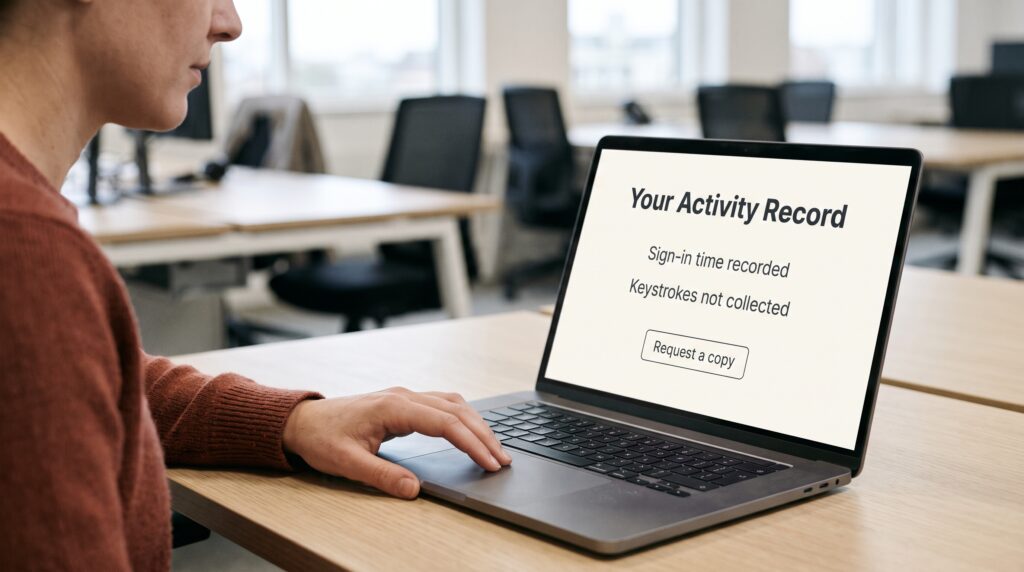
Future workplace technology could help teams find information, catch errors, and spend less time on routine tasks. The same tools could give managers a more detailed view of how people spend their day. A meeting assistant can save decisions for someone who missed a call. If its transcripts later feed a performance dashboard, a tool chosen to help colleagues catch up can start to affect how they’re judged.
That shift is at the heart of the fight for employee privacy. Employers have reasons to protect company systems and understand how work gets done. Employees want room to think, take breaks, ask for help, and make mistakes without every action becoming part of their record. The challenge is deciding which information serves a clear purpose and who should get to use it.
How Future Workplace Technology Could Change Employee Monitoring
Work already leaves a trail. A project board records when a task moves. A shared file shows who made an edit. A calendar holds the details of meetings that took place months ago. Each record has a use. Link them together, though, and a manager might get a running account of someone’s day without ever speaking to them.
As future workplace technology makes those records easier to combine, the meaning of an ordinary action could change. Imagine a company that uses sign-in times to help spot unusual access to its systems. Later, a team lead pulls the same logs to see who starts work early. A record created for security now helps form an opinion about commitment.
Employees may respond by changing what they do in ways the tool can see. They might send an update they would usually save for a meeting or keep a status light green while they read a printed brief. The result can be a fuller activity log and a less honest picture of the work.
Why AI Can Misread Employee Performance
An AI tool can group similar events, flag patterns, or summarize a week of activity. The harder question is what those patterns mean. A long gap between messages could reflect focused work, an offline conversation, or a colleague helping someone solve a problem. The activity log may look the same in all three cases.
When activity scores miss the work
Imagine two designers preparing a client presentation. One posts frequent updates and uploads several drafts. The other spends a morning sketching, talks through an idea with a colleague, and uploads one version. A score based on visible activity might favor the first designer. A review of the presentation might tell a different story.
If future workplace technology brings more of these scores into performance reviews, managers need to know how each score was produced. What counts as activity? Which kinds of work are missing? Can the employee explain a gap or correct an error? Those questions matter most when a score could affect a review, promotion, or choice of who gets the next assignment.
Where Workplace Tools Can Reach Into Private Life
Remote and hybrid work can make the line between the workplace and home easy to cross. A screenshot taken during a work session might include a personal notification. A meeting transcript could capture a comment about a family matter before the call begins. Even a shared calendar can reveal more than someone intended if event titles are visible across the company.
When future workplace technology runs on a personal device, employees need to know what the tool can see. Take a work app that sends a reminder when someone gets to a client site. It may only need their location at check-in. If it keeps recording after they leave, it could also capture their route home or where they stop on the way.
Start with what the job requires. A team that needs proof of arrival can consider a check-in feature. A project manager who needs to know whether a deadline is at risk can ask for a progress update. In each case, the amount of information collected should match the question the team needs to answer.
Also Read: Future Technology Innovations to Watch in the Next Decade
Why Employee Privacy Depends on How Data Gets Reused
The first use of a workplace record may make sense to everyone involved. A team might enable transcripts so colleagues can check decisions after a meeting. Months later, someone could use those same transcripts to count who talks most or compare how often people disagree. The record stays the same. Its purpose changes.
Future workplace technology could make that kind of reuse easy. A manager might be able to search a year of conversations with a single prompt. An old remark made during a brainstorm could then surface in a report with little context. Someone who assumed they were helping test an idea may find their words treated as a settled view.
A clear rule can help teams handle requests like these. If a tool was introduced to document decisions, ask what would justify a new use and who gets to approve it. Tell employees when that purpose changes. A team that knows how its records will be used can make better choices about what to discuss, what to write down, and what to keep.
How to Choose Future Workplace Technology With Privacy in Mind
Before a trial starts, write down the problem in plain language. “We need to know which customer requests have gone unanswered” gives you something specific to test. You could check the age of open tickets and who owns them. That gives you a clearer starting point than buying a dashboard that tracks every action across the support team.
Give each type of data a purpose
For each feature, ask what decision it helps someone make. Suppose an operations lead wants to see where approvals get stuck. The time a request enters and leaves each stage may answer that question. A log of every app an employee opened while waiting adds detail that does little to explain the delay.
When comparing future workplace technology, look at what you can turn off as well as what you can turn on. Check who can see individual records, what reports can be exported, and whether the tool lets you delete raw data after a set period. A team may need a long-term record of decisions while having little reason to keep the full conversation that led to each one.
Tell employees what the tool records
Use a short explanation that answers the questions people are likely to ask. Does the tool run all day or only during a task? Can my manager see my individual record? Will anyone use it to review my performance? Who can I talk to if a report gets something wrong?
An example can make the policy easier to understand. Tell the support team that supervisors will review the number of requests waiting for a reply each week. Then explain whether supervisors can open individual tickets and what would prompt them to do so. Staff can picture how the tool fits into their day and raise concerns before it becomes routine.
Also Read: Smart Technology Devices for a More Connected Home
How Employee Feedback Can Expose Gaps in Monitoring
People doing the work can often spot a weak measure early. A support agent may explain why a complicated case took several calls. A designer may point out that the most productive part of a project happened on a whiteboard. A manager who sees only the dashboard could read either situation as a delay.
When a team tests future workplace technology, ask employees what the reports missed and whether the tool changed how they worked. A simple question such as “What would a new manager get wrong from looking at this report?” can uncover gaps that a general satisfaction survey would miss.
Make it easy to challenge a record before it shapes a decision. If a transcript attributes a comment to the wrong person, someone should be able to flag it and have the correction reach whoever saw the original. The same applies when a report overlooks a shared assignment or leaves out a stretch of work done offline.
How to Tell Whether Workplace Monitoring Is Worth Keeping
Set a review date when the tool goes live. At that review, look at the problem it was meant to solve. Did customers get answers faster? Did fewer approvals stall? Did staff spend less time tracking down decisions? Then ask which information actually helped the team make those gains.
As future workplace technology adds features, it can be tempting to leave every setting on and see what turns up. A trial offers a chance to do the reverse. If a weekly count helps you plan coverage, keep it. If the individual timeline sits unused or leads managers to ask about harmless gaps, turn it off and check whether the team can still meet the same goal.
Also Read: Mobile Technology Basics for Better Smartphone Use
Conclusion
Future workplace technology will shape more than how quickly people get their work done. It will also shape what colleagues and managers can see, how they interpret it, and which details follow an employee from one decision to the next. The more a tool can collect, the more useful it becomes to ask one concrete question. What will we do differently because we have this information?
For professionals, that question gives a team something to discuss before a new tool rolls out. A meeting assistant may be worth keeping because it helps colleagues find decisions. A record of who spoke least in those meetings may tell the team very little. Giving each type of data a clear purpose leaves employees room to do the parts of their work a dashboard can’t capture.
For high-quality fonts to boost your income, check out Letter Crafted. Our professional fonts are perfect for branding, marketing, and content creation. So, don’t miss this opportunity.