
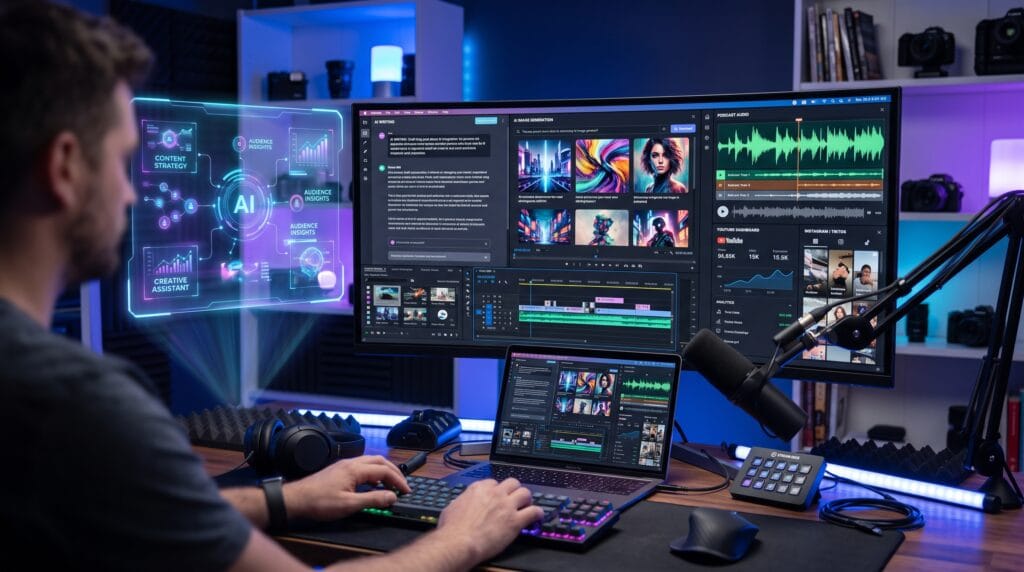
Content creation has become more competitive than ever. Whether you’re a blogger, YouTuber, designer, marketer, podcaster, or social media manager, producing high-quality content consistently requires creativity, planning, and efficiency. Fortunately, modern AI content creation tools can automate repetitive tasks, spark new ideas, and help creators produce professional-quality work in less time.
Rather than replacing creativity, AI enhances it. It can generate outlines, improve writing, create visuals, edit videos, remove background noise, and even help optimize content for search engines. The result is a faster workflow that allows creators to focus on strategy and storytelling.
In this guide, you’ll discover some of the best AI content creation tools available today, along with practical tips for choosing the right ones for your creative workflow.
Why AI Content Creation Tools Matter
AI-powered tools can help creators:
- Produce content more efficiently
- Generate fresh ideas
- Improve writing quality
- Design graphics faster
- Edit videos with less effort
- Repurpose existing content
- Maintain consistent publishing schedules
Used wisely, these tools save time without sacrificing creativity.
Best AI Content Creation Tools
1. ChatGPT
Best for:
- Blog writing
- Brainstorming
- Content outlines
- Email drafting
- Research assistance
- Script writing
ChatGPT helps creators organize ideas, overcome writer’s block, and generate first drafts that can be refined into polished content.
2. Claude
Ideal for:
- Long-form articles
- Document summaries
- Strategic planning
- Editing and rewriting
Claude is particularly useful for handling lengthy documents while maintaining context and clarity.
3. Google Gemini
Perfect for creators already using Google Workspace.
Useful for:
- Research
- Content planning
- Gmail assistance
- Google Docs editing
- Spreadsheet analysis
4. Canva Magic Studio
Canva combines AI-powered design tools with an easy-to-use interface.
Create:
- Social media graphics
- Presentations
- Marketing materials
- Brand assets
- AI-generated images
It’s an excellent option for creators without formal design experience.
5. Adobe Firefly
Adobe Firefly helps generate:
- Images
- Text effects
- Graphic assets
- Creative backgrounds
Its integration with Adobe Creative Cloud makes it a powerful choice for professional designers.
6. Midjourney
Ideal for creating:
- Concept art
- Illustrations
- Book covers
- Marketing visuals
- Creative inspiration
Midjourney is popular among artists and creative professionals seeking unique visual styles.
7. Jasper
Designed with marketers in mind, Jasper assists with:
- Blog posts
- Product descriptions
- Ad copy
- Landing pages
- Email campaigns
It offers templates tailored to business and marketing needs.
8. Copy.ai
A helpful tool for:
- Sales copy
- Social media captions
- Product listings
- Marketing campaigns
- Business communication
Its focus is on creating persuasive, conversion-oriented content.
9. Grammarly
More than a grammar checker, Grammarly uses AI to improve:
- Clarity
- Tone
- Readability
- Professionalism
- Writing consistency
It integrates with many popular writing platforms.
10. Notion AI
Perfect for organizing creative projects.
Use it to:
- Generate meeting notes
- Draft documentation
- Brainstorm ideas
- Build content calendars
- Summarize information
Also Read: Best AI Tools For Content Creators: A Complete Guide
11. Descript
Descript simplifies content production by combining:
- Audio editing
- Video editing
- AI transcription
- Screen recording
- Voice enhancement
Its text-based editing workflow makes podcast and video editing more accessible.
12. ElevenLabs
Creators can generate natural-sounding AI voices for:
- Videos
- Podcasts
- Audiobooks
- Narration
- Educational content
It supports multiple voices and languages.
13. CapCut AI
CapCut includes AI-powered features such as:
- Auto captions
- Background removal
- Smart editing
- AI effects
- Social media optimization
It’s especially useful for short-form video creators.
14. Perplexity
A research assistant that helps creators gather information quickly by providing summarized answers with cited sources.
Ideal for:
- Blog research
- Fact-checking
- Topic exploration
- Learning new subjects
15. Gamma
Gamma uses AI to build:
- Presentations
- Interactive documents
- Visual reports
- Pitch decks
It helps creators communicate ideas more effectively with minimal design effort.
Choosing the Right AI Content Creation Tool
Before investing in an AI platform, consider these factors:
| Feature | Why It Matters |
|---|---|
| Ease of Use | Saves time and shortens the learning curve |
| Output Quality | Produces polished, reliable content |
| Collaboration | Supports teams and shared workflows |
| Integrations | Works with your existing tools |
| Pricing | Fits your budget and usage needs |
| Export Options | Makes publishing easier |
| Customer Support | Helps resolve technical issues quickly |
Choose tools that solve specific workflow challenges rather than accumulating too many overlapping subscriptions.
Tips for Getting Better Results with AI
To maximize the value of AI tools:
- Write clear and detailed prompts.
- Edit AI-generated content to match your voice.
- Verify facts before publishing.
- Combine AI suggestions with your own expertise.
- Experiment with different prompt styles.
- Maintain consistency in your brand tone.
- Keep learning as AI platforms introduce new features.
AI performs best when guided by human creativity and judgment.
Also Read: AI Marketing Prompts for Better Content and Campaign Results
Common Mistakes to Avoid
Avoid these common pitfalls:
- Publishing AI-generated content without editing
- Using generic prompts
- Ignoring originality
- Depending entirely on automation
- Overlooking copyright and licensing rules
- Forgetting to proofread
- Neglecting audience needs
The most successful creators use AI as a creative assistant not as a replacement for thoughtful content.
Who Should Use AI Content Creation Tools?
These tools can benefit:
- Bloggers
- Content marketers
- Social media managers
- Graphic designers
- Video creators
- Podcasters
- Freelancers
- Small business owners
- Agencies
- Educators
No matter your niche, AI can help streamline repetitive work while giving you more time to focus on creativity and strategy.
Also Read: Adobe Express Vs Canva: Which One Is Better For Branding And Content?
Conclusion
The best AI content creation tools help creators work more efficiently without sacrificing quality. Whether you’re writing articles, designing graphics, producing videos, recording podcasts, or managing social media, AI can automate routine tasks and unlock new creative possibilities.
Start by choosing one or two tools that align with your biggest workflow challenges. As you become more comfortable integrating AI into your process, you’ll discover faster ways to create engaging, high-quality content while staying focused on what matters most delivering value to your audience.
For high-quality fonts to boost your income, check out Letter Crafted. Our professional fonts are perfect for branding, marketing, and content creation. So, don’t miss this opportunity.