
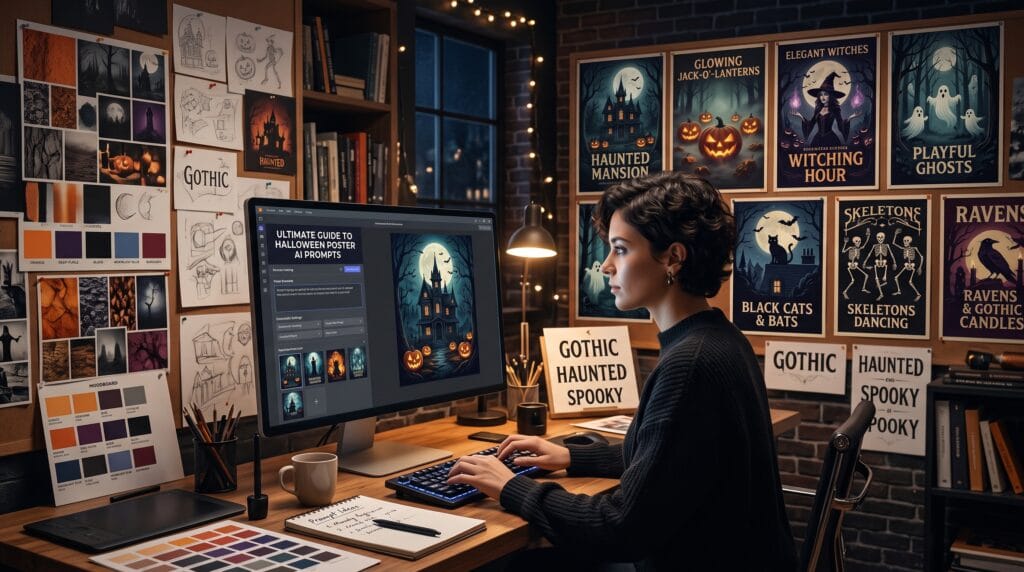
Halloween poster AI prompts help designers, marketers, content creators, and small businesses produce spooky seasonal visuals without building every composition from scratch. With a detailed AI prompt, you can generate poster concepts for costume parties, haunted attractions, Halloween sales, horror events, social media campaigns, and community celebrations.
Artificial intelligence can speed up the early stages of poster design by generating backgrounds, characters, lighting concepts, decorative elements, and complete visual directions. However, the quality of the result depends heavily on the instructions included in the prompt.
A weak prompt such as “make a Halloween poster” may produce a generic image with inconsistent typography and an unclear composition. A detailed prompt can define the atmosphere, visual style, color palette, camera angle, lighting, subject, and space reserved for promotional text.
This guide provides practical halloween poster AI prompts across multiple visual styles. You can copy them directly or customize them for Midjourney, Adobe Firefly, Leonardo AI, Ideogram, Stable Diffusion, or another image-generation platform.
What Are Halloween Poster AI Prompts?
Halloween poster prompts are written instructions that tell an AI image generator what kind of seasonal poster artwork to create.
A complete prompt may include:
- Main subject
- Background environment
- Illustration or photography style
- Color palette
- Lighting
- Mood
- Composition
- Poster orientation
- Empty text space
- Level of detail
- Intended audience
- Negative instructions
For example, instead of writing:
“Create a haunted house poster.”
You could write:
“Create a vertical Halloween event poster featuring an abandoned Victorian mansion on a foggy hill, glowing orange windows, bare trees, ravens, cinematic moonlight, dark purple and black palette, dramatic atmosphere, centered composition, generous empty space at the top for an event title, professional advertising design, no text, no watermark.”
The second version gives the AI much more useful direction.
How to Write Better Halloween Poster AI Prompts
Successful halloween poster AI prompts should balance creativity with practical design requirements. The image needs to look impressive, but it must also leave enough space for headlines, event information, logos, prices, or calls to action.
Define the Main Halloween Theme
Begin by choosing one clear concept.
Possible themes include:
- Haunted house
- Jack-o’-lantern festival
- Witchcraft
- Gothic castle
- Costume party
- Zombie outbreak
- Vampire ball
- Cute ghost celebration
- Halloween sale
- Horror movie night
- Pumpkin patch
- Trick-or-treat event
Avoid combining too many unrelated ideas in a single prompt. A focused concept normally produces a stronger and more coherent poster.
Describe the Visual Style
The same Halloween subject can look completely different depending on the chosen style.
Useful style directions include:
- Cinematic horror
- Vintage screen print
- Retro comic
- Dark fantasy
- Minimalist
- Cute cartoon
- Photorealistic
- Gothic editorial
- Paper-cut illustration
- Watercolor
- 1980s horror
- Victorian engraving
Adding a clear visual style makes your halloween poster AI prompts more predictable and easier to organize into a consistent campaign.
Specify the Poster Composition
AI generators often place important details randomly unless the prompt includes compositional instructions.
Use phrases such as:
- Vertical poster layout
- Centered focal point
- Symmetrical composition
- Subject placed in the lower third
- Empty space above the subject
- Dark border around the composition
- Clean background for readable typography
- Balanced negative space
- Strong visual hierarchy
These details are especially important when the generated image will later be edited in Photoshop, Canva, Illustrator, or another design program.
Cinematic Halloween Poster AI Prompts
Cinematic artwork works well for haunted attractions, horror screenings, immersive events, and dramatic social campaigns.
1. Haunted Mansion Poster
Create a cinematic vertical Halloween poster featuring a decaying Victorian mansion at the top of a fog-covered hill, twisted trees, glowing orange windows, a full moon behind dark clouds, ravens flying across the sky, realistic horror atmosphere, dramatic lighting, black and deep purple color palette, empty space at the top for a headline, professional movie-poster composition, no text, no watermark.
2. Forest Horror Poster
Create a dark cinematic Halloween poster showing a mysterious figure standing inside a misty forest at night, tall trees forming a natural frame, distant lantern glow, cold blue moonlight, subtle orange highlights, suspenseful atmosphere, high-detail realism, vertical layout, generous title space, no lettering.
3. Abandoned Carnival Poster
Design a cinematic poster for a haunted carnival featuring an abandoned Ferris wheel, torn circus tents, flickering lights, thick fog, scattered pumpkins, dramatic red and black lighting, eerie realistic details, strong central perspective, empty promotional space, no text or logos.
4. Vampire Castle Poster
Create an elegant horror poster featuring a gothic castle above a rocky mountain, bats circling a blood-red moon, dark clouds, candlelit windows, dramatic cinematic lighting, black, burgundy, and silver palette, luxurious gothic mood, symmetrical composition, clear space for title and event details.
5. Zombie City Poster
Create an intense vertical Halloween poster featuring an abandoned city street, damaged cars, distant zombie silhouettes, orange smoke, broken streetlights, cinematic apocalypse atmosphere, realistic textures, dramatic perspective, bold negative space for advertising copy, no visible text.
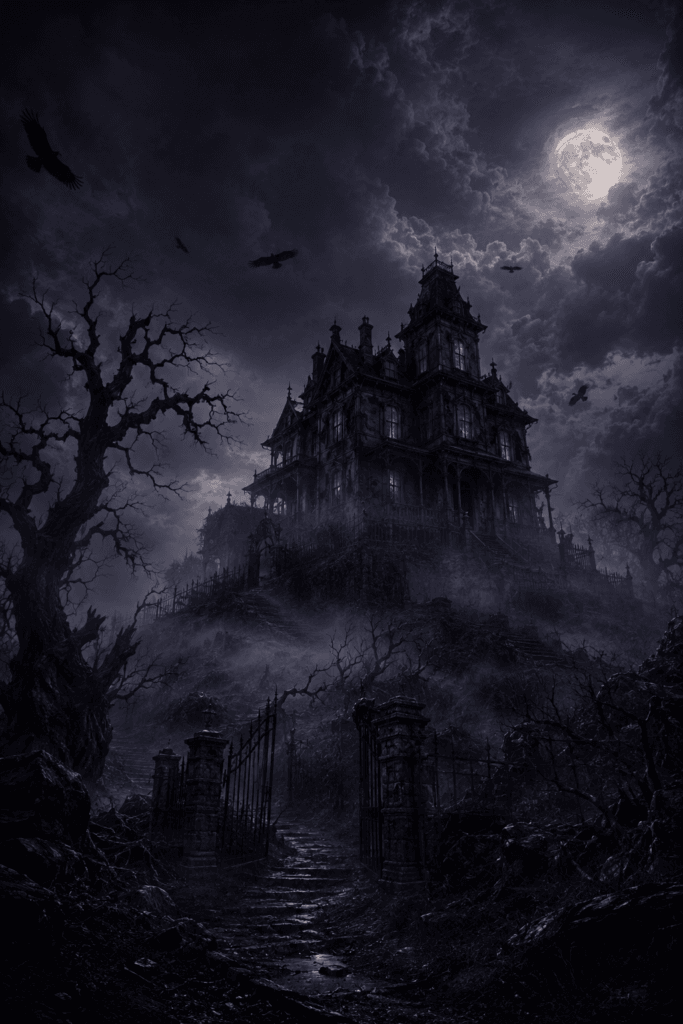 Example Haunted Mansion Poster.
Image Source: ChatGPT
Vintage Halloween Poster AI Prompts
Vintage styles are ideal for retro parties, themed bars, print products, invitations, and nostalgic seasonal branding.
6. 1950s Halloween Party
Create a vintage 1950s Halloween party poster featuring smiling jack-o’-lanterns, dancing skeletons, black cats, stars, and crescent moons, limited orange, cream, and black palette, distressed paper texture, retro screen-print illustration, playful layout, empty banner area for event information, no readable text.
7. Victorian Witch Poster
Design a Victorian-inspired Halloween poster featuring an elegant witch holding a candle, ornate botanical borders, moths, moons, herbs, antique engraving style, aged paper background, dark green, black, and muted gold palette, sophisticated gothic composition, blank space for typography.
8. Retro Horror Movie Poster
Create a 1980s horror movie poster featuring a shadowy masked figure outside a suburban house, dramatic red backlight, grainy texture, hand-painted illustration style, exaggerated perspective, black, red, and faded yellow colors, vintage print imperfections, no title text.
9. Classic Pumpkin Advertisement
Create a vintage advertising poster featuring a large smiling jack-o’-lantern surrounded by autumn leaves, candy, stars, and small ghosts, mid-century illustration style, textured orange background, bold cream border, centered composition, blank areas for promotional text.
10. Antique Haunted Hotel Poster
Design an antique travel-poster-style illustration of a haunted hotel at night, glowing windows, vintage automobile, elegant ghosts, moonlit clouds, muted navy, orange, and beige palette, worn paper texture, refined vertical composition, no lettering.
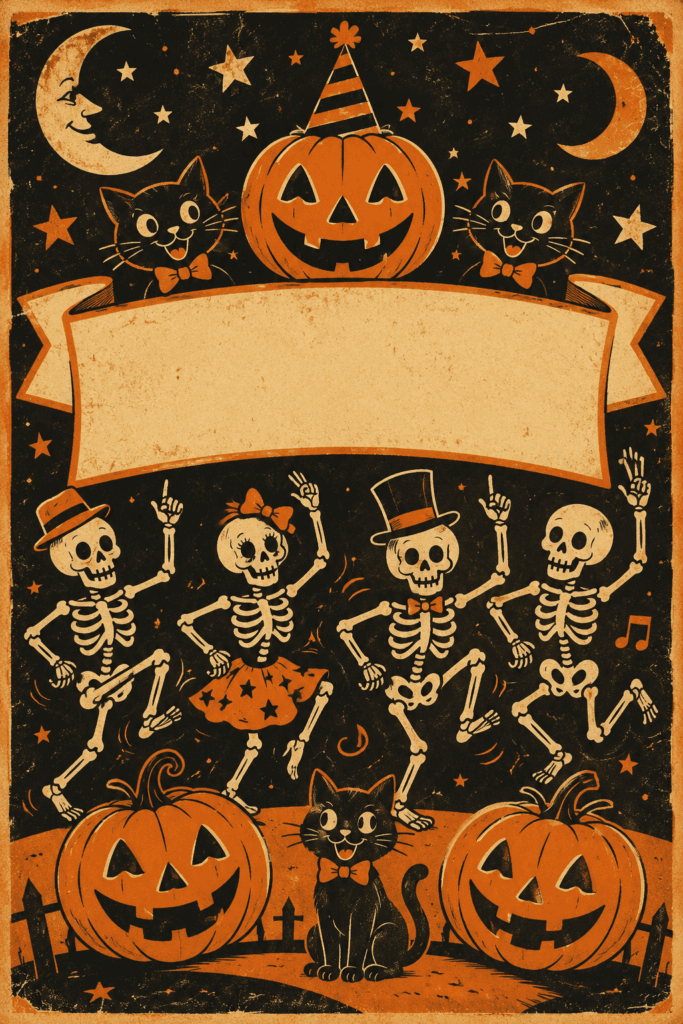 Example 1950s Halloween Party Poster.
Image Source: ChatGPT
Cute Halloween Poster AI Prompts
Not every Halloween campaign needs to feel frightening. Cute designs work well for schools, family events, children’s products, cafés, and social media content.
11. Friendly Ghost Party
Create a cute Halloween party poster featuring friendly white ghosts dancing around colorful pumpkins, candy, stars, and confetti, rounded cartoon style, soft orange, lavender, cream, and black palette, joyful atmosphere, vertical composition, clear headline space, no text.
12. Halloween Animal Parade
Create an adorable poster featuring a cat dressed as a witch, a dog wearing a vampire cape, and a rabbit inside a pumpkin costume, charming children’s book illustration, warm autumn background, playful expressions, balanced composition, large empty space for event information.
13. Cute Trick-or-Treat Poster
Design a colorful trick-or-treat poster featuring smiling children in imaginative costumes walking through a decorated neighborhood, glowing pumpkins, friendly bats, warm evening light, polished cartoon illustration, family-friendly mood, space reserved for a title and date.
14. Kawaii Halloween Café
Create a kawaii Halloween café poster featuring pumpkin cupcakes, ghost-shaped cookies, hot chocolate, tiny bats, stars, and smiling candy characters, pastel orange and purple colors, clean illustrated background, vertical social-media layout, no text or watermark.
15. Friendly Pumpkin Festival
Create a cheerful pumpkin festival poster featuring rows of smiling pumpkins, autumn leaves, hay bales, string lights, and a cozy barn, whimsical digital illustration, golden sunset light, warm seasonal palette, clean space for promotional typography.
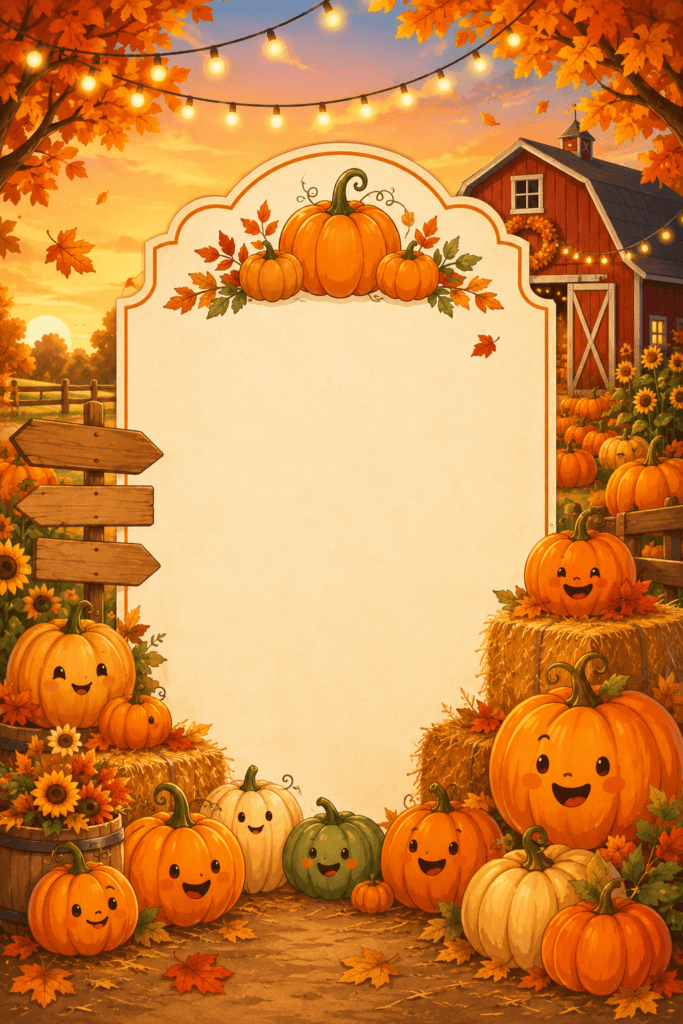 Example Friendly Pumpkin Festival Poster.
Image Source: ChatGPT
Also Read: 80+ Funny Prompts for AI Art Generator That Will Crack People Up
Halloween Poster AI Prompts for Marketing
Marketing posters need a strong focal point and sufficient negative space for pricing, promotional messages, and calls to action.
16. Halloween Sale Poster
Create a professional Halloween sale poster background featuring black shopping bags, glowing pumpkins, floating candy, subtle spiderwebs, dark purple gradient background, orange neon accents, modern commercial composition, large empty center area for discount text, premium advertising style, no words.
17. Beauty Brand Halloween Campaign
Design an elegant Halloween beauty campaign poster featuring black cosmetic bottles, dark roses, candles, smoky shadows, metallic gold details, deep burgundy background, luxurious editorial lighting, sophisticated gothic atmosphere, clean space for product messaging.
18. Halloween Restaurant Promotion
Create a seasonal restaurant poster featuring a gourmet burger with a black bun, pumpkin-colored sauce, crispy fries, subtle smoke, tiny decorative bats, dramatic studio lighting, dark background, appetizing commercial photography, open space for promotional text.
19. Halloween Fashion Sale
Create a stylish Halloween fashion poster featuring a model wearing a dramatic black outfit and wide-brim witch hat, modern editorial photography, orange spotlight, dark minimalist set, premium magazine composition, generous negative space for sale details.
20. Halloween Social Media Campaign
Create a modern Halloween promotional background with layered pumpkins, glossy 3D ghosts, black balloons, orange neon lights, floating stars, clean gradient background, trendy advertising aesthetic, vertical composition for social media, central text space, no lettering.
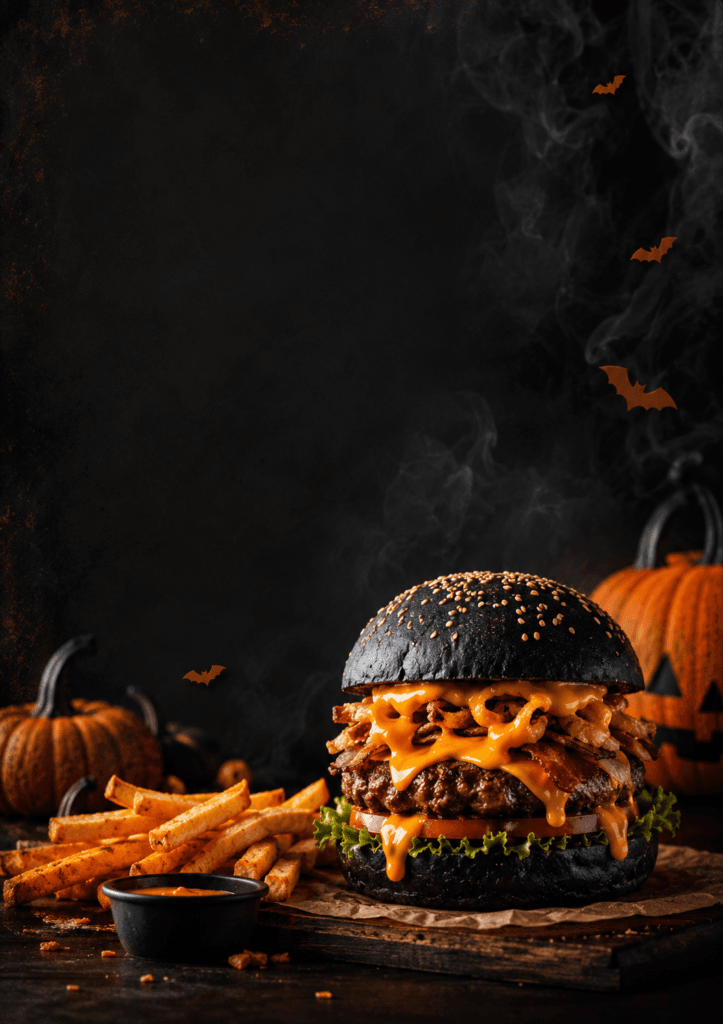 Example Halloween Restaurant Promotion Poster.
Image Source: ChatGPT
Gothic Halloween Poster AI Prompts
Gothic artwork suits luxury events, alternative fashion brands, tattoo studios, music performances, and dark editorial campaigns.
21. Gothic Masquerade Ball
Create a luxurious Halloween masquerade poster featuring an ornate black mask, dark red roses, candles, lace, antique gold decorations, deep burgundy background, dramatic shadows, elegant gothic style, symmetrical composition, blank space for event details.
22. Dark Witch Portrait
Create a dark editorial portrait of a mysterious witch wearing an elaborate black dress and silver crown, standing beneath a crescent moon, fog and ravens in the background, dramatic studio-quality lighting, high-fashion gothic aesthetic, vertical poster layout.
23. Gothic Cathedral Event
Design a dramatic Halloween poster featuring the interior of a gothic cathedral illuminated by hundreds of candles, dark arches, mist, subtle ghostly figures, black and gold palette, cinematic symmetry, sophisticated event atmosphere, empty upper section for typography.
24. Raven and Skull Poster
Create a detailed gothic poster featuring a black raven resting on an antique human skull, dried flowers, candles, smoke, textured black background, realistic fine-art lighting, moody composition, muted silver and burgundy accents, clean title space.
25. Haunted Opera Poster
Create an elegant haunted opera poster featuring a ghostly singer on an old theater stage, velvet curtains, chandeliers, candlelight, floating dust, dark red and gold colors, cinematic gothic atmosphere, luxurious vertical layout, no text.
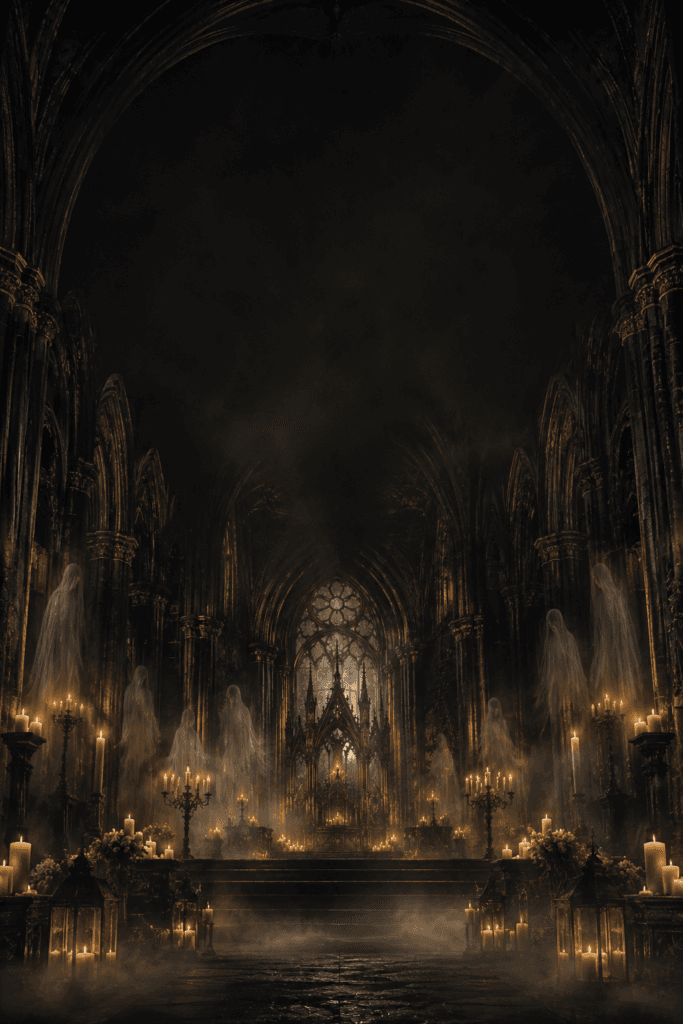 Example Gothic Cathedral Event Poster.
Image Source: ChatGPT
Minimalist Halloween Poster AI Prompts
Minimalist halloween poster AI prompts are useful when designers want the final typography and branding to remain dominant.
26. Minimal Pumpkin Poster
Create a minimalist Halloween poster featuring one sculptural black pumpkin on an orange background, long dramatic shadow, clean studio lighting, modern geometric composition, large negative space, premium graphic design aesthetic, no text.
27. Ghost Silhouette Poster
Create a minimalist vertical poster with a single white ghost silhouette floating against a deep black background, tiny orange moon, subtle grain texture, strong contrast, modern editorial style, generous space for typography.
28. Black Cat Poster
Design a minimalist Halloween poster featuring a black cat silhouette sitting beneath a large orange moon, simple geometric shapes, limited black, orange, and cream palette, clean Swiss-inspired layout, empty space for event information.
29. Abstract Halloween Shapes
Create an abstract Halloween poster background using geometric pumpkins, crescent moons, bats, arches, and stars, bold flat shapes, orange, black, purple, and cream palette, modern graphic design style, balanced negative space, no words.
30. Minimal Haunted Door
Create a minimalist poster showing a small glowing doorway surrounded by complete darkness, subtle fog, one pumpkin beside the entrance, cinematic orange light, simple composition, suspenseful mood, large blank upper area.
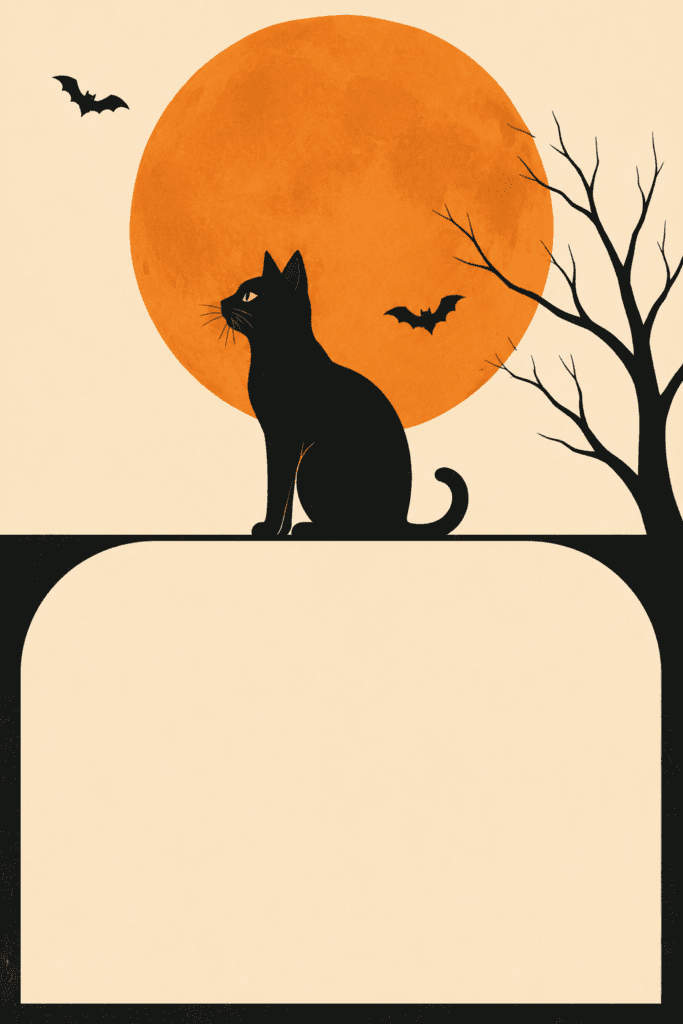 Example Black Cat Poster.
Image Source: ChatGPT
Halloween Poster AI Prompts for Events
Event posters must quickly communicate atmosphere. These prompts can be adapted for parties, community activities, concerts, and seasonal attractions.
31. Costume Party Event
Create an energetic Halloween costume party poster with masked dancers, glowing pumpkins, neon purple and orange lights, smoke, confetti, dramatic nightclub atmosphere, dynamic vertical composition, clear center space for event details, no visible words.
32. Haunted House Attraction
Create a promotional poster for a haunted house attraction featuring a terrifying abandoned mansion, broken gates, graveyard fog, dramatic moonlight, glowing windows, realistic horror style, strong depth, open space for date and ticket information.
33. Halloween Music Festival
Design a Halloween music festival poster featuring a dark outdoor stage, laser lights, giant pumpkin decorations, crowd silhouettes, orange smoke, modern electronic-music aesthetic, dramatic visual energy, balanced space for headline and lineup.
34. Horror Movie Marathon
Create a poster for a Halloween horror movie marathon featuring an old cinema screen, rows of empty red seats, popcorn scattered on the floor, ghostly light from the projector, retro cinematic style, suspenseful atmosphere, no text.
35. Pumpkin Carving Contest
Create a family-friendly pumpkin-carving contest poster featuring several creatively carved pumpkins on a wooden table, autumn leaves, warm string lights, cozy outdoor festival background, realistic seasonal photography, clear space for competition details.
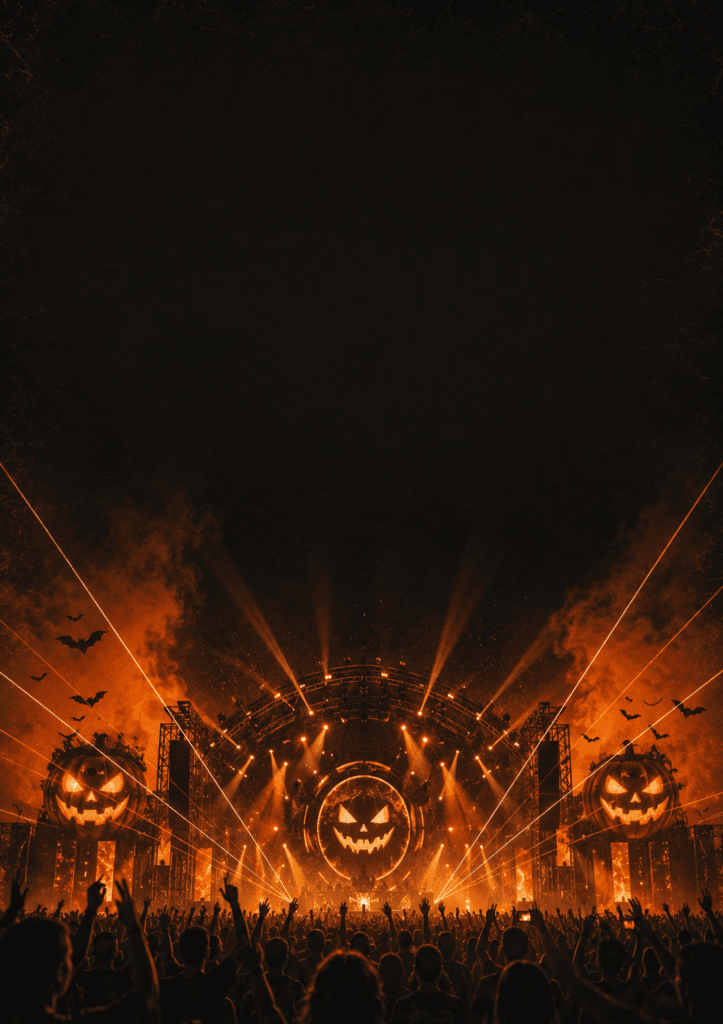 Example Halloween Music Festival Poster.
Image Source: ChatGPT
How to Customize Halloween Poster AI Prompts
The prompts above provide a strong foundation, but customization will make the results more relevant to your project.
You can change:
- The featured character
- The event type
- The dominant colors
- The illustration style
- The lighting direction
- The level of horror
- The age group
- The background environment
- The poster orientation
- The amount of text space
For example, a prompt for a children’s Halloween event should use friendly characters, soft colors, rounded forms, and cheerful lighting. A nightclub campaign may use neon lights, smoke, dramatic fashion, and stronger contrast.
A luxury brand may prefer black, burgundy, dark green, silver, or metallic gold. A retail sale can use brighter orange, purple, and white to make the design feel more energetic and promotional.
Also Read: Top Winter Sticker AI Prompts for Christmas and New Year
Negative Instructions for Cleaner AI Posters
Adding negative instructions can reduce common AI-generation problems.
Useful negative phrases include:
- No readable text
- No watermark
- No logo
- No distorted hands
- No duplicate objects
- No extra limbs
- No blurry details
- No cropped subject
- No cluttered background
- No low-resolution textures
- No random letters
- No uneven borders
Many AI image generators struggle with typography. For professional results, it is usually better to generate the artwork without text and add the headline manually using Canva, Photoshop, Illustrator, Figma, or another design tool.
Best Tools for Using Halloween Poster AI Prompts
Different AI tools may produce different visual styles.
1. Midjourney
Midjourney is useful for cinematic, surreal, dark fantasy, editorial, and highly detailed Halloween artwork.
2. Adobe Firefly
Adobe Firefly is suitable for designers who want to generate imagery and continue editing inside Adobe applications.
3. Ideogram
Ideogram can be helpful when experimenting with poster compositions and text-based visual concepts, although typography should still be reviewed carefully.
4. Leonardo AI
Leonardo AI offers useful controls for illustration styles, concept art, characters, and marketing-oriented images.
5. Stable Diffusion
Stable Diffusion provides advanced customization for users who want more control over models, style references, image dimensions, and generation settings.
Regardless of the tool, the strongest halloween poster AI prompts clearly describe the subject, composition, style, colors, atmosphere, and intended use.
Common Mistakes When Creating AI Halloween Posters
1. Using Prompts That Are Too Short
Simple prompts often generate generic results. Add details about mood, lighting, composition, and style.
2. Asking AI to Add Too Much Text
AI-generated lettering may contain spelling errors or distorted characters. Generate the artwork first, then add text manually.
3. Forgetting Negative Space
A beautiful illustration may still fail as a poster if there is nowhere to place the headline or event information.
4. Mixing Too Many Styles
Combining kawaii illustration, realistic photography, Victorian engraving, and neon cyberpunk in one prompt may create an inconsistent result.
5. Ignoring the Intended Audience
A frightening horror poster may be inappropriate for a children’s event. Match the visual intensity to the audience.
6. Publishing the First Result
Generate several variations and compare composition, clarity, lighting, and suitability before selecting the final image.
Final Halloween Poster Design Checklist
Before publishing a design created with halloween poster AI prompts, confirm that:
- The poster has one clear focal point.
- The visual style matches the audience.
- The title is easy to read.
- Event information is correctly written.
- The color contrast is strong.
- Important content is not too close to the edges.
- The image is high resolution.
- The composition works on mobile screens.
- The design includes proper branding.
- The call to action is visible.
- AI artifacts have been corrected.
- The final file uses the correct dimensions.
Also Read: AI Photography Prompts for Creators Who Want Better Results
Final Thoughts on Halloween Poster AI Prompts
The right halloween poster AI prompts can help designers and marketers develop compelling seasonal artwork more efficiently. Instead of beginning with an empty canvas, you can generate visual directions for haunted houses, costume parties, product promotions, horror events, social campaigns, and family-friendly celebrations.
AI should be treated as a creative assistant rather than a complete replacement for professional design. The generated image still needs thoughtful typography, spacing, branding, editing, and quality control.
Use the halloween poster AI prompts in this guide as starting points, then adjust the visual style, atmosphere, colors, and composition for your specific campaign. By combining detailed prompts with strong design principles, you can create halloween posters that feel original, polished, and ready to attract attention across print and digital platforms.