
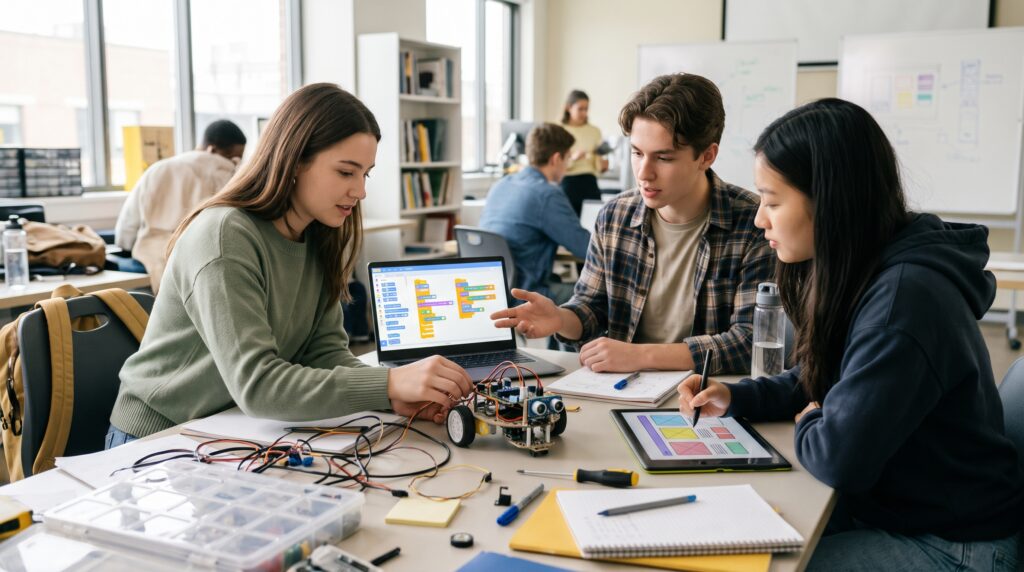
Technology skills for the future give students practical ways to solve problems, organize information, and create useful digital work. You do not need an advanced computer or a clear career plan to begin. A small project, regular practice, and a willingness to check your mistakes can provide a strong starting point.
Rather than trying to predict exactly which software you will use years from now, focus on skills you can apply across different tools. Understanding data, giving clear instructions, protecting information, and explaining your decisions all provide useful foundations. This guide introduces ten learning areas, each with a project you can start while studying.
1. Build Technology Skills for the Future With AI Literacy
AI literacy involves knowing how to ask for useful assistance and judge the response. Start by describing your goal, providing relevant context, and explaining what a successful answer should contain.
Then examine the output. Does it answer the question? Can you verify its claims? Does it leave out something important?
Use AI within your school’s rules and avoid entering private information. Keep responsibility for the work you submit.
Student project: Ask an AI tool to explain a concept you already understand. Identify unclear statements, missing steps, and possible errors. Write an improved explanation in your own words.
The aim is to practice judgment alongside prompting. A convincing answer still needs careful review.
2. Develop Data Literacy for Better Questions
Data literacy means understanding information before drawing conclusions from it. Learn to read tables, calculate percentages, compare groups, and recognize missing values.
Always ask what a number represents. An average may hide large differences, while a percentage needs a clear starting value to make sense.
These technology skills for the future are useful whenever you need to support a decision with evidence.
Student project: Record how you spend your study time for two weeks. Group the sessions by subject, calculate totals, and create a simple chart.
Write three observations and one limitation. For example, your record describes those two weeks, so it cannot explain your entire school year. Recognizing that boundary is part of the skill.
3. Practice Technology Skills for the Future in Spreadsheets
Spreadsheets let you turn information into something you can sort, update, and calculate. Begin with consistent headings, clear number formats, filters, and basic formulas.
Practice checking your results with a small example you can calculate yourself. Understanding why a formula works matters more than collecting complicated functions.
Student project: Create a budget for a class event. Include attendance, expected income, fixed expenses, and costs that change with the number of guests.
Change the attendance figure and check whether the right totals update. Add a short note explaining your assumptions.
A useful spreadsheet should make sense to another student without requiring you to explain every cell.
4. Learn Basic Coding Through Small Projects
Coding teaches you to break a task into instructions that a computer can follow. Start with one language and a limited goal.
For a simple webpage, explore how HTML structures content and CSS controls its appearance. For a small script, practice variables, conditions, loops, and functions.
Student project: Build a quiz, a study-session calculator, or a personal introduction page. Begin with the smallest working version before adding extra features.
Learning technology skills for the future includes debugging. Change one thing at a time, read error messages carefully, and record what fixed the problem.
If you use generated code, test it and explain how it works before treating the project as finished.
Also Read: Best Technology in Education Tools for Modern Learning
5. Make Cybersecurity Part of Your Technology Skills for the Future
Cybersecurity starts with how you handle accounts, messages, devices, and shared files. Practice using unique passwords, reviewing access permissions, and checking unexpected requests before responding.
Learn what multifactor authentication does and how account recovery works. A security feature is easier to manage when you understand its setup before you need it.
Student project: Review your own important accounts. Check recovery details, authentication options, and connected applications you no longer use.
Create a checklist for future reviews without recording passwords in it.
Keep practice within systems you own or have permission to use. The goal is responsible protection and understanding, rather than experimenting with someone else’s account.
6. Strengthen Digital Research and Information Evaluation
Finding an answer quickly is different from finding an answer you can trust. Practice identifying who created a piece of information, what supports it, and whether its context matches your question.
Separate a factual claim from an interpretation or advertisement. Notice when a headline promises more than the material underneath delivers.
Building technology skills for the future includes recognizing when information is incomplete.
Student project: Choose a claim you encounter online. Trace how it is presented across different pages and note what evidence each provides.
Write a brief conclusion that separates what you can establish from what remains uncertain. Save your research notes so another person can follow your reasoning.
7. Build Technology Skills for the Future Through Digital Collaboration
Digital collaboration combines shared tools with clear working habits. A folder full of documents is only helpful when everyone understands where things belong and what needs attention.
Practice assigning responsibilities, setting review dates, and leaving comments that suggest a clear next step. Agree on where the current version will live.
Student project: Organize a group presentation using one project brief and a shared task list. Give each task an owner and a deadline.
Ask a teammate to find the latest draft without your help. If that proves difficult, improve the filenames or folder structure.
Good collaboration reduces uncertainty and makes it easier for everyone to contribute.
8. Understand Version Control and Project Documentation
Version control helps you record how a project changes over time. Begin with the purpose of a repository, a commit, and a branch before exploring more advanced workflows.
Practice making small, focused changes with descriptions that explain their purpose.
Student project: Keep a basic coding project under version control. Correct an error, add a feature, and revise the instructions as separate changes.
These technology skills for the future also involve documentation. Include an introduction explaining what the project does, how to run it, and which parts remain unfinished.
Before sharing publicly, check for private details, account credentials, and material you do not have permission to distribute.
Also Read: Future AI Technology Trends That Will Shape the Next Decade
9. Add Automation to Your Technology Skills for the Future
Automation starts with understanding a repeatable process. Identify the trigger, the information required, the action to take, and what should happen if something goes wrong.
Sketch the steps before choosing software. You may discover that simplifying the process is enough.
Student project: Create a sample event-registration workflow that collects form responses in a spreadsheet. Use invented information while testing.
Try duplicate entries, blank answers, and unexpected text. Decide how you would recognize and correct each issue.
Start with low-impact activities and keep a manual fallback. A useful automation saves effort after you include the time spent checking and maintaining it.
10. Practice Accessible Digital Design
Accessible design asks whether people can understand and use what you create. Start with clear headings, readable text, descriptive links, and enough contrast between text and its background.
For images, consider what information someone would need if they could not see them. For a webpage, check whether its main tasks work using a keyboard.
Student project: Improve a club presentation or a simple information page. Review its reading order, labels, image descriptions, and navigation.
Include accessibility among your technology skills for the future from the beginning of a project. Ask someone to complete a task with your design, observe where they hesitate, and revise the confusing parts.
How to Choose Technology Skills for the Future
You do not need to learn all ten areas at once. Choose a starting point that connects with something you already want to make or improve.
Match Future Technology Skills to Your Interests
If you enjoy business subjects, begin with spreadsheets and data. If you like visual work, combine accessible design with a basic webpage.
Students who enjoy organizing activities could explore collaboration and automation. An interesting project gives practice a purpose.
Keep Your First Project Manageable
Choose an outcome you can finish in a few study sessions. A working budget for one event is a better starting point than an elaborate system for every school activity.
Write down what the first version must do. Save additional ideas for later so they do not prevent you from finishing.
Turn Practice Into Evidence You Can Share
Learning technology skills for the future becomes easier to explain when you keep examples of your work. A small portfolio can show your decisions as well as the finished result.
For each project, describe the problem, your contribution, and how you checked the outcome. Include a screenshot or demonstration where useful.
Explain what went wrong and what you changed. Avoid presenting unfinished features as completed ones.
You can follow a simple four-week rhythm: learn the basics, build a small version, request feedback, and revise. Keep notes throughout so your final explanation reflects the actual process.
Also Read: Education Technology Guide for Better Teaching and Learning
Conclusion – Begin With One Useful Project
Developing technology skills for the future involves practice, curiosity, and the ability to adjust when something does not work. You can begin with the equipment and knowledge you already have.
Choose one skill and connect it with a real task. Build something small enough to test, ask for feedback, and improve it.
Over time, those finished projects give you more than a list of tools you recognize. They give you examples of problems you have worked through and decisions you can explain with confidence.
For high-quality fonts to boost your income, check out Letter Crafted. Our professional fonts are perfect for branding, marketing, and content creation. So, don’t miss this opportunity.