
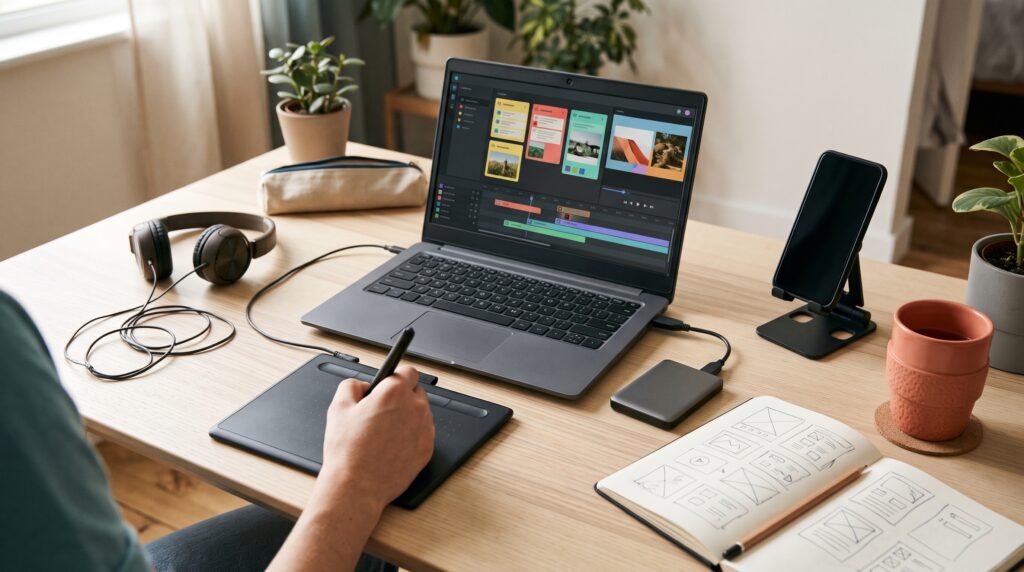
Technology tools for productivity can help creators organize ideas, finish content, and manage publishing without spending heavily on software. Whether you write blog posts, design graphics, record tutorials, or manage social accounts, the right tools can reduce repeated work. The challenge is choosing a small collection that supports your process without adding unnecessary costs or complexity.
A creator budget needs to cover more than subscriptions. Your time, computer performance, storage, and learning effort also matter. This guide explores practical free options and explains how to decide when a paid feature deserves a place in your budget.
Choose Technology Tools for Productivity Around Real Problems
Before downloading another app, identify where work regularly slows down. Perhaps your ideas are scattered across messages, your graphics take too long to prepare, or you keep forgetting publication dates.
Write down the problem in specific terms. “I spend twenty minutes finding the latest draft” gives you something useful to solve. “I need to become more productive” is harder to act on.
Choose technology tools for productivity that address those repeated problems. Start with one tool for planning, one for creating your main content, and a reliable place to store files. Add other software when your workflow gives it a clear purpose.
Use Notion to Keep Content Plans Together
Notion offers a Free plan that can provide a starting point for organizing your work. Its pricing documentation distinguishes individual use from team limits and lists a 5 MB limit for each uploaded file on the Free plan.
For a solo creator, a simple planning setup could track an idea, its intended audience, the next action, and the publication date. Link to large files rather than treating the planning app as a media archive.
Keep the setup modest. A useful content plan should tell you what needs attention within a few seconds.
These technology tools for productivity deliver more value when maintenance stays easy. Spend your first session creating a working list, then improve it only after using it on real projects.
Draft and Review Content With Google Docs
Google Docs provides a free personal starting point for creating and collaborating on documents. Its product documentation also describes comments, connected Google services, and offline editing when configured.
Use it for blog drafts, video scripts, captions, and client copy. Create a reusable document structure with sections for the brief, draft, revisions, and final delivery.
A consistent structure can make switching between projects easier. For example, every video script might begin with the audience, main promise, opening lines, and filming notes.
When selecting technology tools for productivity, consider how reviewers will participate. A familiar document editor can reduce the time spent explaining where feedback belongs or combining revisions from separate files.
Create Repeatable Graphics With Canva
Canva offers a free-to-use design platform and a library of customizable free templates. Paid plans provide additional capabilities, so check that the assets and functions you select are included in your intended plan.
For budget-conscious creators, the biggest opportunity is repeatability. Prepare a small family of layouts for blog covers, social posts, or presentation slides.
Choose consistent colors, spacing, and text styles. Then adapt the layout to each topic rather than rebuilding every graphic.
Technology tools for productivity should support your visual judgment. Check line breaks, contrast, and image placement before exporting. A reusable layout saves time when it still gives you room to make each piece clear and appropriate.
Also Read: Best AI Technology Tools for Creators and Digital Work
Record Tutorials With OBS Studio
OBS Studio is free, open-source software for recording video and live streaming on Windows, macOS, and Linux.
It is an option for creators producing software walkthroughs, demonstrations, and screen-based lessons. However, setting it up takes attention, particularly when you are choosing capture sources and audio settings.
Begin with the simplest recording arrangement your content needs. Test a short section, play it back, and check whether the screen and voice are clear.
Save a checklist covering microphone selection, recording location, and anything private visible on screen. Among technology tools for productivity, a recording application becomes especially useful when you can repeat a dependable setup without troubleshooting every session.
Edit Video With DaVinci Resolve
DaVinci Resolve has a free version that combines video editing, color work, visual effects, and audio tools. Blackmagic Design also offers a paid Studio version with additional features.
That gives creators a way to explore a substantial editing workflow before paying for advanced functions.
Start by learning the tasks your videos actually require: arranging clips, making clean cuts, adjusting audio, and exporting a finished piece. More elaborate effects can wait until a project needs them.
Evaluate technology tools for productivity on your existing computer before committing to a workflow. Test representative footage and a short export. Free software can still carry costs in learning time, storage, and hardware demands, so judge the complete experience.
Schedule Social Content With Buffer
Buffer’s Free plan currently supports up to three channels and ten scheduled posts per channel at a time. Published posts free their slots for new items, making the limit a queue capacity rather than a monthly publishing allowance.
This can suit creators who prepare a manageable batch each week.
Set aside time to write captions, check links, and prepare images together. Then schedule the completed posts while leaving room for timely updates.
Some formats require notification-based publishing instead of fully automatic posting, depending on platform restrictions. Check the behavior for your intended content before relying on it.
Technology tools for productivity work best when the workflow accounts for their limits. A smaller, regularly refreshed queue may be sufficient before you need a paid scheduler.
Organize Files Before Buying More Software
File organization is one of the least expensive ways to improve a creative workflow. Start with folders that reflect how you produce and deliver work.
For example, give each project separate locations for source material, working files, exports, and approved deliverables. Use descriptive filenames that include the topic and version.
A file named “morning-routine-cover-v02.png” is easier to identify than several files called “final-new.png”.
Before adding technology tools for productivity, check whether a clearer naming system would solve the problem. Keep a separate backup of important work and review sharing permissions before sending a folder to someone else.
Good organization also makes changing tools easier later.
Also Read: Creator Tools for Podcasters Who Want Better Audio Results
Build a Small Creator Toolkit You Can Maintain
You do not need every application in this guide. Choose according to the type of content you publish most often.
| Creator workflow | Practical starting combination |
|---|---|
| Blog writing | Google Docs, a simple planning list, Canva |
| Screen tutorials | OBS Studio, Google Docs, an editor suited to your computer |
| Social content | Canva, Buffer, an organized asset folder |
| Longer videos | DaVinci Resolve, a script document, structured project folders |
These combinations are starting points rather than requirements. If your existing planner works well, keep it. If you rarely record your screen, skip recording software.
The best technology tools for productivity form a workflow you understand. Each application should have a clear role, and moving between them should not create avoidable copying or confusion.
Decide When Paid Productivity Tools Are Worth It
A free plan can remain useful for a long time. Upgrade when you repeatedly encounter a limitation that affects finished work, not simply because the premium version looks appealing.
Measure the Time a Feature Could Save
Track the task for a week before estimating its value. If manually adapting graphics consumes significant time, investigate whether a paid feature handles your actual formats.
Include the time required to review the result. Automation that needs extensive correction may save less than expected.
Compare Monthly Costs With Actual Use
List every subscription, its purpose, renewal date, and frequency of use. Include cloud storage and supporting services alongside creative software.
When comparing technology tools for productivity, consider the full commitment. Annual billing may lower the monthly equivalent, but it requires paying upfront. Test a tool on real projects before making that decision.
Upgrade One Bottleneck at a Time
Choose the limitation causing the greatest repeated delay. Pay for that improvement first, then review whether it helped.
Keep other parts of the workflow stable while testing. This makes it easier to understand whether the purchase improved output or simply changed your routine.
Create a Weekly Routine That Makes Tools Useful
Software becomes more useful when you give recurring tasks a place in your week.
Start with a short planning session. Select a realistic number of pieces to finish and identify the next action for each one.
Group related tasks when practical. Draft several captions together, prepare graphics in one session, or record tutorials after testing the same setup.
Before publishing, check the final content in its intended format. At the end of the week, note what caused delays.
Use that evidence to improve your process. Sometimes the answer is a better template, a clearer brief, or fewer simultaneous projects.
Also Read: Creator Tools for TikTok You Should Use for Better Results
Conclusion – Make Your Creator Budget Support Finished Work
Choosing technology tools for productivity is about making everyday work easier to complete. A practical toolkit gives ideas somewhere to go, supports creation, and helps finished content reach its audience.
Begin with free options where they meet your needs. Learn a few repeatable habits, keep files organized, and track limitations before purchasing upgrades.
Spend when you can name the problem a feature will solve. That approach helps protect your budget while leaving room to invest in tools that make a measurable difference.
For high-quality fonts to boost your income, check out Letter Crafted. Our professional fonts are perfect for branding, marketing, and content creation. So, don’t miss this opportunity.