
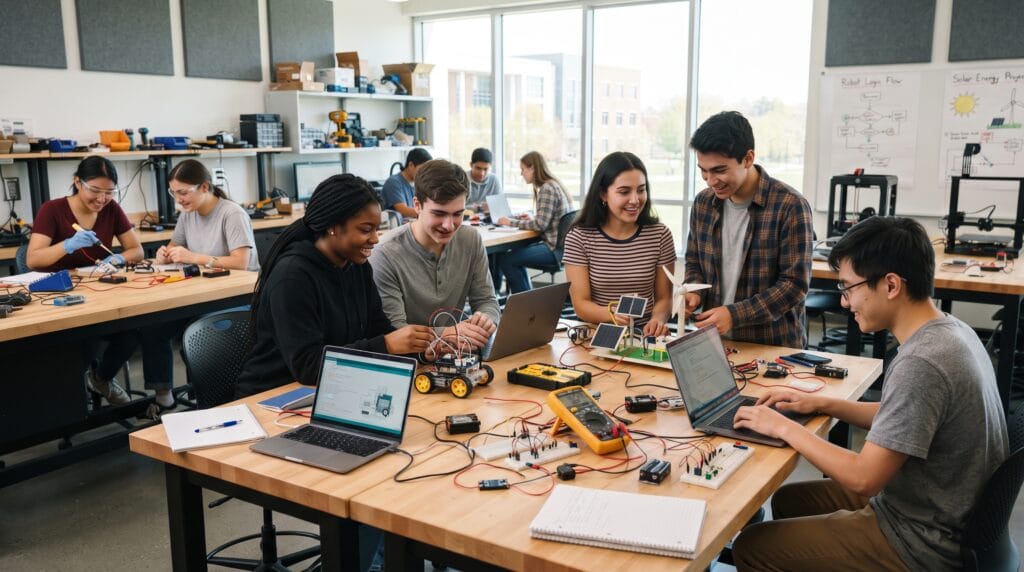
Finding practical technology project ideas can help school and college students turn classroom knowledge into real-world experience. Instead of learning only through textbooks or lectures, technology projects allow students to experiment with coding, electronics, artificial intelligence, websites, robotics, and digital tools while solving actual problems.
A good technology project does not need expensive equipment or advanced programming knowledge. Many projects can begin with free software, simple hardware, and basic technical skills.
The best projects also give students something tangible to demonstrate. A functioning website, mobile app, automated system, or smart device can become part of a school assignment, science exhibition, portfolio, internship application, or future career path.
Below are technology project ideas ranging from beginner-friendly projects to more ambitious options for students who want to explore programming, AI, robotics, cybersecurity, and emerging technologies.
Why Technology Project Ideas Are Valuable for Students
Technology projects encourage students to learn by doing.
Instead of memorizing how technology works, students experience the complete process of identifying a problem, designing a solution, testing it, and improving the result.
Working on technology project ideas can develop skills such as:
- Problem-solving
- Programming
- Research
- Creativity
- Data analysis
- Communication
- Project planning
- Critical thinking
- Hardware troubleshooting
- User experience design
Projects also expose students to different technology careers.
Someone who enjoys designing websites might explore web development. A student interested in robotics may discover electronics or mechanical engineering, while someone interested in AI could continue studying data science or machine learning.
1. Build a Personal Portfolio Website
Difficulty: Beginner
Skills: HTML, CSS, web design
Building a personal website is one of the easiest technology project ideas for students who are new to coding.
The website could include:
- Student profile
- School achievements
- Projects
- Hobbies
- Skills
- Contact information
Students can begin with HTML and CSS before adding JavaScript for interactive elements.
A portfolio website is especially valuable for college students because it can later display academic projects, internships, certifications, and professional work.
Suggested Tools
Try:
2. Create a Student Task Management App
Difficulty: Beginner to Intermediate
Skills: Programming, UI design, databases
Students often manage homework, exams, assignments, and extracurricular activities at the same time.
A simple task management application could help users organize:
- Homework
- Due dates
- Study schedules
- Examination dates
- Project deadlines
Beginners can build a simple browser-based version, while more advanced students could create a mobile app with reminders and cloud synchronization.
This is one of the most practical technology project ideas because students can solve a problem they experience themselves.
3. Develop a School Attendance System
Difficulty: Intermediate
Skills: Programming, databases, automation
Traditional attendance systems can be time-consuming.
Students could build a digital attendance system where teachers record attendance using a web dashboard or mobile interface.
The system might include:
- Student names
- Class information
- Attendance dates
- Absence records
- Monthly reports
More advanced versions could incorporate QR codes or RFID cards.
This project introduces students to database management and basic information systems.
4. Build a Simple Weather Station
Difficulty: Intermediate
Skills: Electronics, sensors, data collection
A small weather station can measure environmental conditions such as:
- Temperature
- Humidity
- Air pressure
- Light level
Students can connect sensors to a microcontroller and display the information on a screen or dashboard.
Arduino and similar development boards make this type of project accessible even for students with limited electronics experience.
Among hands-on technology project ideas, a weather station is excellent for combining science, programming, and electronics.
5. Create a Smart Plant Monitoring System
Difficulty: Intermediate
Skills: IoT, sensors, programming
A smart plant monitor can help users understand when plants need water.
The project might use a soil moisture sensor connected to a microcontroller.
When soil becomes too dry, the system could:
- Turn on an LED
- Send an alert
- Display moisture levels
- Automatically activate a water pump
Students can expand the project by monitoring temperature and sunlight.
This introduces the concept of the Internet of Things, commonly called IoT.
6. Build an AI Study Assistant
Difficulty: Intermediate to Advanced
Skills: AI, programming, APIs
Artificial intelligence gives students many new project possibilities.
An AI study assistant might help users:
- Summarize notes
- Generate practice questions
- Explain difficult concepts
- Create flashcards
- Organize study material
Students can build a simple interface and connect it to an AI service through an API.
The project also provides an opportunity to discuss responsible AI use, accuracy, privacy, and academic integrity.
AI-based technology project ideas can be particularly valuable for students considering careers in software development or machine learning.
7. Create a Quiz Application
Difficulty: Beginner
Skills: Programming, logic, UI design
A quiz application is an excellent beginner programming project.
Students can create questions in subjects such as:
- Mathematics
- Science
- History
- Geography
- Computer science
Users answer questions and receive a final score.
Students can later add:
- Multiple difficulty levels
- Timers
- Leaderboards
- Question categories
- Random questions
A quiz app teaches programming logic while producing something genuinely useful.
8. Design a School Event Website
Difficulty: Beginner
Skills: Web development, visual design
Students can design a website for a fictional or real school event.
Examples include:
- Science fairs
- Sports events
- Graduation
- Art exhibitions
- Student festivals
- Coding competitions
The website could feature an event schedule, registration form, map, speakers, FAQs, and photo gallery.
This is one of the best technology project ideas for combining coding with graphic design and user experience.
9. Build a Smart Trash Bin Prototype
Difficulty: Intermediate
Skills: Electronics, sensors, sustainability
Students interested in sustainability can create a smart trash bin.
An ultrasonic sensor can detect when the bin is nearly full.
The system could activate:
- An indicator light
- A buzzer
- A digital notification
A more advanced prototype could send data to a central monitoring dashboard.
This type of project demonstrates how technology can improve waste management.
10. Create a Digital Library System
Difficulty: Intermediate
Skills: Databases, programming
A digital library system can organize books and borrowing records.
Important features might include:
- Book titles
- Authors
- Categories
- Student accounts
- Borrowing dates
- Return dates
- Availability status
College students studying computer science can use this project to practice database design.
A more advanced version could include book recommendations and barcode scanning.
11. Develop a Personal Expense Tracker
Difficulty: Beginner to Intermediate
Skills: Programming, databases, data visualization
An expense tracker can teach students both technology and financial awareness.
Users could record:
- Food expenses
- Transportation
- School supplies
- Entertainment
- Subscriptions
The application could automatically calculate weekly or monthly spending.
Charts could show where users spend the most money.
Financial applications are useful technology project ideas because they combine programming with practical daily needs.
12. Build a Simple Chatbot
Difficulty: Intermediate
Skills: Programming, AI, conversational design
Students can create a chatbot that answers questions related to a specific subject.
Examples include:
- Campus information
- School schedules
- Library information
- Course FAQs
- Study tips
A basic chatbot can rely on predefined responses.
More advanced versions can integrate natural language processing or AI services.
The project teaches students how software can interact with users through conversation.
13. Create a Habit Tracker
Difficulty: Beginner
Skills: App development, UI design
A habit tracker helps users record daily activities.
Students could track habits such as:
- Reading
- Exercise
- Studying
- Drinking water
- Practicing a language
The app could display progress streaks and weekly statistics.
This is a manageable project for beginners while still providing opportunities to add more advanced features.
14. Build a Line-Following Robot
Difficulty: Intermediate
Skills: Robotics, sensors, electronics
A line-following robot detects a path on the floor and automatically follows it.
Students typically use:
- Motors
- Wheels
- Infrared sensors
- Microcontroller
- Battery
The project teaches basic robotics concepts such as sensor input, motor control, and automated decision-making.
Robotics-based technology project ideas are especially engaging for science fairs and engineering classes.
15. Create a Face Recognition Attendance Prototype
Difficulty: Advanced
Skills: Computer vision, AI, programming
Advanced students can explore computer vision by creating a prototype attendance system.
A camera identifies registered faces and records when people arrive.
However, students should also discuss important concerns surrounding:
- Privacy
- Consent
- Data protection
- Recognition errors
- Algorithmic bias
The ethical discussion can make the project more educational than simply demonstrating the technology.
Also Read: Top Technology Innovations to Watch in the Coming Years
16. Develop a Campus Navigation App
Difficulty: Intermediate
Skills: Mobile development, mapping, UX
Large schools and universities can be confusing for new students.
A campus navigation app could show:
- Classrooms
- Libraries
- Cafeterias
- Laboratories
- Sports facilities
- Administration buildings
Students could create an interactive map and allow users to search for specific buildings.
More advanced versions could offer route guidance.
17. Build a Home Energy Monitoring Prototype
Difficulty: Intermediate
Skills: Electronics, sustainability, data analysis
Energy conservation is another useful project theme.
Students can create a prototype that measures electricity consumption and presents the data through a dashboard.
The project might identify devices consuming excessive energy.
These sustainability-focused technology project ideas show how digital systems can support more efficient resource use.
18. Create an Online Voting System
Difficulty: Intermediate
Skills: Web development, databases, security
Students could design a simple voting platform for classroom decisions or student organization elections.
Features might include:
- User authentication
- Candidate information
- Voting interface
- Vote counting
- Results dashboard
For educational purposes, students should also examine security issues that make real-world electronic voting much more complex.
19. Build a Password Strength Checker
Difficulty: Beginner
Skills: Cybersecurity, programming
Cybersecurity projects can start with simple concepts.
A password strength checker analyzes passwords based on factors such as:
- Length
- Numbers
- Uppercase letters
- Lowercase letters
- Symbols
The tool can then provide recommendations for improving password strength.
Students should avoid storing any passwords entered into the demonstration.
This makes cybersecurity one of the easiest areas for practical technology project ideas.
20. Create a Phishing Awareness Quiz
Difficulty: Beginner
Skills: Cybersecurity, education, web design
Another cybersecurity project could teach users how to identify suspicious messages.
The quiz could show fictional examples of emails and ask students whether they appear legitimate or suspicious.
Lessons could cover:
- Unknown senders
- Suspicious links
- Urgent language
- Fake login pages
- Unexpected attachments
This type of project combines education and technology without requiring complicated programming.
21. Build a QR Code Information System
Difficulty: Beginner
Skills: Web development, digital information
QR codes can connect physical objects to digital information.
Students could place QR codes around a school exhibition.
Scanning each code might open:
- Project explanations
- Student profiles
- Videos
- Images
- Research sources
Museums, exhibitions, libraries, and educational institutions use similar systems.
22. Develop a Simple Language Learning App
Difficulty: Intermediate
Skills: App development, databases
Students interested in languages could create an educational application.
Features might include:
- Vocabulary cards
- Pronunciation guides
- Multiple-choice questions
- Progress tracking
- Daily challenges
This project combines technology with another academic subject, making it useful for interdisciplinary learning.
23. Build a Smart Parking Model
Difficulty: Intermediate
Skills: IoT, sensors, programming
A miniature parking system can demonstrate how smart cities use sensors.
Sensors detect whether parking spaces are occupied.
A display then shows available spaces.
Advanced versions can send information to a web or mobile dashboard.
Smart-city technology project ideas are useful for understanding how connected devices can solve infrastructure problems.
24. Create an Emergency Alert Application
Difficulty: Intermediate
Skills: Mobile development, UX
Students could design an application that helps users quickly share important emergency information.
A prototype might include:
- Emergency contacts
- Location sharing
- Safety instructions
- Quick alert buttons
Students should clearly label it as an educational prototype rather than presenting an untested student application as a replacement for official emergency services.
25. Build a Recycling Education Game
Difficulty: Beginner to Intermediate
Skills: Game development, sustainability
Educational games can make environmental topics more engaging.
Students could create a game where players sort objects into categories such as:
- Paper
- Plastic
- Glass
- Metal
- Organic waste
Players receive points for correct choices.
This combines environmental education with programming and game design.
How to Choose Technology Project Ideas for Your Skill Level
The best project is not necessarily the most complicated one.
Students should choose technology project ideas that provide enough challenge without becoming impossible to complete.
Beginner Students
Start with:
- Portfolio websites
- Quiz applications
- Password checkers
- Habit trackers
- QR code projects
These projects focus primarily on basic logic and software skills.
Intermediate Students
Consider:
- Weather stations
- Smart plant systems
- Digital libraries
- Campus navigation
- Chatbots
- Robotics
These require more integration between different technologies.
Advanced Students
Explore:
- AI applications
- Computer vision
- IoT networks
- Smart-city systems
- Advanced robotics
- Data-driven applications
Advanced projects usually involve more programming, hardware, APIs, or complex data.
Helpful Tools for Student Technology Projects
Students do not necessarily need expensive software.
Many professional development tools are free.
Visual Studio Code
Useful for writing HTML, CSS, JavaScript, Python, and many other programming languages.
GitHub
Students can store code, track changes, collaborate, and build a public project portfolio.
Arduino
Arduino boards are popular for electronics, sensor, robotics, and automation projects.
Raspberry Pi
A Raspberry Pi can support more advanced programming, networking, and smart-device projects.
Figma
Figma helps students design interfaces before developing applications or websites.
Python
Python is beginner-friendly and useful for automation, data science, AI, and general programming.
Scratch
Younger students can use Scratch to learn programming through visual blocks.
MIT App Inventor
This platform provides an accessible introduction to mobile application development.
Also Read: Smart Technology Ideas for a More Sustainable Future
How to Make Technology Project Ideas More Impressive
A strong project should demonstrate more than technical functionality.
Try documenting the complete process.
Include:
- Problem statement
- Target users
- Project goal
- Research
- Sketches
- Technology used
- Prototype
- Testing
- Problems encountered
- Improvements
- Final result
This documentation can turn a simple class assignment into a strong portfolio project.
Common Technology Project Mistakes
Choosing a Project That Is Too Difficult
An unfinished advanced project is often less useful than a completed simple project.
Adding Too Many Features
Build the core functionality first.
Extra features can be added later.
Skipping Testing
Ask classmates or friends to test the project.
They may discover problems you missed.
Ignoring User Experience
A technically functional product can still be confusing.
Keep interfaces clear and easy to navigate.
Copying Existing Projects Without Understanding Them
Tutorials are useful for learning, but students should understand the code and customize the final result.
Forgetting Documentation
Record important decisions throughout development rather than trying to remember everything at the end.
Technology Project Ideas Checklist
Before starting, ask:
- What problem does the project solve?
- Who will use it?
- What skills do I need?
- What tools are required?
- Can I complete it within the available time?
- Is the project affordable?
- Does it involve sensitive user data?
- How will I test it?
- Can I demonstrate the final result?
- What will I learn from building it?
- Can I include it in my portfolio?
- How could I improve it later?
Also Read: Modern Digital Technology Examples You See Every Day
Final Thoughts
The best technology project ideas allow students to experiment, solve problems, and develop skills they can use beyond the classroom.
Beginners can start with websites, quizzes, and simple applications. Students with more experience can experiment with robotics, IoT, cybersecurity, artificial intelligence, and smart systems.
You do not need to build something revolutionary.
A small project that works well and solves a clear problem can teach more than an ambitious idea that never gets finished.
Most importantly, treat every project as an opportunity to learn.
Choose one of these technology project ideas, define a manageable goal, build the first version, test it, and improve it step by step.
Over time, a collection of completed projects can demonstrate not only technical knowledge but also creativity, persistence, problem-solving, and the ability to turn an idea into something that actually works.
For high-quality fonts to boost your income, check out Letter Crafted. Our professional fonts are perfect for branding, marketing, and content creation. So, don’t miss this opportunity.