
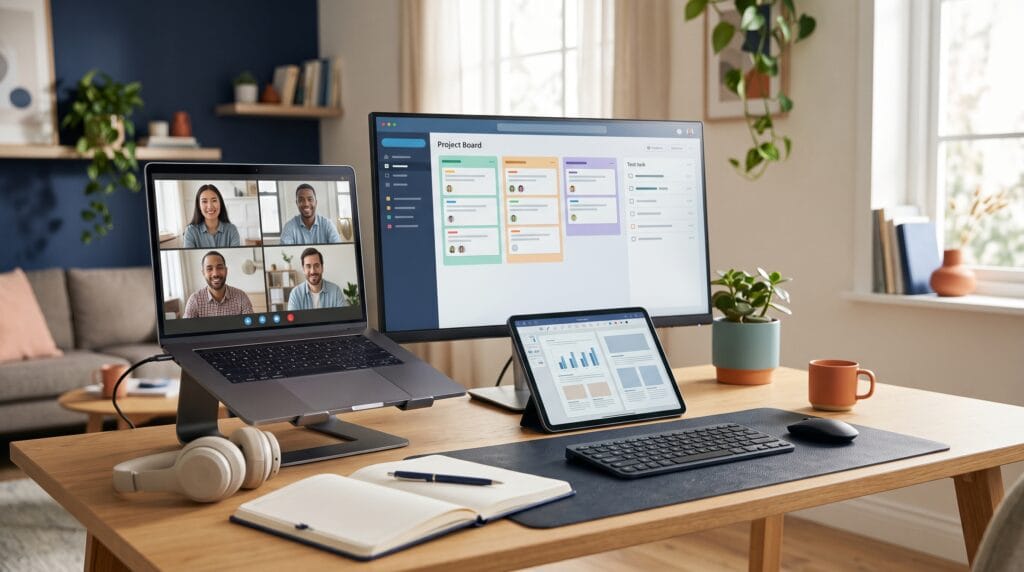
Technology for remote teams helps businesses communicate, coordinate projects, and share information when employees work in different locations. The right tools make responsibilities clearer and reduce the effort needed to find documents or follow decisions. However, a productive setup also needs shared habits, clear expectations, and thoughtful management.
Remote work can involve home offices, distributed departments, freelancers, and colleagues across time zones. Each arrangement creates different needs. A small creative studio may prioritize feedback on visual work, while a service business may need reliable customer handoffs.
This guide explains the main technology categories, practical examples, and a simple approach to choosing tools that fit your business.
What Makes Good Technology for Remote Teams?
Good technology for remote teams helps people complete real work with fewer obstacles. It should be easy to learn, dependable, and compatible with the way your team operates.
Before comparing products, identify your current problems. Are deadlines unclear? Do employees struggle to find approved files? Are meetings replacing written updates?
The most useful setup usually covers:
- Team communication.
- Meetings and presentations.
- Project and task management.
- Shared documents and files.
- Internal knowledge.
- Account and device security.
Choose tools with clear purposes. When several platforms serve the same role, employees may become unsure where information belongs.
1. Technology for Remote Teams in Communication Platforms
Communication platforms provide a shared place for questions, announcements, and project discussions.
Slack organizes conversations through channels and offers huddles for audio or video discussions. Microsoft Teams combines messaging, meetings, and file sharing. These are examples to evaluate according to your existing tools and communication needs.
Remote Communication That Supports Focus
Create channels around useful subjects, such as active projects or company announcements. Give each channel a short description so employees understand its purpose.
Also define response expectations. A routine question should not create the same urgency as a service interruption.
Use technology for remote teams to preserve context. Include relevant links, explain the decision needed, and keep replies connected to the original discussion. This makes conversations easier to follow later.
2. Technology for Remote Teams with Video Meetings
Video meetings are useful for discussions that benefit from immediate interaction, including onboarding, workshops, and complicated decisions.
For example, Microsoft Teams supports scheduled meetings and channel meetings that team members can discover and join.
However, buying meeting software does not make every meeting necessary. Written updates can often replace routine status calls.
Better Virtual Meetings With Clear Outcomes
Share an agenda and supporting information before the call. Invite the people who need to contribute or make a decision.
Afterward, record:
- Decisions made.
- Tasks assigned.
- Responsible owners.
- Agreed deadlines.
- Questions that remain open.
When recording is appropriate, explain it to participants and follow company policy. Keep a written summary available so important information remains easy to find.
3. Technology for Remote Teams with Project Management
Project management software makes work visible beyond individual inboxes.
Asana is one example of a platform for organizing and tracking tasks and projects. Its project views support different ways of planning work, although feature availability depends on the selected plan.
For remote businesses, visibility matters because managers cannot rely on informal office conversations to understand progress.
Remote Task Management With Clear Ownership
Every active task should include an owner, an expected outcome, and a due date when relevant.
A task called “Update website” provides little guidance. “Revise the homepage introduction and submit it for review by Thursday” is easier to act on.
Technology for remote teams works best when employees update task status consistently. Define what “in progress,” “blocked,” and “complete” mean for your workflow.
Also Read: Best Technology for Small Business Growth and Efficiency
4. Technology for Remote Teams with Shared Documents
Shared document tools help employees review proposals, prepare reports, and maintain common reference material.
A useful platform should provide appropriate editing permissions, comments, and a way to identify the current version. Test these capabilities against the documents your team actually uses.
For example, a marketing team might maintain one campaign brief containing objectives, approved messaging, and links to final assets.
Cloud Collaboration With Organized Files
Create a folder structure that new employees can understand. Use consistent file names and distinguish drafts from approved material.
Avoid sending new attachments whenever a document changes. Link to the shared working file when possible.
Also assign ownership. Someone should maintain important folders, remove outdated instructions, and review access when people leave a project.
5. Technology for Remote Teams with Knowledge Management
A knowledge base gives employees a reliable place to find procedures, policies, and previous decisions.
Notion is one example of a workspace that brings documents, notes, and project information together.
Other approaches may also work, including a well-organized internal document collection. The important requirement is that information is searchable and maintained.
Remote Knowledge Sharing for Easier Onboarding
Start with frequently repeated questions. Document how to request access, submit expenses, prepare client work, or resolve common problems.
Give each important page an owner and a review date.
Technology for remote teams reduces repeated explanations when employees trust the information they find. Short, accurate instructions are more useful than a large collection of outdated pages.
6. Technology for Remote Teams with Asynchronous Collaboration
Asynchronous collaboration allows people to contribute without being online at the same time.
This approach is useful when colleagues work across time zones or need uninterrupted time for detailed tasks.
An update might include a short explanation, supporting screenshots, and a specific request for feedback. The recipient can respond during their working hours.
Written Updates That Keep Work Moving
Use a simple format:
- What changed?
- What happens next?
- What is blocked?
- What response is needed, and by when?
For visual explanations, a short screen recording may help. Include a written summary so colleagues can quickly understand the topic.
Effective technology for remote teams supports both immediate conversations and thoughtful responses over time.
7. Secure Access Technology for Remote Teams
Remote employees need dependable access to business accounts and information.
Start with unique passwords, multifactor authentication where available, and access permissions based on responsibilities. A business password manager can help employees manage credentials without sharing them through ordinary messages.
Device updates and clear procedures for lost equipment also matter.
Remote Security With Practical Responsibilities
Assign someone to manage account creation, access changes, and departures. Keep a current list of important business systems.
When an employee leaves, transfer ownership of shared resources and remove unnecessary access.
Choose secure access arrangements that fit your systems. Some businesses may need a managed remote connection, while others primarily use cloud applications with appropriate identity controls.
Also Read: Smart Healthcare Technology for Safer and More Connected Care
AI and Automation for Remote Collaboration
AI and automation can support routine work, but they need a defined purpose.
Possible applications include drafting internal updates, organizing notes, or moving approved information between systems. Review outputs before relying on them, especially when they contain commitments, deadlines, or customer details.
Before entering confidential material, understand how the selected tool handles data.
The best technology for remote teams reduces repetitive work without creating more checking or confusion. Test one workflow first and compare the time saved with the effort needed to review results.
Keep a manual fallback for failed connections or inaccurate outputs.
How to Choose Technology for Remote Teams
Start with requirements rather than a long product list.
Consider team size, existing software, accessibility, customer expectations, and the locations where employees work.
Evaluate each option through five questions:
- Does it solve a specific problem?
- Can employees use it comfortably?
- Does it connect with essential existing systems?
- What is the full cost of setup and ongoing use?
- Can you export your information if you change tools?
Check current plans directly with the provider before purchasing. Features, storage allowances, and administrative controls can differ by subscription.
A short trial using real work is more informative than a demonstration alone.
Build a Manageable Remote Work Setup
A small business can begin with one main communication platform, one meeting tool, one task system, and a shared document space. Some products cover more than one category.
Write a brief guide explaining where each type of information belongs.
For instance, use chat for quick coordination, the project system for responsibilities, and the knowledge base for permanent instructions.
Introduce changes gradually. Give employees a realistic task to complete and collect feedback about confusing steps.
Review the setup after the first month. Remove unnecessary duplication and address training gaps before adding more tools.
Also Read: Best AI Technology Tools for Creators and Digital Work
Conclusion – Choose Technology for Remote Teams With Purpose
The best technology for remote teams makes communication clearer, work easier to follow, and information simpler to access. It supports employees through reliable tools and consistent working habits.
Start by solving your most frequent coordination problem. Choose a manageable setup, explain how to use it, and evaluate results through completed work, fewer delays, and employee feedback.
When technology fits everyday needs, remote teams can collaborate confidently and give customers a more dependable experience.
For high-quality fonts to boost your income, check out Letter Crafted. Our professional fonts are perfect for branding, marketing, and content creation. So, don’t miss this opportunity.