
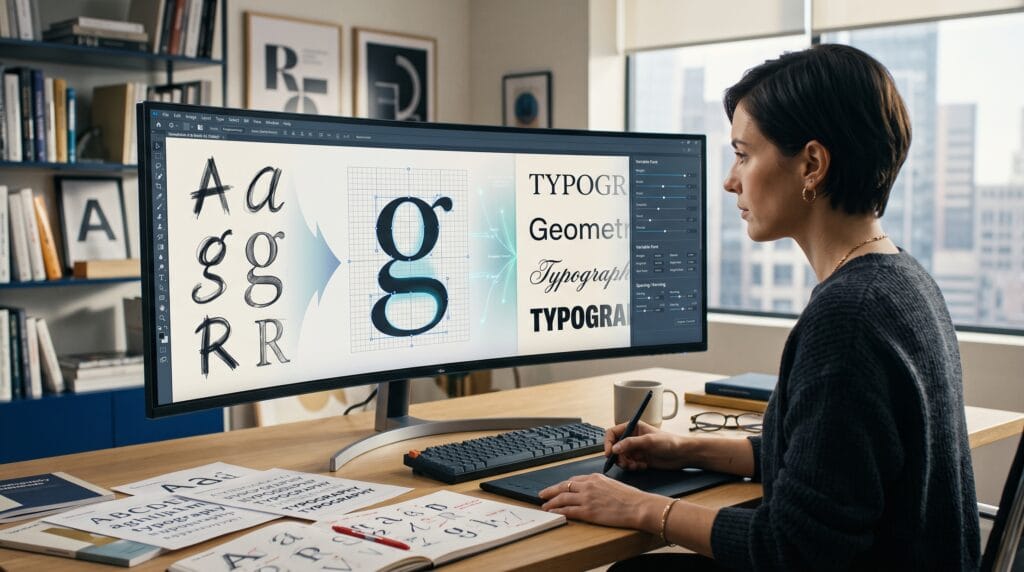
AI tools for typography are helping brand designers, type lovers, and creative professionals explore font combinations, discover suitable typefaces, generate decorative text effects, and develop visual concepts more efficiently. These platforms can reduce the time spent searching through large font libraries while providing fresh starting points for logos, packaging, social graphics, websites, and brand identities.
However, not every AI typography tool creates a usable font file. Some platforms recommend existing typefaces, while others generate visual text effects that behave like images rather than editable fonts. Designers need to understand this difference before using AI-generated typography in commercial projects.
The strongest workflow combines artificial intelligence with human judgment. AI can suggest possibilities, organize options, and speed up experimentation, but designers still need to evaluate legibility, hierarchy, spacing, brand relevance, technical quality, and licensing.
This guide explores practical AI tools for typography, their main strengths, and how to use them responsibly when creating professional type designs.
What Are AI Tools for Typography?
AI tools for typography are platforms that use machine learning, generative systems, search intelligence, or automated design features to support typography-related tasks.
They may help designers:
- Discover typefaces using natural language
- Generate font combinations
- Apply decorative effects to words
- Create typographic visual concepts
- Compare different font directions
- Build branded social graphics
- Explore headline treatments
- Organize large font libraries
- Accelerate mood-board development
- Generate presentation ideas
Some tools focus on practical font selection. Others are better for experimentation and inspiration.
A font-pairing platform may recommend an existing headline and body typeface combination. A generative text-effect tool may apply flowers, metal, liquid, paper, or other visual textures inside letter shapes. These outputs serve different purposes and should not be treated as interchangeable.
How AI Tools for Typography Improve Creative Work
Typography projects often begin with a long exploration phase. Designers may test dozens of fonts before finding one that communicates the right personality.
Using AI tools for typography can make this stage more efficient by narrowing the possibilities.
For example, designers can use AI to:
- Search for fonts by mood instead of name
- Generate contrasting typeface combinations
- Visualize decorative headline effects
- Create several brand directions quickly
- Compare elegant, modern, friendly, or technical styles
- Produce concept images for client discussions
- Organize typography research
This faster exploration gives designers more time to refine the final result.
AI recommendations should still be treated as suggestions. A font that looks attractive in a generated preview may lack the required language support, weights, symbols, licensing rights, or technical quality.
1. Monotype AI Search for Font Discovery
Monotype AI Search allows designers to describe the typeface they need using natural language. Instead of searching only by categories such as serif or sans serif, users can describe the desired feeling, purpose, or visual direction.
Monotype states that its AI-powered search works across a library containing more than 250,000 fonts from Monotype and thousands of foundry partners.
A designer might search for ideas such as:
- A confident serif for a luxury skincare brand
- A friendly geometric sans serif for a children’s app
- A technical font for an automotive dashboard
- A warm editorial typeface for a lifestyle magazine
- A bold display face for food packaging
This makes Monotype one of the most relevant AI tools for typography for professional font discovery.
Best Uses
Monotype AI Search is useful for:
- Brand identity projects
- Editorial design
- Packaging
- Global campaigns
- Website typography
- Corporate font systems
- Client font presentations
Important Consideration
Finding a font does not automatically provide the right to use it. Designers must confirm the required desktop, web, app, advertising, embedding, or enterprise license before publishing the work.
2. Fontjoy for AI-Assisted Font Pairing
Fontjoy helps designers generate font combinations for headings, introductions, and body text. It uses machine-learning-based relationships between typefaces to suggest combinations that provide visual compatibility or useful contrast.
Users can generate a complete combination, lock one preferred font, and continue exploring alternatives for the remaining roles.
This is useful when designing:
- Websites
- Blog layouts
- Presentations
- Brand guidelines
- Editorial pages
- Social graphics
- Landing pages
Fontjoy is one of the most accessible AI tools for typography because it provides a quick visual starting point without requiring advanced type knowledge.
How to Use Fontjoy Effectively
Begin by choosing the most important font in the project. This is usually the headline, display, or brand typeface.
Lock that selection and generate possible supporting fonts. Then evaluate:
- Contrast
- Readability
- X-height
- Character width
- Weight range
- Mood
- Language support
- Licensing
Do not accept a pairing only because the tool recommends it. Test the combination with realistic headlines, paragraphs, labels, numbers, and buttons.
3. Adobe Firefly Text Effects
Adobe Express includes a Firefly-powered text-effect generator that allows users to type a short description and apply materials, textures, and decorative styles to text. Adobe describes the feature as a way to generate styles and textures from a written prompt.
Prompt examples may include:
- Letters made from tropical flowers
- Chrome text with futuristic reflections
- Soft fabric lettering with embroidered details
- Chocolate typography with realistic texture
- Frozen glass letters with blue highlights
- Wooden letters covered in moss
Adobe’s guidance indicates that Text Effects is intended for short text treatments rather than creating a complete functional typeface.
Best Uses
Adobe Firefly Text Effects works well for:
- Social media graphics
- Event posters
- Seasonal campaigns
- Short headlines
- Promotional banners
- Experimental logo presentations
- Mood boards
- Concept exploration
Text Effects Are Not Font Files
This distinction is important. The output is a visual treatment of specific text, not an installable font family containing editable glyphs.
You cannot expect the effect to provide a complete alphabet, OpenType features, kerning, language support, or consistent characters across every word.
Use it as artwork or inspiration, not as a replacement for a professionally engineered font.
Also Read: Top 7 AI Teaching Tools for Teachers to Transform Their Classroom
4. Adobe Firefly for Typographic Concept Images
Adobe Firefly can also generate broader creative imagery from text prompts and reference images. Adobe positions Firefly as a generative platform for creating images, video, audio, and other production-oriented content.
Typography designers can use it to develop:
- Lettering mood boards
- Poster compositions
- Decorative alphabet concepts
- Material references
- Environmental typography
- Dimensional text ideas
- Campaign directions
For example, a designer creating a summer brand campaign could generate concepts for letters made from fruit, water, fabric, or beach materials.
The strongest results come when Firefly is used during exploration. The final typography should usually be rebuilt, refined, or typeset manually for accuracy and consistency.
5. Canva Typography and AI Design Tools
Canva provides font-pairing guidance, templates, visual design features, and AI-assisted creation tools that can help creators test typographic directions quickly. Canva’s own design resources emphasize pairing fonts through harmony, contrast, hierarchy, and role selection.
Canva is useful for combining typography with:
- Social posts
- Presentations
- Posters
- Brand kits
- Pinterest graphics
- YouTube thumbnails
- Marketing materials
- Simple logos
It is especially practical for non-designers and small teams that need to produce branded content consistently.
Best Uses
Canva works well for:
- Testing headline and body combinations
- Building basic brand templates
- Comparing font personalities
- Creating fast campaign variations
- Presenting typography options to clients
- Applying consistent fonts across social content
Maintain Brand Control
AI-generated layouts may introduce too many fonts, colors, or effects. Designers should reduce the options and create a controlled typography system.
Most brand projects need:
- One primary display typeface
- One supporting text typeface
- A defined weight hierarchy
- Clear spacing rules
- Consistent capitalization
- Reusable style settings
6. Monotype AI Typeface Pairing
Monotype has also explored AI-assisted typeface pairing. Its typography research describes tools that help designers find combinations while combining technology with professional type expertise.
Typeface pairing is not simply about choosing two attractive fonts. The fonts must work together across hierarchy, tone, readability, and brand applications.
AI pairing tools may help evaluate initial possibilities, but designers should test them in realistic settings.
Evaluate AI Font Pairings Through Context
Test suggested pairings in:
- Website navigation
- Large headlines
- Long paragraphs
- Product labels
- Mobile interfaces
- Numbers and pricing
- Buttons
- Captions
- Printed materials
A combination that works for a poster may not work for a dashboard or long article.
7. Fontpair for Curated Typography Combinations
Fontpair provides curated combinations built largely from widely accessible type libraries such as Google Fonts and Fontshare. It allows users to preview combinations with their own content and explore different pairing styles.
Although it is more curated than fully generative, it complements AI tools for typography by giving designers a structured library of tested combinations.
It is useful for:
- Websites
- Blogs
- Portfolio sites
- Small businesses
- Landing pages
- Digital publications
Fontpair can also help beginners study why certain combinations work.
Look at differences in:
- Serif and sans serif structure
- Stroke contrast
- Character proportion
- Width
- Visual texture
- Historical style
- Formality
8. ChatGPT for Typography Research and Direction
A conversational AI assistant can support typography projects by helping designers organize their thinking.
It can help create:
- Font search descriptions
- Typography mood words
- Brand personality summaries
- Pairing evaluation criteria
- Client presentation explanations
- Font licensing checklists
- Naming ideas for typefaces
- Prompt variations for visual tools
- Type specimen copy
- Research outlines
For example, a designer can describe a new restaurant brand and ask for several typography directions, such as rustic, premium, modern, playful, or heritage-focused.
However, AI-generated font names, licensing information, and product features must be verified. A conversational tool may suggest fonts that are outdated, unavailable, or unsuitable for the intended license.
Use it to structure research, not as the final source of truth.
Also Read: AI Tools 2026: The Most Practical Forecast for Teams
9. Glyphs for Professional Type Refinement
Glyphs is not primarily an AI generator, but it is an important professional tool for turning type ideas into functional fonts. Glyphs describes its application as a Mac font editor for drawing vectors, reusing shapes, and producing font families, icon systems, and logos.
Designers may use generative tools for inspiration and then move into Glyphs to build:
- Complete alphabets
- Numerals
- Punctuation
- Accents
- Kerning pairs
- OpenType features
- Variable font axes
- Exportable OTF files
- Language support
This highlights an important limitation of many AI tools for typography: visual generation is not the same as font engineering.
A professional typeface still requires consistent drawing, spacing, interpolation, testing, and technical production.
10. Research Tools for Experimental AI Typography
Academic projects are exploring how AI can generate consistent artistic text effects while preserving letter shapes. Research systems such as FontStudio and JoyType focus on shape control, multilingual text, and more consistent effects across letters.
These systems show where generative typography may be heading, including:
- Better consistency across alphabets
- Multilingual support
- Shape-aware texture generation
- Controlled decorative effects
- More reliable letter preservation
However, research demonstrations are not always ready for everyday commercial workflows.
Designers should evaluate availability, output rights, technical limitations, and licensing before depending on experimental systems.
How to Choose AI Tools for Typography
The best tool depends on the task.
Use font-discovery tools when you need an existing professional typeface. Use pairing tools when building hierarchy. Use generative effects for decorative artwork. Use font editors when creating a real typeface.
Before choosing a platform, ask:
- Do I need an actual font or a visual text image?
- Will the design be used commercially?
- Does the tool preserve exact spelling?
- Can the result be edited later?
- Does the font support the required languages?
- Are the license terms suitable?
- Will the typography work at small sizes?
- Can the style remain consistent across many words?
- Does the output match the brand?
- Can the design be reproduced across different media?
These questions prevent AI tools for typography from creating problems later in production.
AI Typography Workflow for Brand Designers
A practical workflow might look like this:
1. Define the Brand Personality
List the qualities the typography should communicate, such as trustworthy, playful, technical, luxurious, handmade, or energetic.
2. Search for Typeface Directions
Use Monotype AI Search, Fontjoy, Fontpair, or other discovery platforms to explore relevant options.
3. Build Pairing Options
Select one primary typeface and test several supporting fonts.
4. Create Realistic Samples
Apply each combination to:
- Logos
- Headlines
- Body copy
- Packaging
- Social media
- Websites
- Presentations
5. Explore Decorative Concepts
Use Adobe Firefly or Canva to generate experimental headline treatments and campaign ideas.
6. Refine Manually
Correct spacing, hierarchy, line breaks, proportions, and visual balance.
7. Verify Licensing
Confirm that every selected font can be used in the required formats and platforms.
8. Document the System
Create brand guidelines covering font families, weights, sizes, line height, tracking, and usage examples.
This process allows AI tools for typography to accelerate exploration without replacing professional design decisions.
Common Mistakes When Using AI Tools for Typography
1. Treating Generated Lettering as a Complete Font
A decorative word image does not provide a reusable alphabet or font file.
2. Ignoring Font Licensing
Every project should confirm commercial, web, app, broadcast, and product usage rights.
3. Using Too Many Fonts
AI tools can generate endless options. A strong brand system usually needs only a small, controlled selection.
4. Trusting AI-Generated Spelling
Generative image tools may distort letters or introduce incorrect characters. Always inspect the text carefully.
5. Ignoring Readability
Decorative effects can make typography difficult to read, especially at small sizes.
6. Skipping Manual Refinement
AI suggestions should be adjusted for kerning, hierarchy, spacing, alignment, and context.
7. Copying Existing Styles Too Closely
Use AI-generated references as inspiration while developing an original solution appropriate for the brand.
Also Read: AI for Small Business How to Save Time Without Hiring
Final Thoughts on AI Tools for Typography
AI tools for typography can make font discovery, pairing, text-effect generation, and concept development faster. Platforms such as Monotype AI Search, Fontjoy, Adobe Firefly, Canva, and Fontpair can help designers move through the exploration stage with more options and clearer direction.
However, typography still requires human judgment. Designers must understand letterforms, spacing, hierarchy, readability, brand personality, and licensing.
The best approach is to use artificial intelligence as a creative assistant. Let it generate possibilities, identify combinations, and speed up repetitive research. Then apply professional design skills to select, refine, test, and document the final typography system.
When used thoughtfully, AI tools for typography can help brand designers and type lovers create stronger concepts without sacrificing originality, usability, or technical quality.
For high-quality fonts to boost your income, check out Letter Crafted. Our professional fonts are perfect for branding, marketing, and content creation. So, don’t miss this opportunity.