
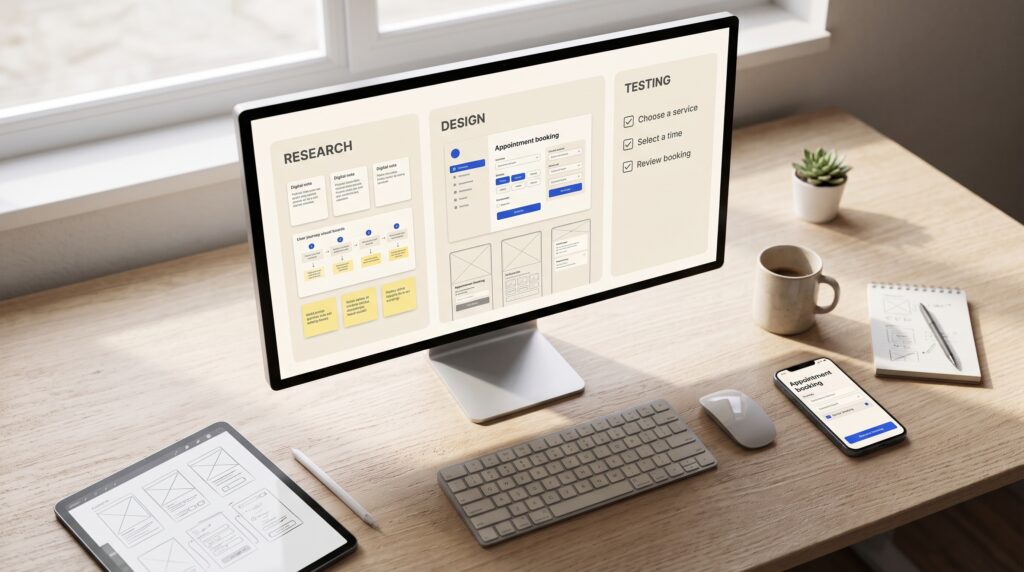
The best UI UX tools help you answer a design question or produce something your team can use. You might need to organize interview notes, explore a booking flow, build reusable buttons, or watch someone try a prototype. Choosing a tool becomes easier when you can name that task before comparing features.
This guide explores ten tools through a fictional appointment booking app. The team needs to understand how customers choose a time, design the screens, and test whether people can change a booking without help. Each tool has a different role in that process. The descriptions focus on practical uses, with original examples rather than a numerical ranking.
How to Choose the Best UI UX Tools for Your Project
Start with the work your team needs to complete this month. A solo designer preparing a first prototype has different needs from a team maintaining several products. List your immediate outputs, such as a research summary, a screen flow, and a tested prototype.
Then consider who needs to contribute. Can researchers organize findings where designers can find them? Can developers inspect the decisions that affect implementation? Can participants complete a test on the device you intend to study?
The best UI UX tools also fit the way your team maintains its work. Before adopting one, try a small task, share the result, and export it. Check current plan limits and supported features during that evaluation, especially when your process depends on a particular integration.
1. FigJam for Early Mapping and Team Workshops
FigJam provides a shared visual workspace for notes, diagrams, and collaborative exercises. It fits the stage when the team is still deciding what to investigate or how a flow might work.
For the booking app, create a simple journey from choosing a service to receiving confirmation. Place open questions beside the relevant steps. “Can customers choose a staff member?” belongs near service selection. “What happens if the time becomes unavailable?” belongs near booking confirmation.
Invite colleagues to add observations before the workshop. During the session, turn the most important questions into assigned follow-up tasks.
Among the best UI UX tools for early planning, FigJam is useful when a shared diagram makes the discussion easier to follow. Give the board an owner and a clear outcome so it remains useful after the meeting.
2. Dovetail for Organizing Qualitative Research
Dovetail supports the work of organizing and reviewing qualitative research material. It can help a team connect a finding to the interview or observation behind it.
Imagine several booking app participants mention uncertainty about appointment duration. Keep the relevant excerpts together, then write a finding that explains when the uncertainty appeared. A customer choosing between two services may need different information from someone returning to book the same service again.
Use consistent labels and include enough context to interpret each excerpt. A short comment about “confusing times” could refer to duration, time zones, or availability.
When evaluating the best UI UX tools for research, look at how easily a teammate can move from your summary back to the underlying evidence. That connection makes findings easier to discuss and revisit.
3. Optimal Workshop for Information Architecture Research
Optimal Workshop is associated with research methods that help teams explore how people group information and find their way through a structure. Card sorting and tree testing can inform navigation decisions.
For the booking app, suppose the account area includes appointments, receipts, preferences, and saved customer details. A card sort can explore how participants group those items. A tree test can examine whether they find a receipt within your proposed structure.
Write tasks around a user’s situation. “You need the receipt from last month’s visit” gives someone a goal without repeating the navigation label.
The best UI UX tools for information architecture help you examine structure before polishing screens. Review wrong turns and explanations alongside completion results so you understand what needs to change.
Also Read: UI/UX Design Tools for Faster Feedback and Better UX
4. Balsamiq for Quick Wireframes
Balsamiq supports rough wireframes built from familiar interface elements. It is useful when you want to discuss page structure before spending time on detailed styling.
Create two booking screen options. One might place service details above the calendar. Another might show the service summary beside a separate date selection step. Compare what people need to remember as they move through each version.
Include realistic content even in a rough draft. A long service name can reveal space problems that a short placeholder hides.
Balsamiq earns a place among the best UI UX tools when quick structural exploration is the immediate task. Add notes about behavior so reviewers understand what happens when someone changes a date or goes back.
5. Figma for Interface Design and Shared Components
Figma supports interface design, reusable components, and interactive prototypes. It fits the stage when the team needs to turn an agreed flow into detailed screens.
Build the booking app’s buttons, form fields, and time slots as reusable components. Include selected, unavailable, and error states. Then use those components to assemble the booking and review screens.
Test the components with realistic variations. A time slot may work with a short label but need adjustment when the interface includes a time zone.
When comparing the best UI UX tools for daily design work, consider how clearly the file communicates decisions. Name components consistently, mark the proposed flow, and keep older explorations away from the screens the team is preparing to build.
6. Penpot for Collaborative Interface Design
Penpot offers an open-source option for interface design and collaboration. It is worth evaluating when a team wants to consider an open-source design environment.
Use the same booking task you would test in another interface tool. Build a service card, create a few states, assemble a screen, and share it with a developer. Ask the developer to explain how they would interpret the layout and assets.
That trial gives you more useful information than comparing feature lists alone. You can see where the team needs extra documentation or a different working habit.
For teams selecting the best UI UX tools, Penpot belongs in a practical comparison based on a shared sample project. Evaluate deployment and maintenance needs if your team is considering hosting it.
7. Axure RP for Prototypes With Detailed Logic
Axure RP supports prototypes that need more behavior than a straightforward sequence of linked screens. It can be useful for conditional interactions, variable content, and complex forms.
In the booking app, available appointments might depend on the chosen service and staff member. A detailed prototype can demonstrate what happens when changing one selection affects another.
Build only the logic needed to answer your research question. If you’re testing whether customers notice a changed appointment time, implement that change and its feedback clearly.
The best UI UX tools for complex prototyping let participants encounter meaningful consequences. Keep a short record of the behavior you simulated so developers and researchers understand the prototype’s boundaries.
Also Read: AI Website Design Tools for Better Ideas, Layouts, and Prototypes
8. Maze for Task-Based Prototype Testing
Maze supports structured research activities, including testing how participants approach tasks in a prototype. It can help a team collect feedback without attending every session live.
Give participants a booking task with a clear outcome. For example, ask them to reserve a haircut on Tuesday afternoon and then change the appointment to Wednesday. Avoid telling them which button to press.
Before sharing the study widely, complete it yourself and run a small pilot. Check that the prototype links work and that task instructions make sense.
When considering the best UI UX tools for testing, examine the experience participants will have. A confusing study setup can affect the results before anyone reaches your design.
9. Lookback for Observing Usability Sessions
Lookback supports usability research sessions where teams can observe participants interacting with a product or prototype. It is useful when you need to understand the hesitation behind an action.
During the booking study, watch what happens when a participant returns from the review screen. Do they expect their previous time selection to remain? Do they notice that changing the service alters the duration?
Ask neutral follow-up questions after the relevant action. “What did you expect to happen there?” can reveal more than explaining the interface.
Tools in this category complement structured task testing by giving researchers richer context. Plan consent, recording access, and note-taking before the session so participants understand what the study involves.
10. Hotjar for Learning From an Existing Website
Hotjar provides tools for examining behavior and gathering feedback on websites. It fits a different stage from prototype testing because people are interacting with a live experience.
For a browser-based booking service, investigate where visitors repeatedly return to earlier steps or leave a form. Use those observations to form questions, then examine them through further research.
A repeated action can have several explanations. Someone might reopen service details because the duration is unclear or because they’re comparing options.
Use the best UI UX tools for live behavior research to identify patterns worth investigating. Configure collection carefully, especially around forms that contain personal information, and connect observations to specific design questions.
Build a Workflow With Clear Handoffs
Choose a place for each output and link related work. Your journey map should lead to the research findings. The findings should connect to the design decisions they informed. Test results should identify the prototype version participants used.
For a small booking project, you might use one mapping tool, one interface design tool, and one testing tool. Add another when a concrete task requires it.
Also Read: UX Design Tools You Should Know for Better Results
Conclusion
The best UI UX tools depend on what you need to learn, create, and share. A rough wireframe can settle a layout question. A detailed prototype can expose a problem with changing selections. A usability session can reveal why someone hesitates before confirming.
Choose one representative task and try it from start to finish before committing your team. Include collaboration, review, and export in that trial. The result will show whether the tool fits the work you actually need to do.
For high-quality fonts to boost your income, check out Letter Crafted. Our professional fonts are perfect for branding, marketing, and content creation. So, don’t miss this opportunity.