
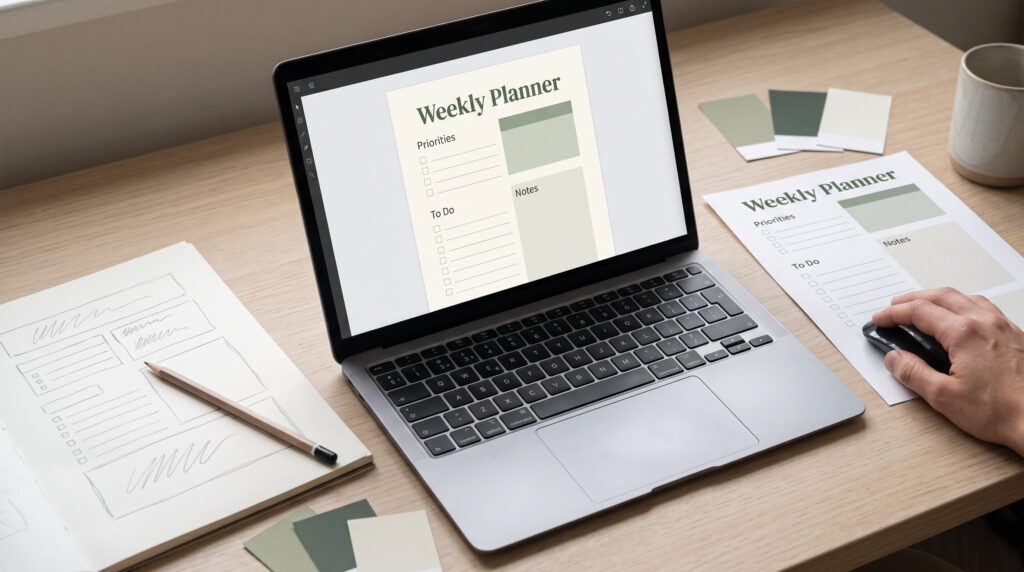
To create your first digital product, start with one useful problem you can solve for a specific person. Your product might be a printable checklist, an editable template, a spreadsheet, or a short guide. You do not need a large collection to begin. You need a clear purpose and a version you can finish, test, and explain.
This guide follows a fictional project planner for freelance designers. Its purpose is to help users organize client deadlines and review dates. You can apply the same steps to other ideas while adapting the format to your skills and customers.
1. Create Your First Digital Product for a Specific Audience
Choose who will use your product before deciding what it should contain. A planner for everyone leaves you guessing about its layout, instructions, and features.
A planner for freelance designers managing several client projects gives you clearer decisions. These users may need to track deadlines, feedback, and their next action.
Write a sentence describing the intended customer and task. For example, “This planner helps freelance designers see active projects and upcoming reviews in one place.”
Use that sentence to guide the work. When you consider a new feature, ask whether it supports the stated purpose.
2. Choose a Format That Supports the Task
The right format depends on what customers need to do. A printable worksheet supports handwriting, while a spreadsheet can organize entries and calculate totals.
An editable presentation template serves a different task from a short instructional guide.
| Format | Suitable starting purpose |
|---|---|
| Printable PDF | Complete a checklist or worksheet |
| Spreadsheet | Organize information and calculate values |
| Editable template | Adapt an existing layout |
| Short guide | Follow a focused learning process |
| Graphic asset pack | Build designs using coordinated elements |
Before you create your first digital product, consider the software customers will need. Choose a format they can realistically open and use.
For our planner, a spreadsheet provides a manageable starting point.
3. Test the Idea Before You Create Your First Digital Product
Speak with people who resemble your intended customers. Ask how they currently manage the task and what becomes inconvenient.
Show a rough outline or sample page. Invite someone to enter a project and identify its next review date.
Watch what happens instead of relying only on compliments. A person may like the appearance while struggling to understand a field.
Ask what they expected to find and what seems unnecessary. Record repeated observations.
For the planner, you might discover that customers need a visible next-action column more than a decorative monthly overview. Adjust the concept before spending hours polishing it.
4. Define the First Version Clearly
Decide what the product must include to perform its main task. Keep additional ideas in a separate list.
The planner’s first version might contain an overview sheet, a task list, a completed example, and brief instructions. Invoicing and time tracking can wait.
This boundary helps you create your first digital product without allowing every possibility to become a requirement.
Write down the files, pages, or components you intend to deliver. Then define what finished means for each one.
A smaller product still needs to feel complete. It should fulfill its promise even when you leave optional features for later.
5. Build the Content Before Refining the Appearance
Start with the information customers need. For a planner, define the fields and their relationships. For a guide, outline the steps and examples.
Use realistic content while building. A project called “Website redesign with two client reviews” reveals more than a repeated placeholder.
Include long entries, missing information, and different dates. These cases help you discover whether the structure is flexible enough.
As you create your first digital product, check that every section has a purpose. Remove repeated instructions and unclear labels.
For the planner, make it obvious where users enter information and where they should simply read a result.
Also Read: Online Startup Business Ideas for New Entrepreneurs
6. Create Your First Digital Product With Consistent Design
Once the structure works, choose a small set of visual rules. Use readable typography, clear headings, consistent spacing, and a restrained palette.
Give similar information the same treatment throughout the product. A deadline should not use a different date format on every sheet.
Avoid relying on color alone to explain an important distinction. Pair it with a label or another visible cue.
Keep decoration proportionate to the task. An attractive planner must still be easy to complete.
Build one representative page or sheet first. Apply its rules to the remaining components, then check them together for inconsistencies.
7. Test the Product From Beginning to End
Open the product as though you have never seen it before. Follow the instructions and complete the main task.
Then ask another person to try it without your explanation. For the planner, they could add three projects, enter review dates, and identify what needs attention next.
Testing helps you create your first digital product with fewer assumptions about what users understand.
Check the relevant technical details, too. Verify spreadsheet formulas using examples you can calculate yourself. Print a sample PDF. Edit a template with longer text.
Record problems, correct them, and repeat the affected task before calling the version finished.
8. Package Your Files for a Clear Handoff
Customers should know what they downloaded and where to begin. Use descriptive filenames and remove drafts, unused images, and unnecessary working files.
A simple delivery folder might include:
- The main product.
- A getting-started document.
- A completed example.
- Clear usage information.
- A contact route for questions.
State the required software and any setup steps. Explain whether users should make a copy before editing.
When you create your first digital product, test the delivery package separately from your working folder. Check that links and files do not depend on access to your own account.
9. Set a Price You Can Explain
Define the offer before choosing its price. Consider its scope, intended usefulness, included files, and the support you plan to provide.
List your selling costs and any ongoing expenses. Separate costs associated with each purchase from those you pay regardless of sales.
Your production time matters to your business, but customers also need to understand what the product helps them accomplish.
Avoid adding unnecessary extras simply to make a package look larger.
As you create your first digital product, record the assumptions behind your initial price. You can review the decision later using actual questions, costs, and purchasing behavior.
Also Read: How to Start a Business and Everything You Need to Know
10. Write an Accurate Product Page
Your product page should explain the offer without requiring customers to guess.
Describe the intended user, the main task, and exactly what is included. Show representative previews of the actual files.
For the planner, display the overview, task list, and completed example. Explain the software requirements and whether the file is editable.
Use specific descriptions of functionality. “Keep project deadlines in one overview” communicates more clearly than a promise that users will never miss another deadline.
State important limitations where people can find them before buying. An accurate page supports the experience you worked to create.
11. Prepare Delivery and Customer Support
Walk through the purchase and download process before announcing the launch. Check confirmation messages, access permissions, and the instructions buyers receive.
If delivery uses an editable template link, test it from a separate account where practical. Make sure customers can access the intended version without changing your original.
To create your first digital product successfully, plan for ordinary questions. Someone may need help opening a file, removing sample content, or understanding a field.
Decide what support you provide and how people contact you. Keep answers concise, and improve the instructions when the same confusion appears repeatedly.
12. Launch Your First Digital Product With a Useful Demonstration
Introduce the product where the intended audience can understand and evaluate it. Show the task being completed rather than relying only on an attractive cover.
For the planner, demonstrate entering a project, adding a review date, and finding the next action.
Explain who the product suits and what buyers receive. Keep the invitation to purchase straightforward.
Once you create your first digital product, a launch gives you new information. Pay attention to repeated questions, confusing previews, and unexpected setup problems.
Address issues that affect basic use before expanding the range. Keep version notes so you can track what changed and why.
Review Your Product Before Making It Available
A final check connects the separate parts of the experience. Review the delivered files against the promises on the product page.
| Area | Final question |
|---|---|
| Purpose | Is the intended audience and task clear? |
| Content | Does the package include everything promised? |
| Usability | Can someone begin without your explanation? |
| Files | Do the formats, names, and links work? |
| Instructions | Are setup and editing steps understandable? |
| Previews | Do images represent the delivered product? |
| Delivery | Can a buyer access the purchase? |
| Support | Is the contact route easy to locate? |
Fix anything that blocks use. Optional decoration can wait until the core experience is dependable.
Also Read: 30 Unique Business Ideas for Entrepreneurs Who Want Success
Conclusion – Give Your First Product Room to Improve
You can create your first digital product by making a series of manageable decisions. Choose a customer problem, select a suitable format, and build a focused version.
Test it with realistic content and prepare a clear handoff. Then introduce it with accurate previews and a demonstration people can understand.
Your first launch does not need to answer every future possibility. It needs to deliver the offer you described. Use what you learn afterward to improve that experience, one deliberate change at a time.
For high-quality fonts to boost your income, check out Letter Crafted. Our professional fonts are perfect for branding, marketing, and content creation. So, don’t miss this opportunity.