
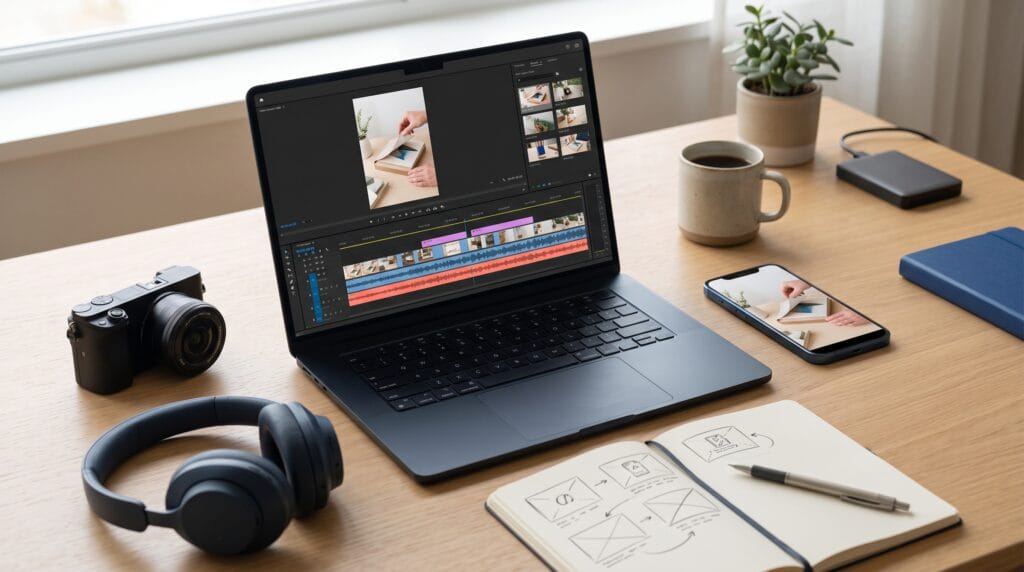
Learning how to edit short form videos starts with making the opening useful, clear, and relevant. A strong hook gives viewers a reason to continue by showing an interesting result, introducing a recognizable problem, or promising a specific lesson. However, the rest of the video must deliver that value through purposeful footage, readable captions, and a coherent sequence.
An opening hook does not need exaggerated claims or complicated effects. Sometimes, showing the finished project before explaining the process is enough to make the topic immediately understandable.
This guide walks through a practical editing workflow for tutorials, product demonstrations, and educational clips. You will learn how to choose your opening, tighten the sequence, and connect the hook to a satisfying ending.
1. Edit Short Form Videos Around One Clear Promise
Before arranging clips, decide what the viewer should gain from the video.
A broad topic such as “better design” gives you little direction. A focused promise such as “make this headline easier to read” helps you choose footage and remove distractions.
Write the promise in one sentence. Then check whether every planned section contributes to it.
Define the Audience Before Editing Short Videos
Consider what your audience already knows and what they need to see.
A beginner may need a visible demonstration of the problem. An experienced creator may prefer an immediate comparison between two techniques.
When you edit short form videos, this decision helps determine how much explanation belongs in the opening. Start with the information necessary to understand the value, then introduce details when they become relevant.
2. Edit Short Form Videos With a Strong First Frame
The first frame should help viewers recognize the subject without waiting through an unrelated introduction.
For a cooking tutorial, show the finished dish or a meaningful action. For a design lesson, show the layout being improved. For a product demonstration, make the product and its purpose visible.
Avoid beginning with equipment adjustments, empty footage, or a long logo animation unless those elements serve the story.
Choose Opening Footage That Communicates Quickly
Review your raw footage for a clear, visually understandable moment.
Look for:
- A finished result.
- A visible before-and-after comparison.
- An action directly connected to the lesson.
- A close-up of the problem.
- A demonstration that creates a useful question.
As you edit short form videos, check whether the opening remains understandable without audio. A strong image can provide context before narration begins.
3. Edit Short Form Videos With Specific Opening Hooks
A verbal or written hook should explain why the footage matters.
Keep the wording specific and closely connected to the content. “Here is how to fix crowded text” is more informative than “You will not believe this trick.”
You can introduce a problem, reveal a result, or ask a relevant question.
Opening Hook Examples for Short Video Tutorials
Try structures such as:
- Problem: “Your headline is hard to read because the spacing is uneven.”
- Result: “This simple crop makes the product easier to notice.”
- Comparison: “Here is the same layout with two different text hierarchies.”
- Question: “Why does this transition feel abrupt?”
- Process: “Let’s turn this long explanation into three clear steps.”
Use these structures as starting points rather than fixed scripts.
When you edit short form videos, keep the opening claim honest. The lesson should visibly support whatever the hook promises.
Also Read: CapCut Tutorial for Better Video Editing Results
4. Edit Short Form Videos by Removing Unnecessary Setup
Raw footage often contains pauses, repeated explanations, and preparation that viewers do not need.
Trim these sections while preserving the information required to understand the process.
For example, a tutorial may not need to show you locating a file. However, it may need to show which setting you change and what happens afterward.
Cut for Clarity Rather Than Constant Speed
Review each clip and ask whether it introduces information, demonstrates an action, or shows a result.
If it repeats an earlier point without helping comprehension, shorten or remove it.
Leave enough time for viewers to notice important changes. Fast cutting can make a simple lesson difficult when every step disappears before it can be understood.
To edit short form videos effectively, aim for efficient communication rather than the largest possible number of cuts.
5. Edit Short Form Videos With Purposeful Pacing
Pacing is the rhythm created by clip duration, movement, narration, and pauses.
Different moments need different amounts of time. A quick establishing shot may need less space than a detailed comparison.
Allow the viewer to absorb the most important part of the lesson.
Build a Clear Short Video Sequence
A useful tutorial structure is:
- Hook: show the problem or promised result.
- Context: explain what the viewer is looking at.
- Demonstration: present the essential actions.
- Payoff: show the completed improvement.
- Next step: suggest how to apply the lesson.
This sequence gives the video a direction without requiring a rigid duration for each part.
When you edit short form videos, vary the visual treatment only when it helps. A close-up or screen recording should clarify the action rather than interrupt it.
6. Edit Short Form Videos With Readable Captions
Captions help viewers follow spoken information when audio is unavailable or difficult to hear.
Review automatically generated captions carefully. Names, technical terms, and punctuation may need correction.
Break longer sentences into manageable sections while preserving their meaning.
Caption Design for Clear Short Videos
Choose a readable typeface and provide strong separation from the background. A simple solid or translucent panel can help over detailed footage.
Keep captions away from important objects and areas covered by the viewing interface. Preview the finished video in its intended placement.
Use emphasis sparingly. Highlighting every word can make the screen visually tiring.
As you edit short form videos, synchronize captions with speech closely enough that viewers can connect the words with the demonstration.
Also Read: Content Creation Tutorial for Better Workflow and Creativity
7. Edit Short Form Videos With Balanced Sound
Clear speech should remain easy to hear throughout the video.
Reduce distracting background noise where practical, but avoid processing that makes the voice sound unnatural. Adjust differences between clips so volume changes do not distract from the lesson.
Music can support the atmosphere, although it should not compete with essential narration.
Use Sound to Support the Opening Hook
A relevant sound can reinforce an action, such as opening packaging or completing a visible movement.
Avoid adding loud effects simply to make the opening more noticeable.
Listen through headphones and ordinary speakers when reviewing your mix. Check that spoken instructions remain understandable.
Use audio you have permission to publish, and review the applicable usage terms. When you edit short form videos, audio choices should support both the message and the intended publication context.
8. Edit Short Form Videos With Meaningful Visual Changes
Visual changes can introduce useful information and prevent the sequence from feeling static.
For example, switch from a presenter to a close-up when demonstrating a small detail. Show a screen recording when explaining a digital setting.
A before-and-after view can make an improvement easier to judge.
Keep Transitions Connected to the Story
A direct cut is often enough. Use more elaborate transitions when they explain a change in place, time, or stage.
Avoid effects that cover the action viewers need to see.
Check that color and brightness remain reasonably consistent between shots. Large unintended changes can distract from an otherwise clear sequence.
The goal when you edit short form videos is to guide attention toward useful details, including the result promised at the beginning.
Practice Editing a Short Tutorial With Two Hooks
Choose one simple lesson, such as improving a product photo or correcting uneven text spacing.
Build the main demonstration first. Then create two opening versions using the same core footage.
A Practical Short Video Editing Exercise
For the first version, show the finished result and explain the benefit.
For the second, show the original problem and introduce the correction.
Keep the rest of the video similar so the opening is the main difference. Watch both versions from beginning to end.
Ask a test viewer:
- What is the video teaching?
- Does the opening explain why it matters?
- Which step needs more time?
- Does the ending fulfill the promise?
This exercise helps you edit short form videos with deliberate choices rather than relying on effects alone.
Review the Hook and the Complete Video
Before publishing, check captions, spelling, sound, cropping, and the accuracy of your demonstration.
Confirm that the opening leads naturally into the first step. Remove any repeated introduction that delays the lesson after the hook.
After publication, use available viewing data and audience feedback to investigate where attention changes. Compare several similar videos before assuming one editing choice caused a result.
Treat those observations as guidance for your next experiment.
Also Read: How to Create Professional Product Photos With AI
Conclusion
To edit short form videos with strong opening hooks, begin with a clear audience need and a specific promise.
Choose meaningful opening footage, trim unnecessary setup, and give important actions enough time. Support the lesson with readable captions, balanced sound, and a visible payoff.
With practice, your openings can become clearer and your tutorials easier to follow. Strong editing helps viewers understand the value quickly and receive the lesson they expected.
For high-quality fonts to boost your income, check out Letter Crafted. Our professional fonts are perfect for branding, marketing, and content creation. So, don’t miss this opportunity.