
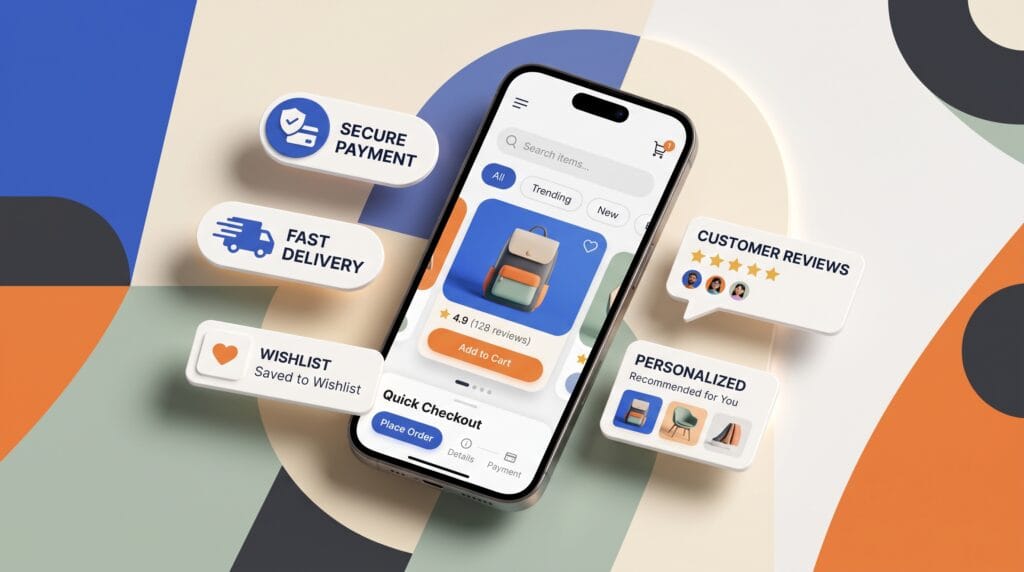
Mobile ecommerce design helps shoppers find products, understand their options, and complete purchases on smaller screens. A useful interface does more than present attractive images. It makes prices, product details, delivery information, and the next action easy to understand, while keeping the journey manageable from the first search to the final confirmation.
Consider a customer buying a lamp during a short break. They need to check its dimensions, choose a color, understand delivery costs, and pay without losing their place.
This guide explains practical decisions across that journey. Use it to design individual screens and review how they work together in a mobile website or shopping app.
1. Mobile Ecommerce Design Starts With the Shopping Task
Begin by identifying what customers are trying to accomplish.
Some arrive with a specific product in mind. Others browse a category, compare alternatives, or return to purchase something they previously saved.
These intentions require different routes through the interface.
Map the Mobile Shopping Journey
Create a simple journey covering discovery, evaluation, selection, cart review, checkout, and confirmation.
For each stage, ask what information the shopper needs and what could prevent progress.
A furniture customer may need dimensions before choosing. A clothing shopper may need size guidance and return information.
Effective mobile ecommerce design brings those details into the relevant stage rather than placing every answer in a distant help section. Start with the task, then decide which screens and controls support it.
2. Mobile Ecommerce Design for Clear Navigation
Navigation should help shoppers understand what the store sells and where to find it.
Vague category names or several competing menus can make browsing harder than necessary.
Use language customers recognize. A label such as “Table lamps” communicates more clearly than an unexplained collection name.
Make Categories and Search Easy to Find
Give search a recognizable position and keep important categories accessible.
Show customers where they are within the catalog. Preserve their context when they return from a product page.
If a customer opens a product halfway through a filtered list, returning should not require rebuilding the search.
In mobile ecommerce design, navigation needs to support both focused searching and casual browsing. Test these paths separately, because a layout that suits one may make the other unnecessarily difficult.
3. Mobile Ecommerce Design for Search and Filters
Search results should help people identify relevant products without opening every listing.
Useful product cards can include a clear image, recognizable name, price, and essential distinguishing information.
Filters should reflect the category rather than repeat the same options everywhere.
Keep Filtering Understandable
For a lamp category, relevant filters might include type, dimensions, color, and price. For clothing, size and fit may matter more.
Show active filters and provide a clear way to remove them.
Let users understand whether filters apply immediately or require confirmation. Make the resulting product count visible where helpful.
Good mobile ecommerce design also plans for unsuccessful searches. Offer an understandable explanation and useful next steps, such as changing a term or removing a restrictive filter.
4. Mobile Ecommerce Design for Useful Product Pages
A product page should answer the questions needed to make a buying decision.
Photography matters, but shoppers also need reliable specifications, clear pricing, and relevant purchase conditions.
Place important information where it supports evaluation.
Organize Product Details Around Real Questions
A useful product page may include:
- Product name and current price.
- Images showing different views or relevant details.
- Dimensions, materials, or technical specifications.
- Available options and stock status.
- Delivery information and return guidance.
- Reviews, where genuine and available.
Avoid burying essential details beneath unrelated promotions.
For example, a customer evaluating a lamp should not have to search extensively for its height.
Strong mobile ecommerce design connects visual appeal with information that helps shoppers decide whether the product fits their needs.
Also Read: Photography Website Design Ideas for Beautiful Online Portfolios
5. Mobile Ecommerce Design for Product Options
Options should be easy to understand and difficult to select incorrectly.
A color swatch alone may not communicate the exact choice. Pair it with a name and make the selected state clear.
Explain unavailable combinations rather than leaving customers to discover them after adding the item.
Keep Selection Close to the Purchase Action
Group size, color, quantity, and availability information logically.
Update relevant images or prices when the selected variant changes. Make sure the final action refers to the current selection.
If an option is required, explain that requirement clearly before proceeding.
In mobile ecommerce design, a fixed purchase button can be useful, but it must not hide options or important content. Review the screen with realistic scrolling, longer labels, and overlays present.
6. Mobile Ecommerce Design for Clear Cart Review
The cart gives shoppers a chance to check their choices before committing.
Show enough detail to distinguish similar products, including the selected variant and quantity.
Changing or removing an item should have a clear result.
Present Costs Without Surprises
Display item prices, subtotal, discounts, and known additional charges.
When delivery costs depend on an address, explain when the estimate becomes available. Avoid presenting an incomplete figure as the final total.
Make quantity controls comfortably tappable and separate them from removal actions.
Useful mobile ecommerce design helps shoppers recover from mistakes. Preserve the rest of the cart when one item changes, and explain stock or price changes that affect the order.
7. Mobile Ecommerce Design for Easier Checkout
Checkout should ask for the information genuinely needed to complete the purchase.
Unnecessary fields and unclear instructions create extra effort at the moment customers want to finish.
Where the business supports guest checkout, make that path easy to recognize.
Design Forms With Clear Labels and Feedback
Keep field labels visible, identify required information, and provide instructions where a format may be unclear.
The W3C’s forms guidance emphasizes labeling controls and giving understandable notifications, including guidance for correcting errors.
Place specific error messages near affected fields and preserve valid entries.
Use appropriate input methods and test the keyboard’s effect on the layout.
Good mobile ecommerce design avoids making customers repeat their address or other details simply because a different field needs correction.
Also Read: Agency Website Design Inspiration for Better UX and Conversion
8. Mobile Ecommerce Design for Payment and Confirmation
Before payment, show the order details and final amount clearly.
Customers should understand what the purchase button does. Use wording that describes the action rather than a vague label.
If payment moves to another service, explain the transition and provide a sensible return path.
Communicate Payment States Accurately
Design the pending, successful, and failed states.
A pending payment should not appear as a confirmed order. A failed attempt should explain what the customer can do next without encouraging unnecessary duplicate purchases.
After success, show the order reference, purchased items, and expected next steps.
In mobile ecommerce design, confirmation is part of the shopping journey. It should answer immediate questions about delivery updates, order access, and how to contact support.
9. Accessible Mobile Ecommerce Design
A shopping interface needs to work for people with different abilities, devices, and preferred interaction methods.
Readable text, sufficient contrast, understandable controls, and a logical sequence all deserve attention.
Accessibility involves the implemented behavior as well as the visual layout.
Check Controls Beyond Their Appearance
A small icon can sit inside a larger interactive area. Android guidance recommends touch targets of at least 48 by 48dp, use guidance appropriate to the platform you are designing for.
Check that controls have useful accessible names and that meaningful status information is not communicated through color alone.
Test larger text settings and realistic content lengths.
Accessible mobile ecommerce design should let customers select options, review errors, and complete checkout without depending on one narrow way of seeing or operating the screen.
10. Test Mobile Ecommerce Design With Complete Journeys
A polished product page does not prove that the shopping experience works.
Test a complete task, such as finding a lamp below a specified price, choosing a variant, and reviewing delivery costs.
Ask participants to proceed without explaining the interface beforehand.
Observe Friction and Review the Implementation
Record missed controls, repeated searches, unclear information, and points where customers lose confidence.
Include situations such as:
- No search results.
- An unavailable product variant.
- An incorrect address entry.
- A failed connection.
- A payment that remains pending.
Separate layout problems from missing content or technical failures.
Review mobile ecommerce design on actual devices as well as prototypes. Keyboard behavior, screen-reader output, and real payment transitions need suitable implementation testing.
Use findings to prioritize changes that improve understanding and task completion.
Also Read: Business Website Redesign: How to Get Better Results
Conclusion – Build a Shopping Journey Customers Can Follow
Mobile ecommerce design brings navigation, product information, selection, cart review, and checkout into one understandable experience.
Begin with the customer’s task and place useful details where they are needed. Keep choices clear, explain costs honestly, and make recovery from mistakes straightforward.
Then test the complete journey with realistic products, content, and interface states.
A better shopping experience gives customers enough information to decide and a dependable path to act on that decision. Thoughtful design makes each stage easier to follow without adding unnecessary work.
For high-quality fonts to boost your income, check out Letter Crafted. Our professional fonts are perfect for branding, marketing, and content creation. So, don’t miss this opportunity.