
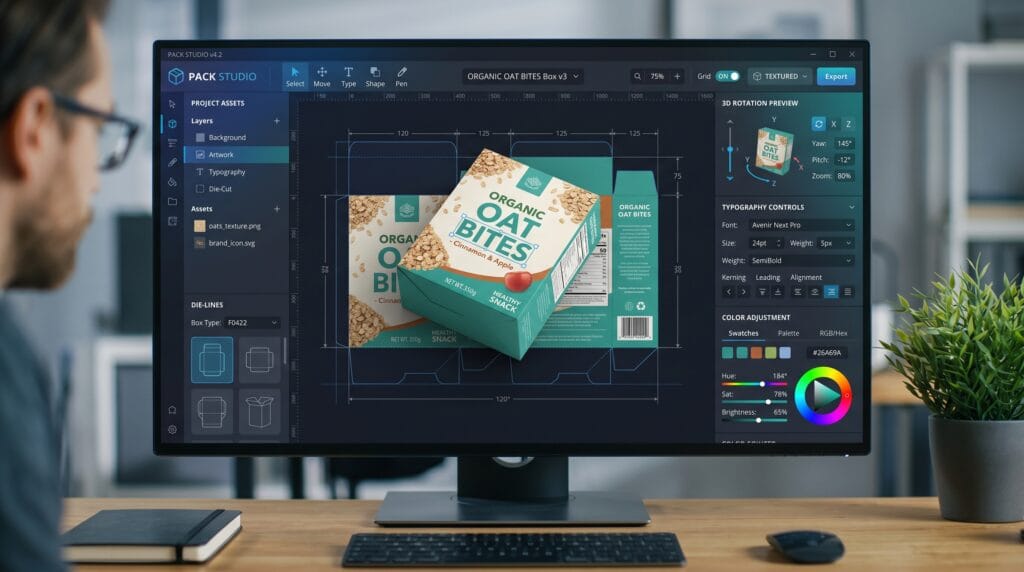
Choosing the right packaging design software can significantly improve how designers create product branding and packaging systems. From mockups to dielines and 3D visualization, modern packaging design software helps streamline creative workflow while improving visual consistency. Many designers now rely on advanced packaging design software to speed up production, experiment with layouts, and create more professional packaging concepts. By understanding the strengths of different packaging design software options, designers can choose tools that fit their branding and workflow needs.
In this guide, we explore the best packaging design software solutions for designers who want better branding and workflow efficiency.
Why Packaging Design Software Matters for Designers
Using the right software for packaging design improves both creativity and productivity.
Benefits include:
- Faster workflow management
- Better branding consistency
- Easier mockup creation
- Improved collaboration
Professional packaging design tools helps designers create stronger product presentations.
Packaging Design Software for Vector and Branding Design
Vector tools are essential in packaging design workflows.
1. Adobe Illustrator
One of the most popular tools for packaging layouts, typography, and branding systems.
2. CorelDRAW
Useful for detailed vector packaging design and print preparation.
3. Affinity Designer
Affordable alternative for branding and packaging projects.
These packaging design tools options work well for logo and label creation.
Packaging Design Software for Mockups and 3D Packaging
3D visualization improves packaging presentation.
1. Adobe Dimension
Create realistic product mockups with lighting and textures.
2. Boxshot
Generate professional 3D packaging previews quickly.
3. Blender
Powerful free tool for advanced packaging visualization.
These packaging design tools improve presentation quality.
Packaging Design Software for Packaging Layout and Dielines
Dieline creation is important in packaging design workflows.
1. Esko ArtiosCAD
Industry-standard software for structural packaging design.
2. Packmage
Useful for creating packaging templates and box structures.
3. Impact CAD
Advanced solution for complex packaging engineering.
These packaging design tools support technical packaging production.
Also Read: 12 Most Sustainable Packaging Materials for a Greener Future
Packaging Design Software for Branding and Visual Identity
Brand consistency matters in packaging.
1. Canva
Simple platform for quick packaging concepts and labels.
2. Figma
Collaborative tool for branding systems and packaging layouts.
3. Adobe Photoshop
Useful for textures, product presentation, and visual editing.
These packaging design tools solutions support branding workflow.
Packaging Design Software for Small Businesses and Beginners
Some tools are beginner-friendly.
1. Canva for Packaging
Easy drag-and-drop workflow for startups.
2. VistaCreate
Simple design platform for social and packaging visuals.
3. Affinity Suite
Affordable professional design tools.
These packaging design tools options are ideal for smaller businesses.
Packaging Design Software for AI-Assisted Workflow
AI tools are transforming packaging design software.
1. Adobe Firefly
Generate packaging visuals using AI prompts.
2. Midjourney
Explore packaging concepts and moodboards.
3. DALL·E
Create creative packaging design directions.
These AI-powered packaging design tools improve ideation speed.
Packaging Design Software for Collaboration and Team Workflow
Team collaboration is important.
1. Cloud-Based Workflow
Work across devices and teams.
2. Version Control
Track packaging revisions efficiently.
3. Shared Brand Systems
Maintain consistency across products.
Collaborative packaging design tools improves production workflow.
Also Read: How to Create a Memorable Unboxing Experience for Your Brand
Packaging Design Software for Printing and Production
Print-ready workflow is essential.
1. CMYK Support
Ensure accurate print colors.
2. Export Flexibility
Use PDF, SVG, and print-ready formats.
3. Resolution Control
Maintain high-quality production output.
Professional packaging design tools helps avoid printing errors.
Common Mistakes When Choosing Packaging Design Software
Avoid these mistakes:
- Choosing tools without print support
- Ignoring workflow compatibility
- Overcomplicating the process
- Using software that lacks scalability
The best packaging design tools should match your workflow and project needs.
Tips to Choose the Best Packaging Design Software
To select the right tool:
- Define your workflow needs
- Consider collaboration features
- Test software usability
- Balance budget and features
Choosing the right packaging design tools improves long-term productivity.
Future of Packaging Design Software
The future of packaging design tools continues evolving rapidly.
1. AI-Driven Packaging Systems
AI tools will automate more creative tasks.
2. Real-Time Collaboration
Cloud-based teamwork will become standard.
3. Integrated 3D Workflow
Packaging visualization will become more interactive.
These trends will shape the next generation of packaging design tools.
Also Read: Packaging Design Using AI: Smarter, Faster, Better
Final Thoughts
Using the right packaging design software can improve branding quality, workflow speed, and product presentation. Whether you focus on branding, 3D mockups, or print production, choosing tools that fit your workflow is essential for long-term success. The key is to combine creativity with efficient software solutions that support professional packaging design.
Start exploring the best packaging design tools today and improve your branding and creative workflow.
For high-quality fonts to boost your income, check out Letter Crafted. Our professional fonts are perfect for branding, marketing, and content creation. So, don’t miss this opportunity.