
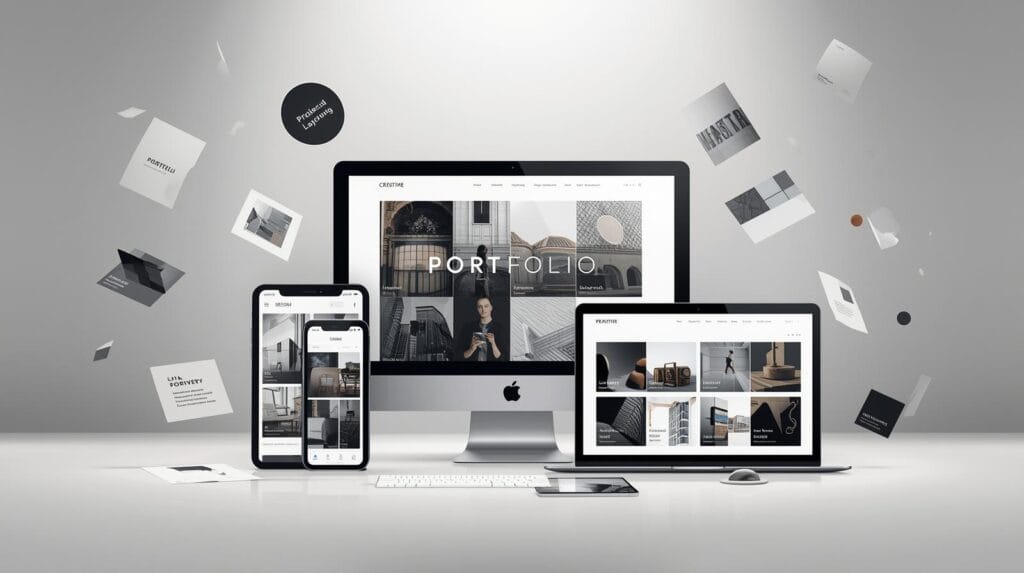
A premium portfolio isn’t about showing more work. It’s about showing the right work, presented with calm confidence. When your portfolio website feels clean, consistent, and easy to navigate, clients assume your design process is the same. When it feels cluttered, they worry the project will be messy too.
This portfolio website guide breaks down the specific choices that make a portfolio feel high-end for layout, typography, spacing, case study structure, and small UX details that instantly raise perceived value.
Portfolio Website Strategy Starts with One Clear Goal
Your portfolio website has one job, help the right people decide you’re the right designer.
Before you redesign anything, answer:
Who do you want to hire you? (startup founders, agencies, wedding brands, ecommerce sellers)
What do you want to be hired for? (branding, UI design, illustration, social templates)
What is the next step you want visitors to take? (email you, book a call, download a PDF)
A premium portfolio feels focused. Focus is the foundation of a premium portfolio website.
Portfolio Website Structure that Looks Premium and Feels Easy
Premium sites feel effortless because the structure is simple.
A clean navigation
Keep your top nav to 4-5 items:
Work
Services (optional)
About
Contact
Resources (optional)
If you add more, your site starts to feel like a menu, not a portfolio.
A homepage layout
Use this order:
Clear headline (what you do + who it’s for)
Selected work (3-6 projects only)
What you offer (services or specialties)
Proof (testimonials, results, logos, metrics)
About snapshot (1 short paragraph)
CTA (book a call / contact)
This layout makes feel intentional, not random.
Portfolio Website Design that Uses Whitespace Like a Luxury Brand
Whitespace is not empty space. It’s design confidence. Most “non-premium” portfolios look crowded, like too many thumbnails, too many fonts, too many sections stacked without breathing room.
Whitespace rules
Increase page margins (especially on desktop)
Use consistent spacing between sections
Keep line length comfortable (don’t stretch text across the whole screen)
Let project thumbnails sit in space without borders and noise
When in doubt, remove one thing. A premium portfolio website is often simpler than you think.
Portfolio Website Typography that Instantly Upgrades Your Look
Typography can make your work feel more expensive even if the projects are the same.
Typography rules
Use two fonts max (headline + body)
Use clear type scale (H1, H2, H3, body, caption)
Avoid too many weights
Use strong line spacing for body text
Keep paragraph width readable
A simple premium pairing approach
Headline: refined serif or clean bold sans
Body: neutral sans for readability
Typography doesn’t need to be trendy. It needs to be consistent. Consistency is what makes feel premium.
Portfolio Website Project Selection that Looks Higher Value
Premium portfolios don’t show everything. They curate.
How many projects should a portfolio website show?
For most designers:
3-6 case studies is enough
8-12 is the maximum before it starts to feel unfocused
Choose projects that signal the work you want
If you want branding clients, don’t lead with UI-only work. If you want wedding brands, lead with elegant stationery and monograms. Your portfolio website should look like your next client’s dream outcome.
Also Read: Website Redesign Tutorial for Better Trust and Branding
Portfolio Website Case Study Format that Feels Professional
Case studies are where premium portfolios win. A beautiful gallery is not enough. Clients want to see thinking.
A premium portfolio website case study structure
Project snapshot (industry, role, timeline)
Problem (what wasn’t working)
Goal (what success looked like)
Approach (your process in 3-5 steps)
Key decisions (type, color, layout, system rules)
Final deliverables (show in context)
Results (metrics, outcomes, feedback)
Next step CTA (work with me / contact)
Even if you don’t have metrics, you can show outcomes:
faster approvals
clearer brand consistency
improved readability
better conversion flow
This structure will feel like a business tool, not a moodboard.
Portfolio Website Visuals that Look Premium in Thumbnails
Thumbnails are your storefront window. Premium thumbnails share one quality, clarity.
Thumbnail rules
Use consistent aspect ratios
Avoid busy collages
Show one strong hero image per project
Use neutral backgrounds where possible
Keep colors cohesive across the grid
If your thumbnails look chaotic, your portfolio website will feel chaotic.
Portfolio Website Mockups that Don’t Look Fake
Mockups help clients imagine the brand in the real world, but overdone mockups can feel cheap.
Premium mockup rules
Use fewer mockups, but better ones
Choose realistic lighting and materials
Show 2-4 key applications (not 15)
Keep mockup style consistent across projects
Premium branding is believable. Your portfolio website should feel believable.
Portfolio Website Proof that Builds Trust Fast
Premium perception depends on trust signals.
Proof elements to add
2-5 testimonials (short, specific)
Client logos (if allowed)
Process clarity (how you work)
Pricing range or starting price (optional)
“What you get” list for services
Put proof near decision points:
under your work
near your services
near your contact CTA
Trust signals make your portfolio website feel safer to hire.
Also Read: Website Launch Checklist: Pre-Launch Setup Made Easy
Portfolio Website UX Details that Feel High-End
Small UX details make a big difference.
Premium UX checklist
Fast loading images (compressed properly)
Consistent hover states and button styles
Clear CTA buttons (not hidden)
Sticky or easy navigation
Mobile layout that still feels spacious
Contact form that’s short and friendly
A premium portfolio website feels smooth. Smooth feels expensive.
Portfolio Website Copy that Sounds Confident
Many designers write shy copy. Premium brands speak clearly.
Simple copy upgrades
Instead of:
“I love designing…”
Use:
“I design brand systems for (audience) that help them (outcome).”
Instead of:
“Here are some projects…”
Use:
“Selected work focused on (specialty).”
This kind of copy feel like a professional service, not a student project.
Portfolio Website Mistakes that Ruin Premium Perception
Avoid these common issues:
too many fonts and colors
too many projects with no story
long paragraphs with no structure
weak CTA (no clear next step)
cluttered thumbnails and inconsistent mockups
contact info hidden or complicated
heavy animations that slow the site
Premium means calm. Calm means curated. That’s the rule for a premium portfolio website.
Portfolio Website Checklist to Upgrade Your Site this Week
If you want quick wins, do these in order:
Reduce projects to 3-6 best case studies
Simplify navigation to 4-5 items
Improve typography (two fonts, clear scale)
Add more whitespace and consistent spacing
Rewrite your hero headline for clarity
Add proof (2 testimonials minimum)
Make one strong CTA visible on every page
These steps will feel more premium fast.
Also Read: How to Make a Small Business Website: Beginner Guide
Final Thoughts
A premium portfolio website is not about showing off. It’s about making it easy to trust your taste and process. Curate your work, present clear case studies, keep typography and spacing consistent, and guide visitors toward one next step. If you do that, your portfolio will feel more valuable and work look pro before anyone even clicks a project.
For high-quality fonts to boost your income, check out Letter Crafted. Our professional fonts are perfect for branding, marketing, and content creation. So, don’t miss this opportunity.