
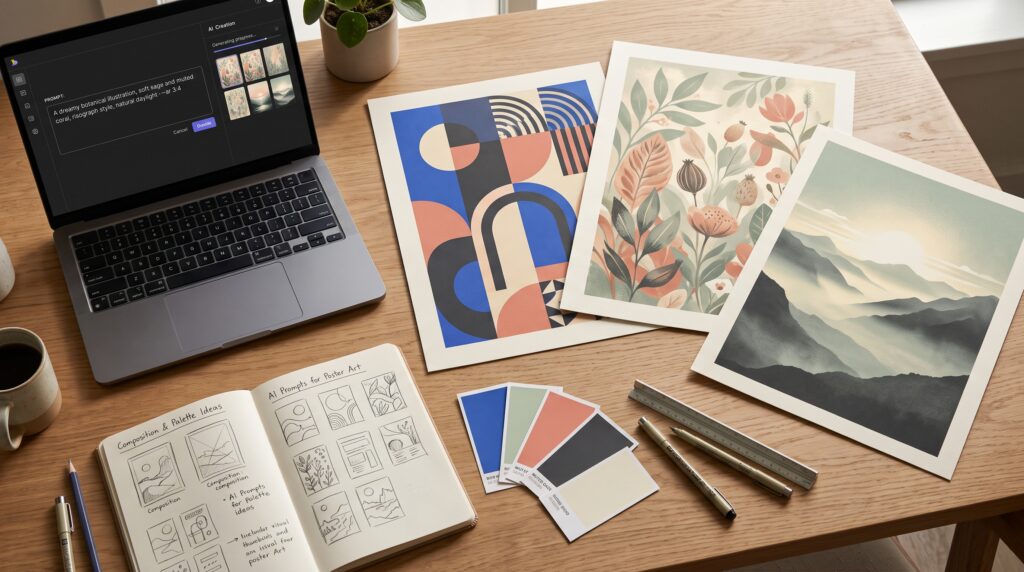
Poster AI prompts help beginners describe the images, styles, and compositions they want to explore for a poster. A clear prompt gives the image generator a useful direction, from the main subject to the background and space needed for text. Instead of asking for something vaguely attractive, you can explain how the visual should support your message.
For example, a workshop poster needs more than an interesting illustration. It also needs room for a title, date, location, and registration details.
This guide includes 10 ready-to-use examples and a practical method for improving them. Treat generated images as visual starting points, then review and finish the poster carefully.
What Makes Poster AI Prompts Useful?
A poster communicates a message through images, text, and their arrangement.
A generated image may provide a background, illustration, or early concept. However, it still needs to fit the purpose of the design.
Useful poster AI prompts explain:
- What the poster is about.
- Which subject should attract attention.
- Where that subject belongs.
- What visual style to use.
- Which colors support the mood.
- Where to leave space for text.
Start with these decisions before adding decorative details. A focused composition usually gives you a more useful foundation than a scene filled with unrelated objects.
A Simple Poster Prompt Structure
Use this framework:
Create a (format) poster background for (purpose). Show (subject) positioned (location). Use (style), (palette), and (lighting or texture). Leave (area) clear for text. Avoid (unwanted elements).
Choose the output dimensions or aspect ratio in the tool’s settings when available. Prompt wording alone may not control the final format.
1. Minimalist Poster AI Prompts
Minimalist compositions give one subject enough room to stand out. They can suit announcements, creative workshops, and simple promotional graphics.
Prompt:
Create a vertical poster background for a creative workshop. Show one folded cobalt-blue paper sculpture in the lower third against a warm ivory background. Minimal studio photography, subtle shadows, clean edges, generous negative space across the upper half. No text, logos, or additional objects.
 Example|Image Source: ChatGPT
Refine the Minimalist Composition
Check whether the sculpture remains secondary to the title you will add later.
If it occupies too much space, ask for a smaller subject and wider margins.
These poster AI prompts work best when restraint is part of the brief, including limits on objects and decoration.
2. Geometric Poster AI Prompts
Geometric visuals can create a bold direction without relying on a realistic scene. They are useful for experimenting with shape, balance, and contrast.
Prompt:
Create a vertical abstract poster background using large circles, rectangles, and one diagonal band. Restrained palette of charcoal, cream, and muted orange. Arrange the shapes around the edges, leaving a clear central area for a headline. Crisp graphic style, flat colors, no lettering, no logos.
Keep the Shapes Organized
Inspect the empty area before choosing the result. Decorative shapes should frame the message rather than interrupt it.
If the composition feels crowded, reduce the number of shapes instead of requesting more visual effects.
3. Botanical Poster AI Prompts
Botanical imagery can suggest freshness, nature, or a gentle atmosphere. It can support garden events, seasonal projects, and lifestyle content.
Prompt:
Create a vertical botanical poster background with softly illustrated leaves and small wildflowers growing inward from the bottom corners. Muted sage, dusty blue, warm cream, and pale yellow. Delicate painted texture, balanced asymmetry, open upper and central areas for text. No lettering, no logos, no dense floral border.
 Example|Image Source: ChatGPT
Match Botanical Details to the Purpose
Choose plants or flowers relevant to the project when that matters.
Review generated shapes for distracting inconsistencies. Poster AI prompts can establish a mood, but you still need to inspect whether the details suit the finished design.
Also Read: AI Bedroom Design Prompts for Beautiful Interior Ideas
4. Cinematic Poster AI Prompts
Cinematic imagery can make a visual concept feel dramatic. A clear focal point helps prevent atmosphere from overwhelming the message.
Prompt:
Create a vertical cinematic poster background showing a lone traveler on a dry mountain path, positioned small in the lower center. Layered mountains fade into a distant sunrise. Deep navy shadows and restrained golden light. Realistic landscape detail, atmospheric depth, uncluttered sky for a title. No text, logos, or floating objects.
Control the Visual Drama
Check that shadows preserve useful detail and that the title area remains clear.
If the lighting becomes exaggerated, request softer contrast and more natural illumination. A believable scene may fit your project better than an elaborate fantasy landscape.
5. Retro Poster AI Prompts
Retro references can guide color, illustration, and texture. Describe those qualities directly rather than relying on a broad request for “vintage.”
Prompt:
Create a vertical retro travel poster illustration of a quiet coastal town. Simplified architectural forms, a curved shoreline, and gentle waves. Limited palette of faded teal, warm orange, navy, and cream. Screen-print texture and slightly imperfect ink edges. Leave an open sky area for typography. No words, brand marks, or watermark.
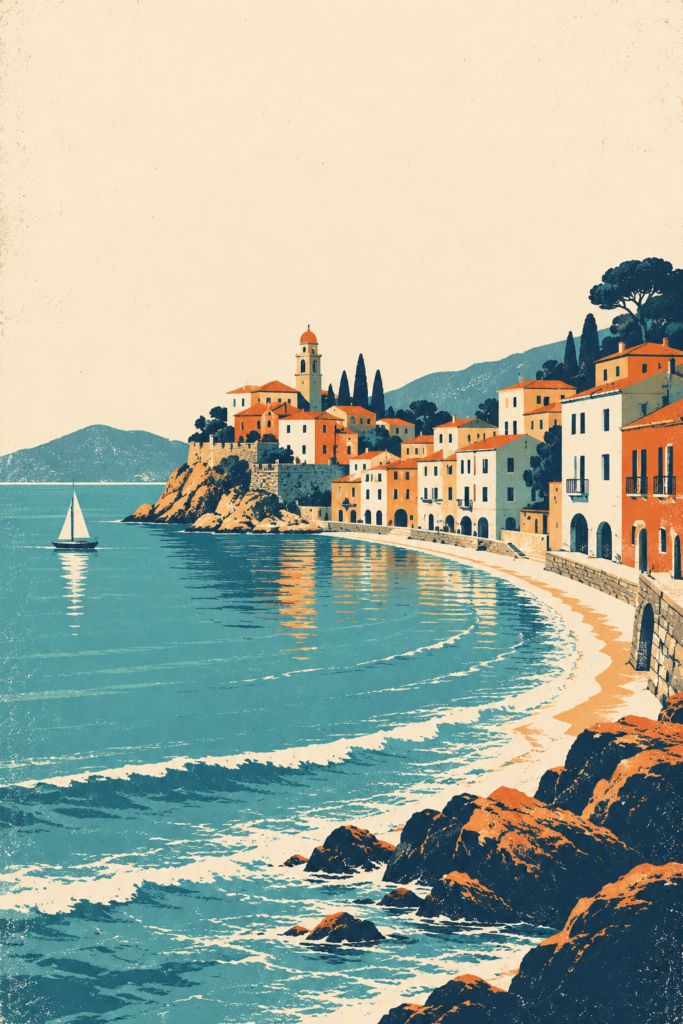 Example|Image Source: ChatGPT
Use Texture With Care
A little texture can add character, while heavy distressing may interfere with text.
These poster AI prompts give you a stylistic foundation. Keep important information on a sufficiently clear surface when finishing the layout.
6. Product Display Poster AI Prompts
Product compositions need space for both the subject and the promotional message.
For early exploration, use a generic object. For a real campaign, confirm that the final image accurately represents what customers receive.
Prompt:
Create a vertical promotional poster background with one unbranded ceramic mug on a low rectangular pedestal. Soft cream background, muted terracotta pedestal, natural side lighting, realistic ceramic texture. Position the mug in the lower-right area and leave the upper-left area clear for text. No lettering, logos, or extra products.
Protect Product Accuracy
Check shape, material, proportions, and visible details.
Where accuracy matters, use an approved product photograph or a carefully reviewed reference workflow. An attractive generated object should not substitute for the actual product without verification.
7. Event Background Poster AI Prompts
Event posters must accommodate several pieces of information. Planning that space early makes the visual easier to use.
Prompt:
Create a vertical background for an outdoor community event poster. Show small illustrated bunting and simple festive shapes along the top corners, with a subtle grassy area at the bottom. Warm cream, coral, muted teal, and yellow. Friendly flat illustration, large clear central area for event details. No text, logos, or crowded decorations.
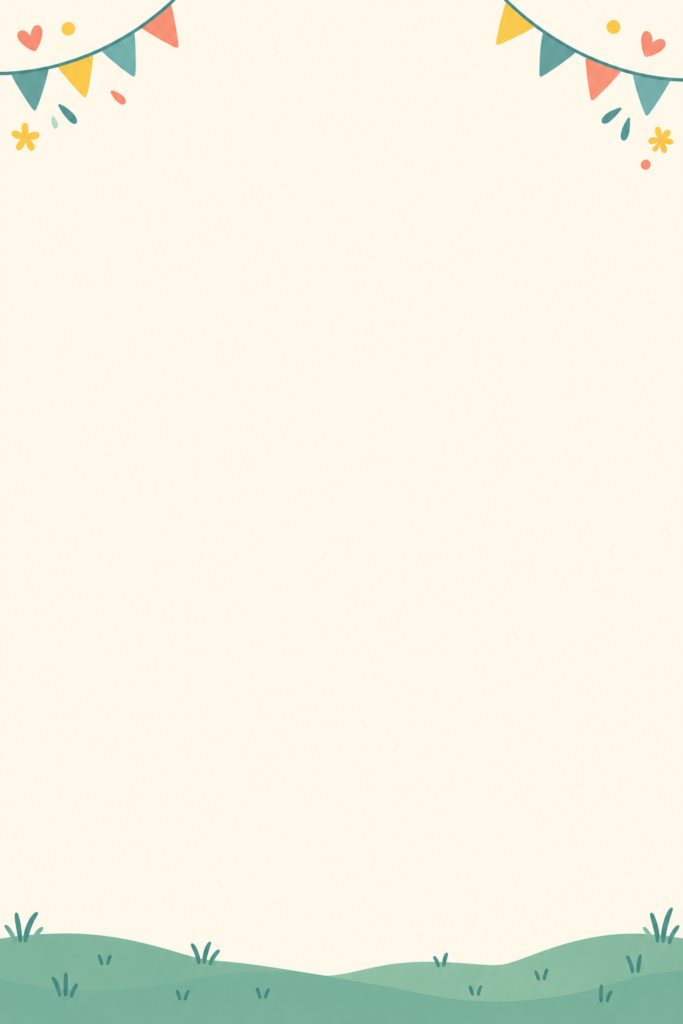 Example|Image Source: ChatGPT
Plan the Information Area
Try placing the event title, date, location, and call to action over the result.
If the details require very small text, request a simpler background. Effective poster AI prompts support the amount of information the poster actually needs.
Also Read: How to Write 3D Character Prompts for Better AI Images
8. Surreal Poster AI Prompts
Surreal compositions can introduce an unexpected visual idea. Beginners can make them easier to manage by choosing one unusual relationship.
Prompt:
Create a vertical surreal poster illustration of a small doorway standing inside a large pear, with a softly lit interior visible through the opening. Warm cream background, muted green fruit, subtle shadows. One central subject in the lower half, clean composition, open upper area for text. No additional surreal objects, no lettering, no logos.
Keep the Concept Understandable
Ask whether the unusual image connects with your intended theme.
These poster AI prompts should produce an idea you can explain simply. Adding several unrelated surprises may weaken the focal point.
9. Seasonal Poster AI Prompts
Seasonal imagery can establish a recognizable mood through a few details.
Choose a restrained collection of objects so the poster does not become a crowded scene.
Prompt:
Create a vertical autumn poster background with a small arrangement of pumpkins, dry leaves, and a folded linen cloth along the bottom edge. Warm amber, muted rust, cream, and earthy brown. Realistic still-life photography, soft window light, spacious background for a promotional headline. No text, logos, or additional decorations.
 Example|Image Source: ChatGPT
Adapt the Seasonal Details
Replace the objects and palette to suit another season.
However, preserve the text area and overall hierarchy. Reusing a clear composition can help a campaign feel consistent across several visuals.
10. Educational Poster AI Prompts
An educational poster benefits from images that support understanding. The content should remain accurate and easy to read.
Prompt:
Create a vertical background for a beginner gardening guide poster. Show three simple unlabelled illustrations along the bottom: a seed packet, a small watering can, and a plant pot with a young seedling. Clean flat illustration, cream background, sage and muted blue accents. Large open area above for instructional text. No words, logos, or complex decorative patterns.
Add Instructions Separately
Write and verify the educational text yourself.
Do not rely on generated diagrams for precise measurements or technical explanations without checking them. Poster AI prompts are useful for supporting visuals, while exact instructional content needs deliberate preparation.
How to Improve Poster AI Prompts
Generate a small selection, then identify what needs adjustment.
Change one main element at a time: subject size, placement, palette, texture, or background complexity.
Compare results according to the brief rather than visual excitement alone.
Finally, add accurate text in a layout editor. Check spelling, hierarchy, readability, and output requirements. For printing, confirm dimensions, resolution, and bleed with your printer.
Also Read: AI Prompts for Beginners Who Want Better Results
Conclusion – Create Better Posters With Clearer Prompts
Poster AI prompts become more useful when they describe a purpose, a focal point, and a composition that leaves room for the message.
Start with one example, adapt it to your project, and review the result carefully.
A strong poster brings the image and information together. Thoughtful prompting helps you explore the visual direction, careful editing turns that direction into a design people can understand.
For high-quality fonts to boost your income, check out Letter Crafted. Our professional fonts are perfect for branding, marketing, and content creation. So, don’t miss this opportunity.