


Description
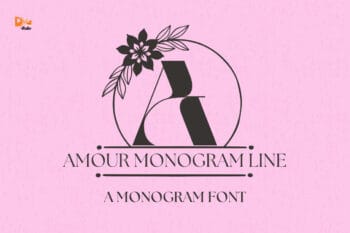
Meet Linea, the Monogram Font
Linea Monogram turns initials into clean, minimal marks with a refined modern feel. The design focuses on slim, confident lines and balanced proportions, creating monograms that look elegant without decoration. Each character stays sharp at any size, so small tags remain crisp while larger applications feel architectural and polished. Use Linea for modern weddings, boutique branding, stationery, logo marks, and luxury packaging. As a result, your designs feel calm, contemporary, and effortlessly premium.
Why Linea Monogram sells
First, Linea installs quickly and works smoothly in Canva, Photoshop, and Illustrator. Next, the clean outlines cut and print beautifully for foil stamping, embossing, debossing, engraving, laser cutting, vinyl, DTF, and sublimation. Then layouts come together faster because spacing and geometry stay consistent across the alphabet. Moreover, the minimalist style pairs easily with many design directions, making Linea highly versatile for branding and personalization. Therefore, Linea is easy to use and easy to sell.
Fast layouts with the Linea Monogram Font
Start with a single initial and let negative space do the work. After that, add names or dates using a contrasting font, such as a soft serif or light script. Because Linea holds its shape at small sizes, labels, stickers, cards, and tags stay clean and readable. In addition, it works beautifully with thin borders, subtle frames, grid layouts, and modern icons. Finally, save color palettes like black and ivory, stone and sand, sage and cream, or charcoal and soft gold to reuse across collections.
Creative uses and quick wins
Modern wedding monograms and invitation covers
Logo marks, brand seals, and certificates
Gift tags, stickers, and minimalist packaging
Labels for skincare, perfume, candles, and lifestyle goods
Also, check our recommended font. Click here.
What you get
OTF, TTF, and WOFF files
Alphabet characters (A–Z)
Numbers (0–9)
Design tips for Linea Monogram Font
Keep the monogram as the focal point and avoid crowding it with decoration. Also, give it generous spacing so the thin lines stay sharp. For a premium finish, try foil stamping or embossing on smooth stock. Finally, export at 300 DPI for print and at 2× size for web to keep edges clean on every surface.
Finally, check this awesome bundle and save up to 90%. Click here.



Reviews
There are no reviews yet.