
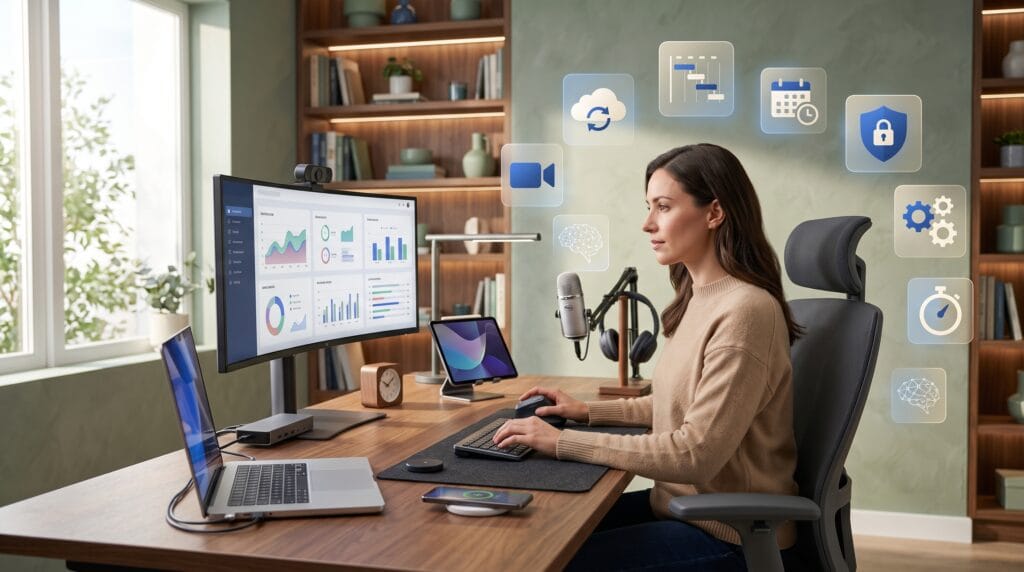
Technology for remote work has transformed how professionals communicate, manage projects, share files, and stay productive outside a traditional office. Whether employees work from home, coworking spaces, or different countries, the right digital tools can help them remain organized, connected, and focused.
Remote work offers flexibility, but it also creates several challenges. Teams may struggle with communication delays, unclear responsibilities, scattered files, weak security, or too many online meetings. These problems often happen when businesses rely on disconnected systems or choose tools without considering how employees actually work.
The best remote work setup combines communication, project management, cloud collaboration, cybersecurity, and time-management tools. When these technologies work together, employees can complete tasks more efficiently while managers maintain visibility across projects.
This guide explores the most important types of technology for remote work and explains how businesses can use them to create a productive and reliable digital workplace.
Why Technology for Remote Work Is Important
Remote teams do not share the same physical office, so they depend on digital systems for almost every part of the workday. Meetings, project updates, document reviews, feedback, and approvals all need to happen online.
Effective technology for remote work creates a shared digital environment where employees can find information, communicate clearly, and understand what they need to do next.
The right tools can help businesses:
- Improve team communication
- Reduce unnecessary meetings
- Organize tasks and deadlines
- Protect company information
- Support collaboration across time zones
- Automate repetitive processes
- Monitor project progress
- Create consistent workflows
- Improve employee flexibility
- Reduce operational costs
Technology should make remote work easier rather than create additional complexity. Businesses should choose tools that solve specific problems and integrate with their existing workflows.
Communication Technology for Remote Work
Clear communication is one of the most important parts of managing a remote team. Employees need reliable ways to ask questions, share updates, discuss projects, and make decisions.
Instant Messaging Platforms
Instant messaging tools allow employees to communicate without sending long email threads. Platforms such as Slack and Microsoft Teams organize conversations into channels based on departments, clients, or projects.
These platforms are useful for:
- Quick questions
- Daily updates
- Project discussions
- File sharing
- Team announcements
- Informal conversations
- Automated notifications
Instant messaging should not become a constant distraction. Teams can create communication guidelines that explain when to send a direct message, post in a channel, write an email, or schedule a meeting.
Video Conferencing Software
Video conferencing platforms such as Zoom, Google Meet, and Microsoft Teams help remote employees maintain face-to-face communication.
Video meetings are valuable for:
- Team planning
- Client presentations
- Interviews
- Training sessions
- Performance reviews
- Complex discussions
- Creative brainstorming
However, too many video calls can reduce productivity. Teams should use meetings only when real-time discussion is necessary. Routine updates can often be shared through written messages or project management systems.
Reliable communication platforms are essential technology for remote work, but they are most effective when combined with clear expectations.
Project Management Technology for Remote Teams
Remote employees need a central place to organize tasks, deadlines, documents, and responsibilities. Without a shared project system, important information can become scattered across emails and private messages.
Popular project management tools include Asana, Trello, ClickUp, Monday.com, and Notion.
These platforms allow teams to:
- Assign tasks
- Set due dates
- Create project timelines
- Track progress
- Share instructions
- Attach documents
- Add comments
- Organize recurring work
- Identify project delays
- Review team workloads
Choosing the Right Project Management Tool
The best tool depends on the size and complexity of the business.
Trello works well for teams that prefer simple visual boards. Asana supports detailed projects, dependencies, and timelines. ClickUp combines task management with documents, dashboards, and time tracking. Notion is useful for teams that want to combine project management with company knowledge.
Businesses should avoid selecting software only because it has the most features. A complicated system may discourage employees from using it consistently.
The most useful technology for remote work is easy to understand, accessible across devices, and flexible enough to support the team’s daily processes.
Cloud Storage and File-Sharing Technology
Remote teams need secure access to documents from multiple locations and devices. Cloud storage eliminates the need to keep important files on one office computer or send multiple versions through email.
Common cloud storage platforms include Google Drive, Microsoft OneDrive, Dropbox, and Box.
Cloud systems provide:
- Centralized file storage
- Real-time document editing
- Version history
- Permission controls
- Automatic synchronization
- Mobile access
- File recovery
- Secure sharing links
Create a Clear File Organization System
Cloud storage becomes difficult to manage when employees use inconsistent names or save documents in random folders.
Businesses should create a standard folder structure based on departments, projects, clients, or years. File names should be descriptive and easy to search.
For example, a document named “Final-Version-New-2” provides little information. A clearer name might be “ClientName_EmailCampaign_Report_July.”
Cloud storage is essential technology for remote work because it keeps information accessible while reducing duplication and confusion.
Productivity Technology for Remote Work
Remote employees often need to manage their own time and attention. Home environments can include distractions, while digital work can create constant notifications.
Productivity tools help professionals prioritize tasks, build routines, and reduce interruptions.
Time-Management Tools
Applications such as Todoist, TickTick, and Microsoft To Do allow employees to create task lists and reminders.
Time-blocking tools can help workers reserve specific periods for focused work, meetings, email, and breaks. Calendar systems such as Google Calendar and Outlook Calendar also help teams coordinate schedules across time zones.
Focus and Distraction-Blocking Tools
Applications such as Freedom, Cold Turkey, and browser-based focus extensions can temporarily block distracting websites.
The Pomodoro method is another popular productivity technique. Employees work for a focused period, take a short break, and repeat the cycle.
Time-Tracking Software
Tools such as Toggl Track, Clockify, and Harvest help freelancers, agencies, and service businesses understand how much time is spent on different activities.
Time tracking can support:
- Client billing
- Workload planning
- Project estimates
- Productivity analysis
- Resource allocation
Managers should avoid using tracking software as a form of excessive surveillance. The goal should be to improve planning and identify inefficient processes, not to monitor every minute of an employee’s day.
Also Read: Best Technology for Small Business: Tools That Save Time
Collaboration Technology for Creative and Business Teams
Many remote projects require several people to work on the same content, design, presentation, or document.
Google Workspace and Microsoft 365 allow multiple employees to edit files in real time. Designers may use Figma to collaborate on interface designs, while marketing teams may use Canva for shared visual content.
Digital whiteboard tools such as Miro and FigJam support brainstorming, workflow mapping, research organization, and planning.
This type of technology for remote work helps teams replace physical meeting rooms with flexible online workspaces.
Benefits of Real-Time Collaboration
Real-time collaboration reduces the need to send files back and forth. Employees can leave comments, suggest edits, and review changes in one shared location.
However, not every task requires simultaneous editing. Asynchronous collaboration is often more productive for teams working across different time zones.
Employees can add comments, record explanations, and allow teammates to respond when their working hours begin.
Cybersecurity Technology for Remote Work
Remote work can increase security risks because employees access business systems through home networks, personal devices, and public Wi-Fi.
Businesses need strong cybersecurity measures to protect customer data, company documents, passwords, and financial information.
Virtual Private Networks
A virtual private network or VPN, encrypts internet traffic and creates a secure connection between the employee’s device and company resources.
VPNs are especially useful when employees travel or connect through public networks.
Password Managers
Password managers such as 1Password, Bitwarden, and Dashlane help employees create and store strong passwords.
Using the same password across several accounts creates a major security risk. Password managers reduce this problem by generating unique login credentials for every service.
Multi-Factor Authentication
Multi-factor authentication requires a second verification step beyond a password. This might include a mobile application, security key, or one-time code.
Businesses should enable multi-factor authentication for email, cloud storage, financial systems, project tools, and administrative accounts.
Antivirus and Device Management
Companies should install security software and keep operating systems updated. Device management platforms can help IT teams configure laptops, install updates, and remove company information from lost devices.
Cybersecurity should be treated as a core part of technology for remote work, not an optional addition.
Remote Work Technology for Time-Zone Management
Distributed teams often work across several cities or countries. Scheduling meetings can become difficult when employees have different working hours.
Tools such as World Time Buddy and shared calendar features help teams compare time zones before scheduling calls.
Businesses can also reduce scheduling problems by using asynchronous communication.
Instead of requiring everyone to attend a live meeting, teams can:
- Record video updates
- Write meeting summaries
- Share project dashboards
- Add comments to documents
- Use recorded product demonstrations
- Create written decision logs
Asynchronous workflows give employees more control over their schedules while keeping important information accessible.
Automation Technology for Remote Work
Automation can save time by connecting applications and handling repetitive tasks.
Platforms such as Zapier, Make, and Microsoft Power Automate allow businesses to create workflows without building custom software.
Automation examples include:
- Saving email attachments to cloud storage
- Creating tasks from form submissions
- Sending reminders before deadlines
- Updating spreadsheets when sales occur
- Notifying teams about new customer requests
- Generating invoices
- Organizing leads
- Scheduling social media posts
Automation should simplify work, but businesses should review workflows regularly. An outdated automation can create incorrect information or unnecessary notifications.
Used carefully, automation is one of the most valuable forms of technology for remote work because it allows employees to spend more time on creative and strategic activities.
Knowledge Management for Remote Teams
In a traditional office, employees can often ask a nearby coworker for information. Remote teams need a searchable digital knowledge base.
Tools such as Notion, Confluence, Slite, and Guru can store:
- Company policies
- Training materials
- Process documentation
- Frequently asked questions
- Brand guidelines
- Client information
- Technical instructions
- Meeting notes
- Employee onboarding resources
A knowledge base reduces repeated questions and helps new employees become productive more quickly.
Documentation should be updated whenever a process changes. Businesses can assign owners to important documents so employees know who is responsible for keeping the information accurate.
Also Read: Best Technology in Education Tools for Modern Learning
Hardware Technology for Remote Work
Software is only one part of an effective remote work setup. Employees also need reliable hardware.
Important equipment may include:
- A modern laptop or desktop computer
- A stable internet connection
- An external monitor
- A comfortable keyboard and mouse
- Noise-canceling headphones
- A high-quality webcam
- A clear microphone
- A backup power solution
- An ergonomic chair and desk
An external monitor can make multitasking easier, while a good microphone improves communication during calls. Noise-canceling headphones can help employees focus in busy homes or shared spaces.
Businesses may provide hardware allowances or send equipment directly to employees. Supporting a professional workspace can improve productivity, comfort, and employee satisfaction.
How to Choose the Best Technology for Remote Work
Not every business needs the same collection of tools. A small creative agency may require different software from a large customer support company.
Before choosing new technology for remote work, consider the following factors.
1. Identify the Problem First
Do not purchase software simply because it is popular. Define the problem the tool needs to solve.
For example, the business may need to reduce meetings, improve task visibility, secure employee devices, or organize company documents.
2. Consider Ease of Use
Software should be simple enough for employees to adopt without extensive training. A powerful tool provides little value when the team avoids using it.
3. Review Integrations
Choose platforms that connect with existing tools. Integrations reduce duplicate work and help information move between systems.
4. Evaluate Security
Review permission controls, data encryption, authentication options, and account management features.
5. Calculate the Total Cost
Subscription costs can increase quickly when businesses use several overlapping tools. Review which applications provide similar features and remove unnecessary software.
6. Test Before Expanding
Start with a small group or trial period. Gather feedback and confirm that the tool improves the workflow before purchasing access for the entire company.
Common Remote Work Technology Mistakes
Technology can reduce productivity when businesses use it without a clear strategy.
Common mistakes include:
- Using too many communication platforms
- Scheduling unnecessary video meetings
- Failing to document processes
- Ignoring cybersecurity
- Choosing complicated software
- Allowing notifications to interrupt focused work
- Using tools with overlapping features
- Failing to train employees
- Monitoring workers excessively
- Keeping outdated workflows
The purpose of technology for remote work is to support employees. Companies should regularly ask teams which tools are useful, which systems create frustration, and where processes can be improved.
Building a Productive Remote Technology System
A successful remote workplace does not depend on one application. It requires a connected system.
A simple remote technology setup may include:
- One primary messaging platform
- One video conferencing tool
- One project management system
- One cloud storage platform
- One knowledge base
- A password manager
- Multi-factor authentication
- Automation for repetitive work
Businesses should define how each tool will be used. Employees need to know where to ask questions, store files, submit work, report progress, and find instructions.
Clear rules reduce confusion and prevent important information from becoming scattered across several applications.
Also Read: Best Technology Automation Ideas That Save Time and Money
Final Thoughts on Technology for Remote Work
The best technology for remote work helps employees communicate clearly, manage responsibilities, protect information, and complete projects without unnecessary delays.
Communication tools keep teams connected, project management platforms organize work, cloud storage makes files accessible, and security systems protect valuable data. Productivity applications, automation platforms, and knowledge bases can further improve remote operations.
However, adding more software does not always create better results. Businesses should focus on simplicity, integration, security, and employee experience.
A well-designed remote technology system gives workers the structure they need without limiting flexibility. When tools are chosen carefully and supported by clear processes, remote teams can collaborate effectively, remain productive, and build strong working relationships from almost anywhere.
For high-quality fonts to boost your income, check out Letter Crafted. Our professional fonts are perfect for branding, marketing, and content creation. So, don’t miss this opportunity.