
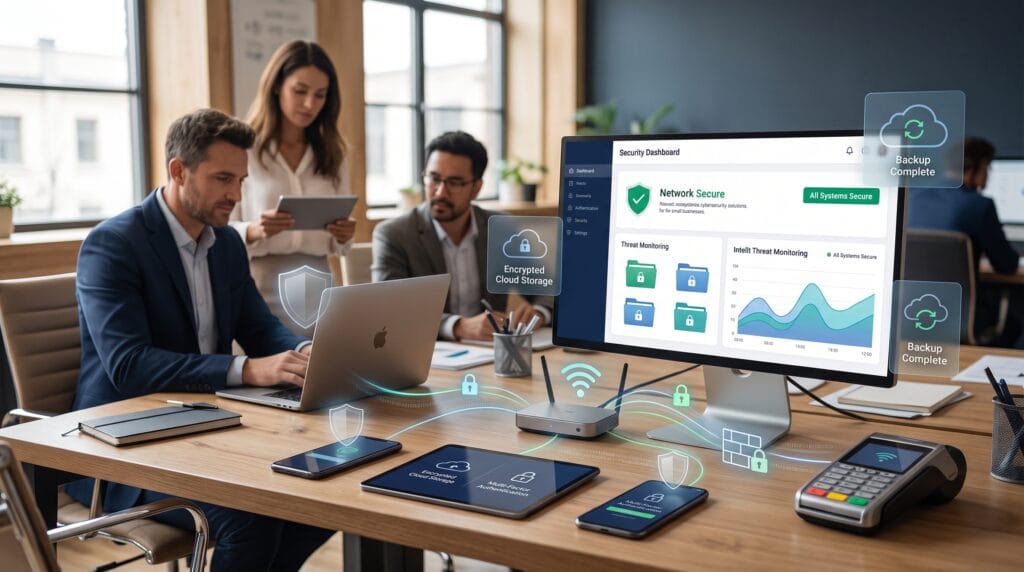
Cybersecurity technology solutions have become essential for small businesses that rely on websites, cloud applications, email, online payments, customer databases, and connected devices. Even a small company can store valuable information that attracts cybercriminals, including login credentials, financial data, customer records, and business documents.
The challenge is that smaller organizations often have limited IT budgets and may not have a dedicated cybersecurity team. Fortunately, strong protection does not require an enterprise-sized security department. A combination of reliable technology, sensible policies, regular backups, and employee awareness can significantly strengthen business security.
This guide explores practical cybersecurity technologies that small businesses can use to protect their systems while keeping security manageable.
Why Cybersecurity Technology Solutions Matter for Small Businesses
Small businesses may assume that cybercriminals only target large corporations. In reality, attackers often look for organizations with weaker security controls because they can be easier targets.
A successful cyberattack may cause more than temporary technical problems. Businesses can experience operational downtime, financial loss, damaged customer trust, stolen information, or unexpected recovery costs.
Using the right cybersecurity technology solutions creates multiple layers of protection. If one defensive measure fails, another may prevent an attacker from progressing further.
This layered approach is often called defense in depth. Instead of depending on one antivirus program or one password, businesses combine multiple security measures across devices, networks, accounts, employees, and data.
1. Endpoint Protection for Business Devices
Every laptop, desktop computer, smartphone, and tablet connected to your organization can become a potential entry point for attackers.
Endpoint protection helps defend these devices against malware, suspicious software, ransomware, and other threats.
Modern endpoint security tools can monitor activity continuously rather than only scanning files occasionally. Depending on the solution, they may detect suspicious behavior, isolate compromised devices, and provide centralized security management.
For small businesses, centralized management is particularly useful because administrators can check multiple devices from one dashboard.
When evaluating cybersecurity technology solutions, look for endpoint protection that offers automatic updates, malware prevention, threat detection, and simple device management.
2. Multi-Factor Authentication for Account Security
Passwords alone provide limited protection, especially when employees reuse passwords or attackers obtain credentials through phishing.
Multi-factor authentication, commonly called MFA, adds another verification step when someone signs in.
For example, an employee may enter a password and then confirm the login using an authentication app, hardware security key, or another trusted method.
Where Small Businesses Should Enable MFA
Priority accounts include:
- Business email
- Website administrator accounts
- Cloud storage
- Accounting software
- Payment platforms
- Social media accounts
- Domain registrars
- Hosting accounts
- Customer management systems
MFA is one of the most practical cybersecurity technology solutions because it makes a stolen password significantly less useful to an attacker.
3. Business Password Managers
Employees often manage dozens of accounts. Expecting everyone to remember unique, complex passwords for every service usually leads to weak habits.
A password manager stores login credentials securely and can generate strong passwords automatically.
Business-focused password managers may also provide administrative controls, shared business vaults, access management, and reporting.
Instead of sharing passwords through email, messaging apps, or spreadsheets, teams can securely provide access to selected accounts.
Password managers also make it easier to stop password reuse. Every account can have its own unique credential without employees needing to memorize everything.
4. Firewall and Network Security Solutions
A firewall helps control network traffic entering and leaving business systems.
Firewalls can block suspicious connections according to predefined security rules and help prevent unauthorized access to internal resources.
Some businesses rely entirely on the firewall included with their internet router. While basic router protection can be useful, organizations with more employees, devices, or sensitive information may benefit from dedicated network security tools.
Effective network-focused cybersecurity technology solutions can include firewalls, intrusion prevention, network monitoring, and secure Wi-Fi configuration.
Businesses should also change default router passwords, keep network equipment updated, and disable unnecessary remote administration features.
5. Secure Wi-Fi Networks
Wi-Fi security is easy to overlook, particularly in small offices.
Business wireless networks should use modern encryption and strong passwords. Avoid leaving important business systems connected to open or poorly protected networks.
It is also helpful to separate business devices from guest devices.
A company might create:
- A primary business network
- A guest Wi-Fi network
- A separate network for smart or connected devices
Network separation reduces the number of systems an attacker may reach if one device becomes compromised.
For businesses working from shared spaces or while traveling, employees should also avoid accessing sensitive company information through unsecured public Wi-Fi without appropriate protections.
Also Read: Scared of Malware? Here’s How to Detect and Remove Malware!
6. Email Security and Anti-Phishing Technology
Email continues to be one of the most common ways attackers attempt to reach employees.
Phishing messages may imitate banks, software providers, coworkers, delivery services, or company executives. Their goal may be to steal passwords, encourage fraudulent payments, or convince users to open malicious attachments.
Email filtering tools can detect many suspicious messages before they reach an employee’s inbox.
Advanced systems may inspect links, attachments, sender reputation, and other signals.
However, technology cannot catch every deceptive message. That is why effective cybersecurity technology solutions combine email filtering with employee awareness.
Workers should learn to verify unexpected payment requests, login pages, password reset messages, and unusual file attachments before taking action.
7. Cloud Security Solutions
Small businesses increasingly store files and operate applications through cloud platforms.
Cloud technology can improve flexibility and collaboration, but businesses still need to manage access properly.
Start by reviewing who can access important files and applications.
Employees should receive only the permissions required for their roles. Former employees and inactive accounts should be removed promptly.
Improve Cloud Security With Access Controls
Useful practices include:
- Enabling MFA
- Limiting administrator privileges
- Reviewing shared files
- Removing unused user accounts
- Monitoring unusual logins
- Restricting sensitive information
- Keeping recovery methods updated
Cloud-based cybersecurity technology solutions can also provide activity logs, access alerts, file recovery, and centralized identity management.
8. Data Encryption
Encryption transforms information into a protected format that unauthorized users cannot easily read.
Businesses can use encryption for stored information and information being transmitted across networks.
Modern operating systems, cloud services, and business applications often include encryption capabilities. However, administrators need to ensure those protections are correctly enabled.
Encryption is particularly important for laptops and portable devices because they can be lost or stolen.
If a properly encrypted laptop disappears, accessing the information stored on it becomes considerably more difficult without the correct credentials.
9. Automated Data Backup Solutions
Backups are among the most important cybersecurity technology solutions for business continuity.
Security systems can reduce risk, but no defensive technology can guarantee that an attack, hardware failure, accidental deletion, or software problem will never occur.
A reliable backup provides a recovery path.
Businesses should back up important files, databases, websites, financial records, and other essential information regularly.
Follow a Strong Backup Strategy
A practical approach includes maintaining multiple copies of important data and keeping at least one backup separate from primary systems.
Cloud backup services can automate much of this process.
However, simply creating backups is not enough. Businesses should periodically test whether files can actually be restored.
An untested backup can create false confidence.
10. Ransomware Protection
Ransomware can encrypt or disrupt business information and demand payment for its recovery.
There is no single tool that provides complete ransomware protection.
Instead, organizations should combine several cybersecurity technology solutions, including endpoint protection, backups, email security, access control, software updates, and employee training.
Limiting user privileges can also reduce potential damage.
Employees should not automatically receive administrator access to their computers unless their responsibilities require it.
If an employee account becomes compromised, restricted permissions can help limit what an attacker can change.
11. Security Updates and Patch Management
Outdated software can contain known vulnerabilities that attackers may exploit.
Businesses should regularly update operating systems, browsers, website software, plugins, security applications, routers, and other connected technology.
Automatic updates can make this easier for smaller teams.
However, companies should still maintain an inventory of important systems so that forgotten devices and applications do not remain unpatched.
Website owners should pay particular attention to content management systems, themes, extensions, and plugins because outdated components may create unnecessary security risks.
Patch management may not sound as exciting as advanced security technology, but it remains a fundamental part of business cybersecurity.
Also Read: Best Technology Automation Ideas That Save Time and Money
12. Identity and Access Management
Not every employee needs access to every company system.
Identity and access management helps organizations control who can access specific applications, documents, and resources.
The principle of least privilege recommends giving users only the access required to perform their work.
For example, a marketing employee may need access to social media accounts but not financial systems.
Similarly, temporary contractors may require access for a limited period rather than indefinitely.
Access-focused cybersecurity technology solutions become increasingly valuable as businesses hire more employees, freelancers, agencies, and remote workers.
Regular access reviews can prevent forgotten accounts from becoming security vulnerabilities.
13. Security Monitoring and Alerts
Cybersecurity is easier when suspicious activity is discovered early.
Monitoring tools can alert administrators to unusual behavior such as repeated login failures, unexpected administrator changes, suspicious network activity, or login attempts from unfamiliar locations.
Small businesses do not necessarily need a complex enterprise monitoring center.
Many modern cloud services, hosting providers, endpoint tools, and security platforms already include alerts that can provide useful visibility.
The important step is making sure someone actually receives and reviews those alerts.
Security notifications that nobody monitors provide little protection.
14. Cybersecurity Technology for Remote Workers
Remote and hybrid work introduce additional security challenges because employees may connect from home networks, personal devices, or different locations.
Businesses should establish clear policies for remote access.
Company-managed devices are generally easier to secure because administrators can control updates, security software, and configuration.
Virtual private networks and secure access platforms can also protect certain business connections.
Remote-work cybersecurity technology solutions should include secure devices, MFA, endpoint protection, encrypted connections, and clear guidelines for handling company information outside the office.
15. Employee Cybersecurity Awareness Training
Even strong technology can fail when users are tricked into giving attackers access.
Employees should receive practical cybersecurity education that reflects situations they may actually encounter.
Training can cover:
- Identifying phishing emails
- Creating secure passwords
- Using password managers
- Reporting suspicious activity
- Handling sensitive customer information
- Recognizing fraudulent payment requests
- Protecting devices while traveling
Training does not need to be highly technical.
Employees simply need to understand the threats relevant to their work and know what to do when something looks suspicious.
Human awareness and cybersecurity technology solutions work best together.
How to Choose Cybersecurity Technology Solutions
Small businesses should avoid purchasing security software simply because it has the longest feature list.
Begin with your actual risks.
Identify what information your organization stores, which systems are essential, who has access to them, and what would happen if those systems became unavailable.
Then prioritize protection.
For many small businesses, the foundation should include:
- Endpoint protection
- Multi-factor authentication
- Password management
- Secure email
- Automatic software updates
- Regular backups
- Network protection
- Employee training
Choose tools that are manageable for your team.
A sophisticated security platform provides little value if nobody understands how to configure or monitor it.
Build a Layered Small Business Cybersecurity Strategy
No individual security product can protect an organization from every possible threat.
A better approach is to create several layers.
Imagine that an attacker obtains an employee password through phishing. MFA might prevent the login. If MFA fails, restricted permissions may limit what the account can access. Endpoint protection may detect malicious activity, while backups may help restore damaged data.
This is why combining different cybersecurity technology solutions is more effective than depending on a single defensive tool.
Your security strategy should also evolve as the business grows.
A five-person company may have relatively simple security requirements, while a company with dozens of employees, remote workers, online customers, and multiple cloud systems will need stronger access management and monitoring.
Also Read: Future AI Technology Trends That Will Shape the Next Decade
Final Thoughts on Cybersecurity Technology Solutions
The best cybersecurity technology solutions for small businesses are those that reduce real risks without making everyday work unnecessarily complicated.
Start with the fundamentals. Protect accounts with multi-factor authentication, use strong unique passwords, secure employee devices, update software, maintain reliable backups, and educate employees about phishing and fraud.
From there, businesses can add more advanced network security, access management, cloud monitoring, and threat detection as their operations grow.
Cybersecurity should not be viewed as a one-time software purchase. It is an ongoing combination of technology, policies, employee awareness, and preparation.
By choosing practical cybersecurity technology solutions and building several layers of protection, small businesses can better protect their data, customers, employees, and long-term operations from digital threats.
For high-quality fonts to boost your income, check out Letter Crafted. Our professional fonts are perfect for branding, marketing, and content creation. So, don’t miss this opportunity.