
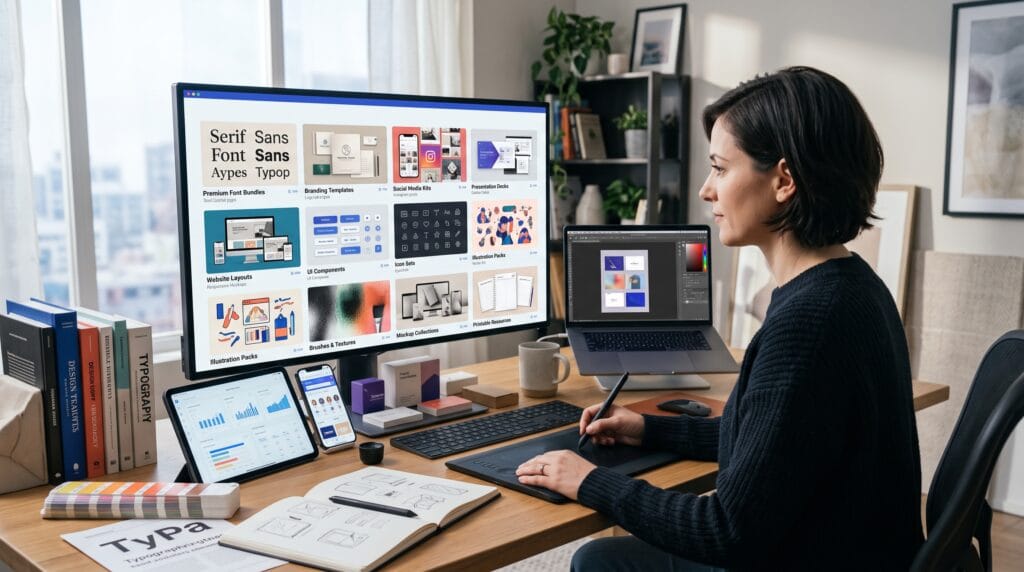
Digital products for designers offer a practical way to turn creative skills into products that can be sold repeatedly. Graphic designers, illustrators, font creators, brand designers, and digital artists already produce valuable assets through their everyday work. With careful packaging, those assets can become fonts, templates, mockups, icon sets, brushes, guides, or other downloadable resources.
Unlike custom client projects, digital products do not require starting from zero for every customer. You create the original files, prepare the documentation, build a strong product presentation, and deliver the same package to multiple buyers.
This does not mean every product becomes passive income immediately. Designers still need to research customer needs, prepare quality previews, answer support questions, improve listings, and promote their work. However, a focused product library can create an additional income stream while strengthening your creative portfolio.
This guide explores accessible digital products for designers that can be launched this year without building an enormous catalog first.
Why Digital Products for Designers Are Worth Creating
Selling digital products allows designers to earn from knowledge and assets they have already developed.
A brand designer may turn frequently used presentation layouts into a template pack. A font creator can expand one typeface into several license options. An illustrator can package a themed collection of icons or decorative elements.
The main advantages include:
- No physical inventory
- Instant or automated delivery
- Global customer access
- Flexible pricing
- Low duplication costs
- Opportunities for product bundles
- Additional licensing revenue
- Portfolio development
- More control over creative direction
- Potential for repeat sales
Marketplaces already support many types of downloadable products. Etsy highlights downloadable art, patterns, templates, and other digital items, while Creative Market focuses on assets such as fonts, graphics, and templates. Gumroad supports products including books, memberships, courses, and other digital resources.
The strongest digital products for designers solve a specific problem. Instead of creating another generic social media template, consider who needs it, what type of content they publish, and how your design can save them time.
1. Fonts and Typeface Families
Fonts are one of the most natural digital products for designers with typography experience.
Possible font products include:
- Script fonts
- Display typefaces
- Serif families
- Sans serif families
- Monogram fonts
- Retro fonts
- Handwritten fonts
- Decorative alphabets
- Icon fonts
- Dingbat fonts
A small font can begin with essential characters, but professional products should include more than an attractive alphabet preview.
Consider adding:
- Uppercase and lowercase letters
- Numerals
- Punctuation
- Symbols
- Multilingual characters
- Ligatures
- Alternates
- Installation instructions
- License documentation
Create Several Font License Options
Licensing can turn one font into multiple offers.
You might provide:
- Personal license
- Commercial license
- Extended commercial license
- Logo license
- App or game license
- Enterprise license
Explain what buyers may and may not do. Clear licensing reduces confusion and helps customers choose the correct option.
2. Canva Templates for Specific Niches
Canva templates remain accessible digital products for designers because many businesses and creators want editable content without hiring a designer for every post.
Possible template niches include:
- Real estate social posts
- Restaurant promotions
- Beauty salon content
- Coaching carousels
- Wedding invitations
- Media kits
- Pinterest pins
- Ebook layouts
- Small-business price lists
- Product launch graphics
Niche templates are usually more useful than broad collections.
For example, “30 Instagram Templates” is less specific than “30 Instagram Templates for Independent Coffee Shops.” The second offer speaks to a recognizable customer and can include more relevant layouts, photography directions, and promotional messages.
Include clear instructions explaining how buyers can access, edit, and export the templates.
3. Logo Presentation Templates
Many designers know how to create logos but struggle to present them professionally. Logo presentation templates can solve that problem.
A useful package may include:
- Logo concept pages
- Primary and secondary logo layouts
- Color palette pages
- Typography pages
- Logo construction grids
- Clear-space guidelines
- Incorrect-use examples
- Brand mockup pages
- Final approval pages
These digital products for designers can be created for Adobe Illustrator, InDesign, Photoshop, Canva, Figma, or presentation software.
Use placeholder content that is easy to replace. Buyers should not need to rebuild every page before using the template.
4. Brand Guidelines Templates
Brand guidelines are more detailed than simple logo presentations. They help companies maintain consistency across teams and channels.
Template sections may cover:
- Brand story
- Mission and values
- Logo variations
- Color specifications
- Typography hierarchy
- Photography style
- Illustration rules
- Icon usage
- Social media examples
- Brand voice
- Packaging applications
Offer several sizes or formats when practical. A short brand sheet may suit small businesses, while agencies may prefer a complete presentation system.
5. Professional Mockup Templates
Mockups help designers show how branding, packaging, posters, websites, and products could look in realistic settings.
Possible mockup products include:
- Logo signage mockups
- Business card scenes
- Packaging boxes
- Cosmetic bottles
- Food pouches
- Apparel mockups
- Book covers
- Device screens
- Poster displays
- Shopping bags
Photoshop smart-object mockups are popular because buyers can replace the sample design quickly.
To create a useful product:
- Use high-resolution images.
- Build realistic shadows and highlights.
- Organize layers clearly.
- Label smart objects.
- Include usage instructions.
- Test the replacement process.
- Provide several preview angles.
Original mockup photography can help your product stand apart from commonly reused scenes.
6. SVG Illustration Bundles
SVG bundles are flexible digital products for designers because buyers can resize and recolor vector artwork.
Popular categories include:
- Seasonal illustrations
- Floral elements
- Wedding decorations
- Food icons
- Business graphics
- Animal characters
- Monogram frames
- Retro badges
- Holiday ornaments
- Craft-cutting files
Keep paths clean and avoid unnecessary anchor points. Test the files in more than one compatible application before publishing them.
Provide PNG versions when your audience may not use vector software.
Also Read: 50 Unique Digital Product Ideas for Creators & Entrepreneurs
7. Icon Sets for Websites and Apps
Icon sets can serve designers, developers, SaaS companies, bloggers, and small businesses.
Possible themes include:
- Ecommerce
- Finance
- Healthcare
- Education
- Marketing
- Productivity
- Travel
- Home services
- Social media
- User interfaces
A professional icon system should maintain consistent:
- Stroke width
- Corner radius
- Visual size
- Grid structure
- Perspective
- Level of detail
- Alignment
Offer multiple formats such as SVG, PNG, EPS, or editable source files. You may also create outline, filled, and two-tone variations.
8. Brushes for Procreate and Photoshop
Brush packs are attractive digital products for designers who create lettering, illustration, textures, or digital painting.
Product ideas include:
- Ink brushes
- Pencil brushes
- Watercolor brushes
- Grain textures
- Chalk brushes
- Lettering brushes
- Halftone brushes
- Stamp brushes
- Foliage brushes
- Fabric textures
A strong brush package should show actual results, not only a list of brush names.
Include examples of:
- Lettering
- Shading
- Texture
- Line variation
- Illustration
- Layer combinations
Add a short guide explaining recommended brush sizes, pressure settings, and suitable projects.
9. Texture and Pattern Packs
Textures can help designers add depth to posters, packaging, social graphics, illustrations, and branding projects.
Useful texture packs include:
- Paper grain
- Distressed ink
- Concrete
- Fabric
- Wood
- Dust and scratches
- Film grain
- Foil
- Watercolor
- Vintage printing
Pattern products may include:
- Geometric repeats
- Floral patterns
- Children’s patterns
- Seasonal patterns
- Abstract shapes
- Food illustrations
- Animal prints
- Minimal line patterns
Provide seamless versions when advertising repeating patterns. Include enough resolution for the intended print or digital use.
10. Social Media Content Kits
A content kit combines templates with supporting creative resources.
A complete package might include:
- Post templates
- Story templates
- Carousel layouts
- Highlight covers
- Quote graphics
- Launch announcements
- Testimonial layouts
- Promotional banners
- Content calendar
- Caption prompts
These digital products for designers can target a specific industry, brand style, or campaign type.
A visual system for a luxury skincare business should feel very different from one created for a children’s activity company. Specific positioning makes the product easier to market.
11. Presentation Templates
Presentation templates can be sold to startups, agencies, teachers, consultants, marketers, and creators.
Possible products include:
- Pitch decks
- Client proposals
- Portfolio presentations
- Brand strategy decks
- Marketing reports
- Course slides
- Project updates
- Sales presentations
- Social media reports
- Creative briefs
Templates should include several content structures, not merely decorative title slides.
Add layouts for:
- Charts
- Timelines
- Comparisons
- Team members
- Case studies
- Pricing
- Testimonials
- Key statistics
- Process explanations
12. Printable Design Resources
Printables are relatively easy digital products for designers to create and test.
Possible ideas include:
- Planners
- Calendars
- Checklists
- Worksheets
- Journals
- Habit trackers
- Business forms
- Wedding stationery
- Classroom resources
- Wall art
Etsy allows instant-download listings with uploaded files, although sellers must work within its current file-number, size, and format requirements.
Provide common print sizes and include basic printing instructions. Test the files on a home or professional printer before selling them.
13. Creative Business Guides
Designers can also package their professional knowledge.
Guide ideas include:
- How to prepare logo files
- Font pairing guide
- Branding checklist
- Client onboarding workbook
- Design pricing guide
- Portfolio planning workbook
- Social media design guide
- Packaging preparation checklist
- Font installation guide
- Licensing guide
These products work best when they include practical tools rather than general advice.
Add:
- Checklists
- Worksheets
- Templates
- Examples
- Decision frameworks
- Resource pages
Also Read: Home Business Ideas for Beginners Who Want Better Results
14. AI Prompt Collections for Designers
Prompt collections can help customers create specific images, concepts, or content more efficiently.
Possible niches include:
- Logo prompts
- Character prompts
- Packaging prompts
- Product photography prompts
- Interior design prompts
- Seasonal sticker prompts
- Poster prompts
- Branding prompts
- Social media prompts
- Pattern-design prompts
The collection should offer more value than a random list of sentences.
Organize prompts by:
- Style
- Industry
- Color
- Mood
- Composition
- Platform
- Output type
- Commercial purpose
Add instructions showing customers how to customize subjects, palettes, lighting, or aspect ratios.
15. Product Bundles for Higher Value
Once you have several related products, combine them into a bundle.
A brand designer bundle might include:
- Logo presentation template
- Brand guidelines template
- Business card mockups
- Social media templates
- Client questionnaire
- Project checklist
A font creator bundle might include:
- Main font family
- Decorative alternates
- Monogram frames
- Font specimen template
- Social preview graphics
Bundles can increase perceived value and help customers solve a larger problem with one purchase.
How to Choose the Right Digital Product Idea
Not every idea will suit every designer.
Before creating digital products for designers, ask:
- Which skills do I already have?
- What do clients regularly request?
- Which files do I create repeatedly?
- What takes other designers too much time?
- Which audience do I understand?
- Can I explain the product clearly?
- Can buyers edit it easily?
- Does the idea have room for variations?
- Can I create strong preview images?
- Are the required assets properly licensed?
Start with a product that can be completed and tested quickly.
A focused pack of 30 icons may be a better first launch than a complicated design system containing hundreds of files.
Where to Sell Digital Products for Designers
Common selling channels include:
- Personal websites
- Etsy
- Creative Market
- Gumroad
- Design marketplaces
- Font marketplaces
- Membership platforms
- Social media storefronts
Creative Market gives sellers access to an established audience looking for fonts, graphics, templates, and other creative assets. Gumroad provides tools for selling different digital product formats directly to an audience, while Etsy supports downloadable products through marketplace listings.
A marketplace may provide discovery, while a personal website offers more control over branding, customer relationships, pricing, and licenses.
Many designers use both.
How to Launch Your First Digital Product
Use this simple process:
- Identify one customer problem.
- Choose a focused product format.
- Review similar products.
- Create the core files.
- Test every file.
- Write clear documentation.
- Define the license.
- Create professional previews.
- Write a benefit-focused description.
- Publish on one or two platforms.
- Promote the product with useful content.
- Collect feedback and improve it.
Do not wait until you have ten products. One carefully prepared product provides real information about customer interest, pricing, presentation, and support needs.
Common Digital Product Mistakes
Avoid these frequent problems:
1. Creating Without Research
An attractive asset may not sell if it does not solve a recognizable problem.
2. Using Weak Preview Images
Customers cannot examine digital files physically. Your previews must explain what is included and how the product can be used.
3. Ignoring Licensing
Clearly state personal, commercial, and extended usage rights.
4. Including Unlicensed Assets
Do not distribute fonts, photographs, graphics, or templates you do not have permission to resell.
5. Providing Disorganized Files
Use clear folder names, logical file names, and simple instructions.
6. Launching Too Many Products at Once
Build one reliable product before expanding into several categories.
7. Assuming Income Is Completely Passive
Customers may need support, updates, compatibility information, and clearer instructions.
Also Read: Local Business Ideas That Make Money All Year Long
Final Thoughts on Digital Products for Designers
The easiest digital products for designers often begin with resources you already create. Fonts, templates, mockups, brushes, icons, patterns, presentations, printables, and guides can all become valuable products when they solve a specific problem.
Start with a focused audience and a manageable idea. Package the files carefully, create professional previews, write clear licensing terms, and test the customer experience before launch.
The goal is not to create the largest product catalog immediately. A smaller collection of high-quality digital products for designers can build trust, attract repeat customers, and create a more sustainable creative business.
By launching one useful product this year and improving it through real feedback, designers can gradually build an income stream that complements client work and makes better use of their existing skills.
For high-quality fonts to boost your income, check out Letter Crafted. Our professional fonts are perfect for branding, marketing, and content creation. So, don’t miss this opportunity.