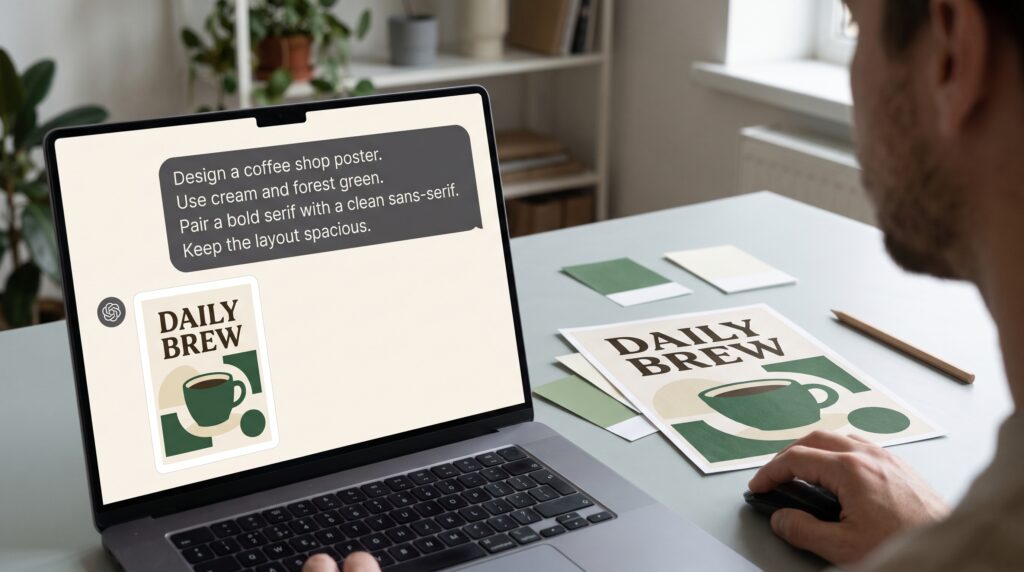
ChatGPT prompts for graphic design become more useful when they explain the project rather than simply request something attractive. “Give me a professional design idea” leaves important decisions unresolved. A clearer prompt describes the audience, message, format, and practical limits so the response has a meaningful direction.
Think of your prompt as a creative brief you can improve through conversation. You provide the context and evaluate the suggestions, while the response gives you material to explore. This guide uses original examples to show how to request concepts, organize layouts, discuss typography, and refine ideas without losing control of your creative decisions.
Start ChatGPT Prompts for Graphic Design With a Goal
Before writing a prompt, decide what you need from the conversation. You might want concept directions, a layout plan, headline variations, or a critique checklist.
Choose one main task at a time. Asking for an entire identity, campaign, website, and packaging system in one request makes it harder to evaluate the details.
A focused request gives you a clear result to inspect.
Example prompt:
“Suggest three visual directions for a poster promoting a neighborhood pottery workshop. The goal is to make the event feel welcoming to adults trying pottery for the first time. Describe the main idea behind each direction.”
Now you can judge whether the concepts support the intended goal.
Give ChatGPT Prompts for Graphic Design Enough Context
Explain who will see the design and where they will encounter it. Include what they already know and what they need to understand.
A poster viewed while walking past a shop needs a different information structure from a brochure someone reads closely.
Useful context also includes the business’s personality and available assets.
Example prompt:
“The workshop poster will appear in local cafes. Viewers may know nothing about pottery. We have one photograph of hands shaping clay, a simple wordmark, and confirmed event details. The tone should feel friendly and practical.”
When building ChatGPT prompts for graphic design, include details that affect a design decision. Unrelated background can distract from the task.
Separate Fixed Requirements From Creative Choices
Some parts of a project are already decided. Others remain open for exploration. Make that distinction explicit.
Fixed requirements might include a logo, approved wording, a format, or an existing palette. Creative choices could include composition, illustration style, and emphasis.
This helps prevent suggestions that depend on changing something you must retain.
Example prompt:
“Keep the existing forest-green logo and the approved headline ‘Make Something With Your Hands.’ The event date and booking address must remain visible. You may suggest background colors, image placement, and supporting graphic shapes. Do not rewrite the headline.”
Clear boundaries improve ChatGPT prompts for graphic design by making the available creative space understandable.
Request Specific Outputs Instead of General Advice
Tell ChatGPT how you want the answer organized. A consistent structure makes different ideas easier to compare.
Ask for concrete details rather than a collection of adjectives. “Bold and modern” becomes more useful when accompanied by placement, scale, and contrast decisions.
Example prompt:
“For each of the three concepts, provide a short concept name, headline placement, photograph treatment, typography direction, three suggested colors, and one potential readability problem.”
Use a table when the information is parallel. Request prose when you need a fuller explanation.
As you write ChatGPT prompts for graphic design, consider how you will use the response afterward. Choose an answer format that supports your next working step.
Also Read: 25 AI Graphic Design Tools for Designers Want Better Results
Build Layout Prompts Around Information Hierarchy
A layout suggestion should explain what people notice first and how they move through the content.
List the required information and identify its relative importance. Then ask for an arrangement suited to the format.
Example prompt:
“Plan a vertical poster containing the headline, workshop photograph, date, location, and booking address. Prioritize the headline first, the activity image second, and practical details third. Describe the layout from top to bottom, including spacing and alignment.”
Follow up by testing difficult content.
“The location name is much longer than expected. Revise the arrangement without shrinking all supporting text.”
These ChatGPT prompts for graphic design help you discuss the structure before spending time on decorative details.
Write Typography Prompts With Readability in Mind
Typography requests need more direction than “suggest beautiful fonts.” Explain the tone, amount of text, and viewing conditions.
You can ask for type characteristics before selecting a specific family. Describe weight, width, contrast, and letterform personality.
Example prompt:
“Suggest typography characteristics for a welcoming pottery workshop poster. The headline is short, but the event details must be readable at a smaller size. Explain which type style should carry the headline and which should handle practical information.”
If you request named fonts, verify their availability, language support, and license separately.
Good ChatGPT prompts for graphic design encourage a reasoned pairing rather than a list of names with no explanation.
Describe Color Roles in Your Design Prompts
A palette becomes easier to apply when each color has a purpose. Ask for background, text, supporting, and accent roles.
State any existing brand colors and explain the desired atmosphere. Then request alternatives that change the mood without changing the message.
Example prompt:
“Build two palette directions around our forest-green wordmark. One should feel warm and earthy; the other should feel fresh and playful. Assign a background color, main text color, supporting color, and accent to each. Explain where each belongs.”
Treat proposed combinations as starting points. Check readability in the actual layout.
This approach makes ChatGPT prompts for graphic design more practical because it connects color choices with visible uses.
Ask for Original Creative Directions
A strong brief can describe a visual quality without asking for another creator’s recognizable work.
Use observable characteristics such as geometric forms, paper textures, restrained palettes, or expressive lettering. Explain the feeling and purpose you want those choices to support.
Example prompt:
“Develop an original direction using handmade paper textures, simple clay-inspired shapes, and generous spacing. Make it inviting without becoming childish. Avoid references to existing brands or recognizable campaign layouts.”
You can also request variety deliberately.
“Make the three concepts structurally different: one photograph-led, one typography-led, and one illustration-led.”
These ChatGPT prompts for graphic design give you distinct possibilities to investigate rather than several lightly renamed versions of the same idea.
Also Read: Graphic Design for Branding That Makes Products Look Better
Refine One Design Decision at a Time
When a response feels unsuitable, identify the specific problem. “Make it better” gives little direction about what should change.
Separate what works from what needs revision.
Example follow-up:
“Keep the warm palette and handmade texture. The proposed composition gives too much attention to decoration. Revise it so the headline and booking information become easier to locate. Remove two decorative elements.”
Then compare the revised suggestion with the original goal.
Changing one major variable at a time helps you understand the effect of each decision. It also keeps the conversation from drifting into an entirely different project.
Save useful prompt versions alongside your design notes.
Use ChatGPT Prompts for Graphic Design Reviews
A review request becomes more useful when you provide criteria and enough information about the design.
If you are describing the layout in text, explain the sizes, positions, and relationships. If you provide a visual reference, state what you want examined.
Example prompt:
“Review this poster concept against the brief below. Focus on hierarchy, readability, information completeness, and consistency. Separate observations from assumptions. List the three most important issues and suggest one practical revision for each.”
Ask questions about possible trade-offs, too.
“Would enlarging the photograph make the event clearer, or would it reduce room for essential details? Explain what should be tested.”
Use the response to guide inspection. Your own judgment and real viewing tests remain part of the process.
Create a Reusable Graphic Design Prompt Template
A template helps you remember important context without writing the entire brief from scratch.
| Prompt section | Information to include |
|---|---|
| Task | The specific assistance you need |
| Audience | Who will encounter the design |
| Goal | What they should understand or do |
| Format | Placement, orientation, and relevant dimensions |
| Content | Required wording and information |
| Assets | Available photographs, logos, or illustrations |
| Constraints | Fixed requirements and things to avoid |
| Output | How you want the response organized |
| Review criteria | What will make a suggestion useful |
Reusable prompt:
“Help me develop (task) for (audience). The goal is (outcome). The design will appear in (format and setting). Include (required content) and work with (available assets). Keep (fixed requirements). Explore (open creative choices). Return (answer structure). Evaluate the suggestions for (criteria), and identify missing information that could materially change the direction.”
Adapt the template rather than filling every section mechanically.
Avoid Common Problems in Design Prompting
Several habits make responses harder to use. Asking for “something unique” without context leaves originality undefined. Combining conflicting directions can produce an uncertain result.
Review your prompt for these problems:
- Too many unrelated tasks in one request.
- Missing audience or placement information.
- Decorative instructions that overwhelm the message.
- Unclear distinctions between requirements and preferences.
- Requests for feedback without evaluation criteria.
Before sending, ask whether another designer could understand the task from the same brief. If essential information is missing, add it.
Well-written ChatGPT prompts for graphic design make your thinking visible enough to discuss and improve.
Also Read: How to Create a Romantic Wedding Graphic Design Style
Conclusion – Keep Your Creative Judgment in the Process
ChatGPT prompts for graphic design are useful when they support deliberate choices. Define the task, provide meaningful context, and request suggestions you can compare against the brief.
Then refine the response through specific feedback. Test the ideas in actual layouts, check the wording, and review typography and color under realistic conditions.
Start with one project and one focused request. As you learn which instructions produce useful material, build a reusable approach that reflects how you design and what your audience needs.
For high-quality fonts to boost your income, check out Letter Crafted. Our professional fonts are perfect for branding, marketing, and content creation. So, don’t miss this opportunity.