
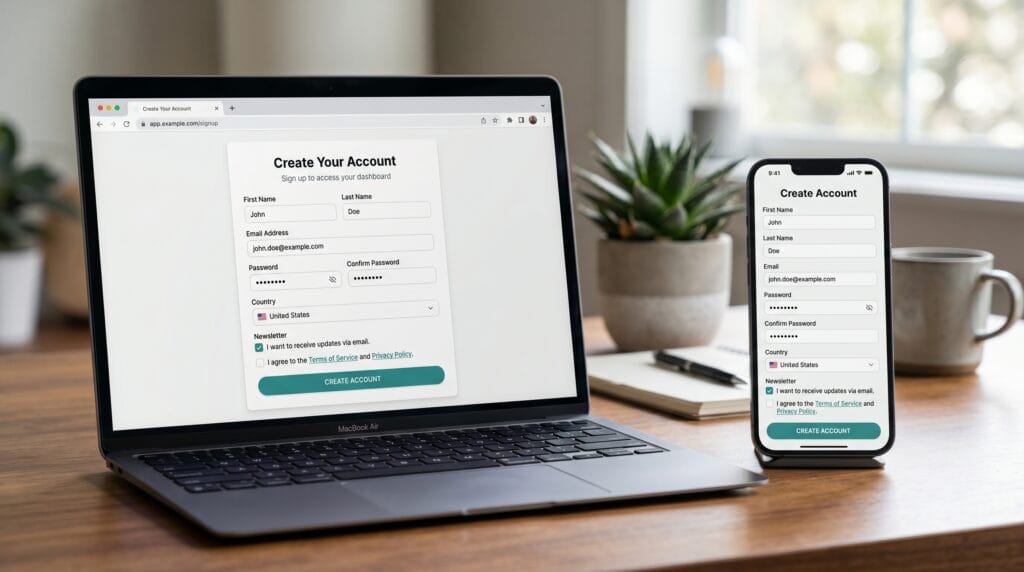
Designing effective forms is a key part of any digital product, and this form design UX guide will help you create better user experiences. Whether it’s a signup form, checkout process, or contact page, strong form design UX ensures users can complete tasks quickly and without frustration. Many designers overlook the importance of form design, but even small improvements can increase completion rates and conversions. By applying the right form design principles, you can reduce errors, improve usability, and deliver smoother interactions.
In this article, we break down practical form design UX strategies for designers who want better results.
Why Form Design UX Matters for Conversions and Usability
Good form design directly impacts user behavior.
Benefits include:
- Higher form completion rates
- Reduced user errors
- Faster interactions
- Better user satisfaction
Applying effective form design helps users complete tasks with ease.
Form Design UX Principles for Clear and Simple Forms
Strong form design starts with simplicity.
1. Keep Forms Short
Only ask for essential information.
2. Use Clear Labels
Make each field easy to understand.
3. Group Related Fields
Organize content logically.
These form design principles reduce confusion.
Form Design UX for Input Fields and Interaction
Input fields are the core of form design.
1. Use Appropriate Field Types
Match input types to data (email, number, etc.).
2. Provide Placeholder Guidance
Show examples to guide users.
3. Enable Autofill
Save time for users.
Improving these elements enhances form design.
Form Design UX for Error Handling and Feedback
Error handling is critical in form design.
1. Show Clear Error Messages
Explain what went wrong.
2. Use Inline Validation
Give feedback instantly.
3. Highlight Errors Visually
Make issues easy to spot.
These practices improve form design and reduce frustration.
Also Read: Easy UX Design Tips To Make Your Projects Shine
Form Design UX for Mobile and Responsive Design
Mobile optimization is essential.
1. Design for Small Screens
Use large touch targets.
2. Simplify Input
Reduce typing effort.
3. Use Mobile-Friendly Layouts
Ensure easy navigation.
Strong form design improves mobile usability.
Form Design UX for Speed and Performance
Performance affects completion rates.
1. Minimize Load Time
Keep forms fast.
2. Reduce Steps
Avoid multi-step complexity unless needed.
3. Optimize Interactions
Make actions quick and responsive.
These factors make form design more efficient.
Form Design UX for Visual Hierarchy and Layout
Visual clarity is key.
1. Highlight Primary Actions
Make buttons easy to find.
2. Use Spacing and Alignment
Improve readability.
3. Maintain Consistency
Use consistent styles.
Good layout supports effective form design.
Form Design UX for Accessibility and Inclusivity
Accessible design improves usability for everyone.
1. Use Clear Contrast
Ensure readability.
2. Provide Labels for Screen Readers
Support accessibility tools.
3. Design for All Users
Consider different abilities.
Inclusive design strengthens form design.
Also Read: Mobile UI Design Guide for Designers Who Want Better Results
Common Mistakes in Form Design UX
Avoid these mistakes:
- Too many input fields
- Unclear instructions
- Poor error handling
- Complex layouts
Fixing these improves your form design.
Tips to Improve Your Form Design UX
To achieve better results:
- Test forms with real users
- Simplify wherever possible
- Focus on user needs
- Continuously optimize
These tips enhance your form UX design strategy.
Future of Form Design UX and User Interaction
The future of form design is evolving.
1. AI-Assisted Forms
Smart suggestions for input.
2. Voice Input
Hands-free interactions.
3. Auto-Fill Systems
Faster form completion.
These trends will shape the next stage of form design.
Also Read: UI Components Design for Better Consistency and Usability
Final Thoughts
A strong form design UX is essential for improving usability and conversions. By focusing on clarity, simplicity, and feedback, designers can create forms that users can complete quickly and easily. Even small improvements in form design can lead to better performance and user satisfaction.
Start applying these form design UX principles today and create forms that deliver better results.
For high-quality fonts to boost your income, check out Letter Crafted. Our professional fonts are perfect for branding, marketing, and content creation. So, don’t miss this opportunity.