
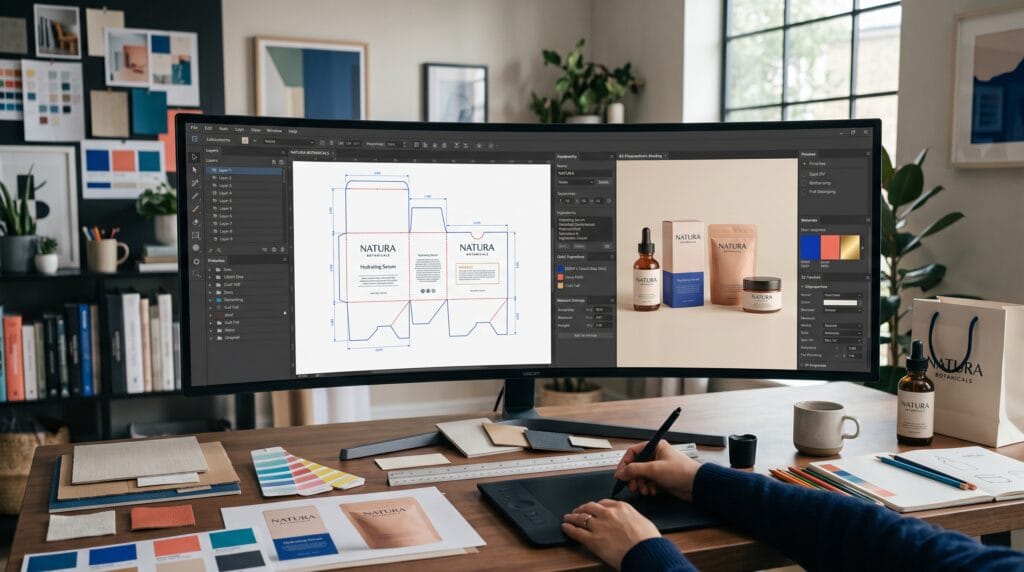
Choosing the right packaging design software can improve every stage of a packaging project, from early concept development and dieline preparation to 3D visualization and print production. The best platform depends on the type of packaging you create, the technical accuracy required, your experience level, and how closely you work with printers, engineers, clients, or production teams.
A graphic designer creating labels and folding-carton artwork may need precise vector tools and professional color management. A structural packaging specialist may require CAD software for building cartons, corrugated boxes, and retail displays. Meanwhile, a small brand may only need a browser-based tool for applying artwork to existing packaging templates and presenting realistic mockups.
No single application is ideal for every situation. Some programs specialize in visual artwork, while others focus on structure, manufacturing, rendering, or collaboration.
This guide explains how to evaluate packaging design software, compare the most important tool categories, and select a practical setup for your creative and production needs.
What Is Packaging Design Software?
Packaging design software refers to applications used to create, visualize, prepare, or manage product packaging.
Depending on the platform, it may support:
- Brand artwork
- Labels
- Folding cartons
- Corrugated boxes
- Pouches
- Bottles
- Cans
- Tubes
- Retail displays
- Dielines
- 3D mockups
- Print-ready files
- Structural prototypes
- Client approvals
Some tools are general graphic-design applications adapted for packaging work. Others are specialized systems built specifically for structural packaging and manufacturing.
Understanding these differences is important because attractive artwork alone does not guarantee that packaging can be produced successfully.
Why Choosing the Right Packaging Design Software Matters
The software you choose affects speed, accuracy, communication, and production quality.
Suitable packaging design software can help designers:
- Build accurate dielines
- Organize artwork layers
- Prepare print-ready files
- Reduce production mistakes
- Visualize packaging in 3D
- Test different materials
- Present concepts professionally
- Create realistic marketing images
- Collaborate with teams
- Reuse templates efficiently
The wrong software may create extra work. For example, a simple image editor can create an attractive label concept but may not provide reliable vector paths, spot colors, bleed settings, or structural measurements.
The goal is not to choose the application with the longest feature list. Choose the one that supports the actual work you perform.
Identify Your Packaging Design Workflow
Before comparing software, map your typical process.
A complete packaging workflow may include:
- Product and market research
- Packaging-format selection
- Structural design
- Dieline creation
- Brand artwork
- Label and regulatory information
- 3D visualization
- Client approval
- Prepress preparation
- Manufacturing files
You may only handle some of these stages.
A freelance brand designer may receive an approved dieline from the printer and focus entirely on visual artwork. A packaging engineer may create the physical structure but not the final branding. A small business owner may select a ready-made box template and customize it online.
Defining your role makes it easier to choose packaging design software without paying for unnecessary features.
Packaging Design Software for Vector Artwork
Vector design tools are essential for logos, typography, illustrations, patterns, labels, and production-ready packaging artwork.
Adobe Illustrator
Adobe Illustrator is widely used for packaging artwork because it supports scalable vector graphics, precise paths, layers, typography, spot colors, and print-oriented file preparation. Adobe also provides packaging tutorials that show designers how to work with templates and place artwork on packaging structures.
Illustrator is useful for:
- Creating labels
- Applying artwork to dielines
- Building vector illustrations
- Managing brand typography
- Preparing cut and fold lines
- Creating spot-color layers
- Exporting print PDFs
- Editing printer-supplied templates
Adobe’s packaging guidance recommends keeping dielines on a separate locked layer so cutting and folding information stays distinct from the final artwork.
Best for: Professional graphic designers, agencies, packaging artwork, labels, and print production.
Affinity Designer
Affinity Designer provides professional vector drawing, typography, and layout tools for designers who want a precise alternative to subscription-based software. Its official product page positions the application around scalable vector artwork, graphic design, and professional precision.
It can support:
- Packaging illustrations
- Logo placement
- Label layouts
- Pattern development
- Dieline artwork
- Print-ready vector files
However, designers should confirm file compatibility with printers and collaborators before using it as the main production platform.
Best for: Freelancers, independent designers, and smaller studios needing professional vector tools.
Inkscape
Inkscape is a free vector application that can support basic packaging artwork, labels, and dieline editing. It can be useful for beginners or small businesses with limited budgets.
Before sending files to production, check:
- Color mode
- Font handling
- PDF export
- Spot-color requirements
- Printer compatibility
- Bleed and crop settings
Best for: Beginners, simple packaging projects, and budget-conscious designers.
Structural Packaging Design Software
Structural packaging software focuses on dimensions, folds, materials, cutting paths, manufacturing, and physical performance.
Esko ArtiosCAD
ArtiosCAD is specialized CAD software for structural packaging and displays. Esko describes it as a platform for structural design, product development, virtual prototyping, and manufacturing operations. It is particularly designed for corrugated packaging, folding cartons, and retail displays.
ArtiosCAD includes access to resizable structural-design standards and libraries for common packaging formats. Esko highlights support for standards such as ECMA and FEFCO, which can help packaging professionals create and resize established structures efficiently.
It is useful for:
- Folding-carton structures
- Corrugated boxes
- Point-of-purchase displays
- Custom dielines
- Material planning
- Manufacturing preparation
- Virtual prototypes
- Production drawings
This level of packaging design software is usually more advanced than a general vector application.
Best for: Packaging engineers, converters, manufacturers, structural designers, and production-focused teams.
When Structural CAD Is Necessary
Consider dedicated structural software when:
- You create custom packaging shapes
- Exact dimensions affect product protection
- The package includes complex folds
- Material efficiency is important
- Manufacturing data must be accurate
- You work with corrugated displays
- You frequently resize structures
- You communicate directly with cutting and converting teams
For basic label design or applying artwork to a printer-supplied dieline, structural CAD may be unnecessary.
Also Read: How to Create a Memorable Unboxing Experience for Your Brand
Packaging Design Software for 3D Visualization
Three-dimensional visualization helps designers and clients understand how flat artwork will appear on a physical package.
Esko Studio
Esko Studio is built for creating realistic 3D packaging visuals for formats such as boxes, bags, bottles, and other products. Esko states that the software can produce 3D PDFs, movies, hero images, and virtual pack shots.
Studio can help teams:
- Apply artwork to structures
- Review panel alignment
- Create virtual pack shots
- Present concepts to clients
- Identify artwork problems
- Produce marketing visuals
- Reduce physical mockup requirements
It is particularly useful in professional packaging environments where structural and graphic workflows need to remain connected.
Pacdora
Pacdora is a browser-based platform offering packaging mockups, dielines, templates, and 3D visualization. Its official site describes a large library of customizable packaging formats, including boxes, pouches, bottles, cans, and other structures.
Users can upload artwork, customize dimensions and materials, preview packaging in 3D, and export visual or production-related files. Depending on the selected tool and plan, Pacdora supports formats such as PNG, JPG, MP4, PDF, DXF, and AI.
Pacdora also includes AI-assisted concept and packaging-generation features, although generated concepts should still be reviewed for production accuracy.
Best for: Brand designers, small businesses, fast concept development, online mockups, and client presentations.
Packaging Design Software for Mockups
Mockups are useful when designers need to present packaging without building the full structural file.
Common mockup options include:
- Photoshop smart-object mockups
- Browser-based 3D mockup tools
- Dedicated rendering applications
- 3D modeling software
- Packaging-specific visualization platforms
Adobe Photoshop
Photoshop is useful for:
- Applying artwork to photographed packaging
- Editing product images
- Creating realistic shadows
- Retouching mockups
- Preparing ecommerce visuals
- Designing promotional scenes
Photoshop works best for presentation and image editing rather than accurate dieline construction.
Blender
Blender is a powerful option for custom 3D packaging scenes, lighting, materials, animation, and rendering.
It can handle:
- Bottles
- Jars
- Boxes
- Pouches
- Product scenes
- Animated packaging presentations
However, Blender requires a stronger understanding of 3D modeling and rendering than template-based mockup tools.
Best for: Advanced visualization, unique containers, animation, and realistic product campaigns.
Packaging Design Software for Beginners
Beginners should prioritize ease of use, templates, tutorials, and simple export options.
A practical beginner setup could include:
- Canva for early visual concepts
- Inkscape or Affinity Designer for vector artwork
- Pacdora for dielines and 3D mockups
- Photoshop or a similar editor for final presentation
Template-based software can make the process faster, but beginners should still learn basic packaging terms.
These include:
- Dieline
- Bleed
- Trim
- Fold line
- Safe area
- Glue area
- Spot color
- CMYK
- Overprint
- Barcode quiet zone
Understanding production basics is more important than relying entirely on automatic tools.
Packaging Design Software for Professional Studios
Professional studios often use several connected applications rather than one tool.
A typical setup might include:
- Illustrator for artwork
- Photoshop for images
- ArtiosCAD for structure
- Esko Studio for 3D visualization
- Collaboration or approval software
- Prepress tools for production checks
Esko presents packaging production as a connected workflow involving structural design, artwork, visualization, review, and approval rather than a single isolated application.
This type of system is useful when many people contribute to the same project.
Compare Packaging Design Software Features
When evaluating platforms, compare the features that matter to your work.
Vector Design
Check whether the software supports:
- Bézier paths
- Typography
- Layers
- Clipping masks
- Spot colors
- Swatches
- Linked images
- Professional PDF export
Dieline Tools
Look for:
- Dimension controls
- Fold and cut definitions
- Resizable structures
- Standard templates
- Material settings
- DXF or CAD export
- Manufacturing compatibility
3D Visualization
Consider:
- Real-time preview
- Material simulation
- Lighting controls
- Camera angles
- Animation
- High-resolution export
- Artwork synchronization
Print Production
Review support for:
- CMYK
- Bleed
- Overprint
- Spot colors
- Color separations
- PDF standards
- Preflight checks
- Font embedding
Collaboration
Teams may need:
- Shared files
- Browser review
- Comments
- Version history
- Approval links
- Role-based access
- Cloud storage
Also Read: Food Packaging Design for Brands That Want Better Results
Check File Compatibility
File compatibility is one of the most important selection criteria.
Common packaging formats include:
- AI
- EPS
- SVG
- DXF
- CAD formats
- PSD
- PNG
- JPG
- OBJ
- GLB
Ask your printer or manufacturer which formats they require before beginning the project.
A visually impressive file may still create delays if the production partner cannot open it or if important technical information is lost during export.
Consider Print and Color Requirements
Packaging design often requires more technical color control than general digital design.
Your packaging design software may need to support:
- CMYK conversion
- Pantone or spot colors
- White ink layers
- Varnish plates
- Foil layers
- Embossing guides
- Die-cut paths
- Overprint settings
- Trapping requirements
Simple online design tools may not provide the same production control as professional vector and prepress applications.
Always request printer specifications before preparing final artwork.
Evaluate Learning Curve and Support
Advanced software may save time once mastered, but it can require significant training.
Consider:
- Available tutorials
- Documentation
- User communities
- Technical support
- Certification programs
- Onboarding time
- Team experience
ArtiosCAD may be highly valuable for structural packaging specialists but excessive for a designer creating simple labels. Pacdora may be faster for mockups, while Illustrator may offer greater artwork control.
Choose software your team can use reliably.
Compare Cost and Long-Term Value
Do not evaluate software only by its monthly or annual price.
Also consider:
- Training costs
- Plugins
- Additional storage
- Export restrictions
- Team licenses
- Hardware requirements
- Upgrade costs
- Time saved
- Compatibility with clients
- Production-error reduction
A more expensive system may be justified if it reduces mistakes and improves manufacturing efficiency. A lower-cost application may be sufficient for freelance branding projects.
Common Packaging Design Software Mistakes
1. Choosing Software Before Defining the Workflow
Start with the project needs, not the tool.
2. Using Image Editors for Dielines
Raster applications are not ideal for precise cutting and folding paths.
3. Ignoring Printer Requirements
Confirm formats, colors, bleed, and technical specifications early.
4. Depending Entirely on 3D Mockups
A realistic render does not prove that the packaging is structurally correct.
5. Using Too Many Disconnected Applications
Multiple tools can create version confusion if files are not organized carefully.
6. Skipping Physical Prototypes
Digital visualization is useful, but printed and folded tests still reveal issues with scale, readability, materials, and construction.
Packaging Design Software Checklist
Before selecting a platform, confirm that it:
- Supports your packaging type
- Matches your skill level
- Creates the required file formats
- Works with printer specifications
- Supports vector artwork
- Handles dielines accurately
- Offers useful 3D previews
- Provides sufficient color control
- Fits your budget
- Supports team collaboration
- Includes reliable documentation
- Can grow with larger projects
- Produces files your manufacturer accepts
- Reduces rather than adds complexity
Also Read: Creative Packaging Design Examples for Better Branding
Final Thoughts on Packaging Design Software
The best packaging design software depends on whether you create artwork, structural packaging, mockups, marketing visuals, or production files.
Adobe Illustrator and Affinity Designer are useful for vector artwork and labels. ArtiosCAD is designed for advanced structural packaging, while Esko Studio supports professional 3D visualization. Pacdora offers an accessible browser-based workflow for templates, dielines, and realistic mockups.
Begin by defining your responsibilities and required outputs. Then compare file compatibility, print controls, structural tools, 3D features, cost, and learning curve.
In many professional workflows, the strongest solution is a combination of tools rather than one application. A designer might create artwork in Illustrator, test it in Pacdora or Esko Studio, and receive the final structural dieline from ArtiosCAD.
By choosing packaging design software based on real production needs, designers can work more efficiently, communicate ideas clearly, reduce technical errors, and create packaging that performs well both visually and physically.
For high-quality fonts to boost your income, check out Letter Crafted. Our professional fonts are perfect for branding, marketing, and content creation. So, don’t miss this opportunity.