
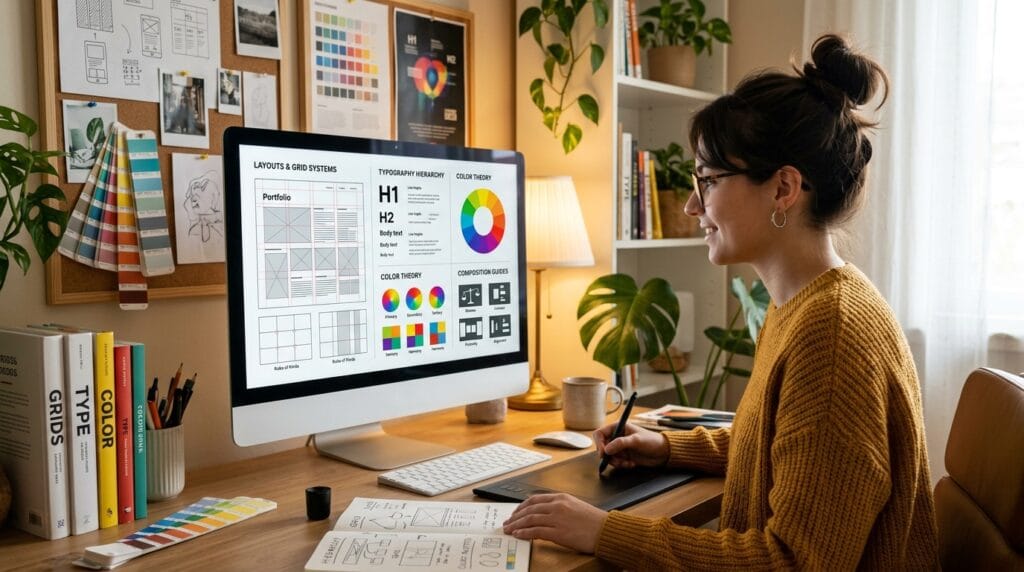
Learning graphic design basics is one of the best starting points for students and beginner creators who want to build strong visual skills. Whether you want to design social media posts, logos, websites, posters, or branding materials, understanding the foundations of design will help your work look cleaner, more professional, and more effective.
Many new designers focus only on software tools, but great design is not only about using apps. Strong design comes from understanding visual communication, layout structure, typography, color, and composition. That is why mastering graphic design basics is more important than memorizing shortcuts or effects.
Today, graphic design plays a major role in marketing, business branding, social media, and digital content creation. Companies need visuals that communicate clearly and attract attention quickly. This creates huge opportunities for students and creative beginners who develop strong design foundations early.
In this beginner guide, you will learn essential graphic design basics, key design principles, typography rules, color techniques, layout tips, and practical tools that help new designers improve faster.
Why Graphic Design Basics Matter for Beginners
Understanding graphic design basics helps beginners create visuals that feel balanced, organized, and visually appealing.
Without basic design knowledge, many beginner projects often look:
- Cluttered
- Difficult to read
- Unbalanced
- Inconsistent
- Unprofessional
Good design is not random decoration. Every visual element should support communication and clarity.
Learning strong fundamentals helps designers:
- Create better layouts
- Improve branding projects
- Design social media graphics
- Build professional portfolios
- Communicate ideas visually
- Develop creative confidence
For students, learning graphic design basics early creates a strong foundation for future creative careers.
Graphic Design Basics and Core Design Principles
Design principles help organize visual elements effectively.
These principles guide how people experience your designs.
Balance in Graphic Design Basics
Balance creates visual stability.
There are two common types:
1. Symmetrical Balance
Both sides of a layout feel evenly distributed.
This style often feels:
- Formal
- Elegant
- Professional
Luxury branding frequently uses symmetrical layouts.
2. Asymmetrical Balance
Different elements balance visually without mirroring each other.
This style often feels:
- Modern
- Creative
- Dynamic
Many modern websites and social media graphics use asymmetrical balance.
Understanding balance is one of the most important graphic design basics for beginners.
Contrast in Graphic Design Basics
Contrast helps important elements stand out.
Designers create contrast using:
- Color differences
- Font size variations
- Shape changes
- Spacing adjustments
- Brightness levels
Strong contrast improves readability and visual hierarchy.
Examples include:
- Dark text on light backgrounds
- Large headlines above smaller text
- Bold fonts paired with thin fonts
Without contrast, designs often feel flat and confusing.
Visual Hierarchy in Graphic Design Basics
Visual hierarchy guides viewers through information in the correct order.
Good hierarchy helps audiences quickly understand:
- Headlines
- Subheadings
- Buttons
- Important messages
- Calls to action
Designers create hierarchy using:
- Font size
- Color emphasis
- Positioning
- Spacing
- Weight differences
This is a critical part of graphic design basics because viewers scan visuals very quickly online.
Typography Basics for New Designers
Typography is one of the most powerful design skills.
Fonts affect:
- Readability
- Branding
- Emotion
- Personality
- Professionalism
Many beginners underestimate typography, but strong typography can instantly improve design quality.
Serif and Sans Serif Typography Basics
1. Serif Fonts
Serif fonts include decorative strokes at letter edges.
They often feel:
- Elegant
- Traditional
- Luxurious
Serif fonts work well for:
- Editorial design
- Luxury branding
- Invitations
- Print layouts
2. Sans Serif Fonts
Sans serif fonts have cleaner and simpler letterforms.
They often feel:
- Modern
- Minimal
- Professional
Sans serif fonts are common in:
- Websites
- Apps
- Social media graphics
- Startup branding
Learning font pairing is an important part of graphic design basics.
Also Read: Graphic Design Typography Mistakes and How to Fix Them
Font Pairing Tips for Graphic Design Basics
Good font combinations create harmony.
Popular combinations include:
- Serif + sans serif
- Bold display + minimalist sans
- Script + neutral sans serif
Avoid using too many fonts in one project. Most beginners should use only two or three fonts together.
Color Theory in Graphic Design Basics
Color strongly influences emotion and communication.
Understanding color theory helps designers create visuals that feel intentional and attractive.
Primary Color Theory Basics
Basic color groups include:
- Primary colors
- Secondary colors
- Tertiary colors
Different color combinations create different moods.
Examples:
- Blue often feels trustworthy
- Red feels energetic
- Green feels natural
- Black feels premium
- Pastels feel soft and playful
Understanding color psychology improves branding and marketing visuals.
Color Contrast and Readability
Strong readability matters in all design projects.
Bad color combinations can make text difficult to read.
Examples of good readability:
- Black text on white backgrounds
- White text on dark backgrounds
- Bold colors with clean spacing
Color contrast is one of the most practical graphic design basics for beginners.
Layout Design Basics for Better Composition
Layout controls how elements are arranged inside a design.
Good layouts feel:
- Organized
- Clean
- Easy to understand
Bad layouts often confuse viewers.
Grid Systems in Graphic Design Basics
Grid systems help designers align content consistently.
Grids improve:
- Spacing
- Organization
- Visual structure
- Consistency
Many professional designers use grids for:
- Websites
- Posters
- Magazines
- Branding systems
Using grids is one of the easiest ways to improve beginner designs.
White Space in Graphic Design Basics
White space refers to empty areas around design elements.
Many beginners overcrowd layouts because they fear empty space.
However, white space helps:
- Improve readability
- Increase focus
- Create elegance
- Reduce visual stress
Minimalist designs often use large amounts of white space effectively.
Also Read: Top Color Trends in Graphic Design Designers Use Now
Branding Basics for Beginner Designers
Branding combines visuals, messaging, and personality.
Strong branding creates recognition and trust.
Designers often create:
- Logos
- Color systems
- Typography styles
- Packaging
- Social media visuals
Understanding branding is a valuable part of graphic design basics because businesses rely heavily on visual identity.
Graphic Design Basics for Social Media Content
Social media design requires:
- Clear hierarchy
- Strong readability
- Fast communication
- Eye-catching visuals
Users scroll quickly, so designs must attract attention immediately.
Helpful tips include:
- Use bold headlines
- Keep layouts simple
- Avoid too much text
- Use strong contrast
- Maintain consistent branding
Consistency helps brands appear more professional online.
Best Tools for Learning Graphic Design Basics
Modern design tools help beginners practice more efficiently.
1. Canva
Great for:
- Beginner design projects
- Social media graphics
- Presentation design
- Branding templates
Canva is beginner-friendly and easy to learn.
2. Adobe
Popular professional tools include:
Adobe products are widely used in professional design industries.
3. Figma
Useful for:
- UI design
- Website layouts
- App design
- Collaborative workflows
Figma is especially popular among digital designers.
Common Beginner Mistakes in Graphic Design Basics
Many beginner designers make similar mistakes.
1. Using Too Many Fonts
Too many typefaces create visual confusion.
Stick with simple font combinations.
2. Ignoring Alignment
Misaligned elements make designs feel messy.
Always check spacing and alignment carefully.
3. Overusing Effects
Heavy shadows, gradients, and effects often reduce professionalism.
Simple designs usually look stronger.
4. Poor Color Choices
Random colors create inconsistency.
Use organized color palettes whenever possible.
How to Improve Graphic Design Skills Faster
The best way to improve is through consistent practice.
Helpful habits include:
- Studying professional designs
- Recreating layouts for learning
- Practicing typography daily
- Building small projects
- Asking for feedback
- Learning visual hierarchy
Design improvement happens gradually over time.
Future Opportunities After Learning Graphic Design Basics
Graphic design skills can lead to many creative careers.
Examples include:
- Branding design
- Social media design
- UI/UX design
- Motion graphics
- Illustration
- Advertising
- Content creation
As businesses continue investing in digital content, demand for creative designers continues growing.
Also Read: 25 AI Graphic Design Tools for Designers Want Better Results
Final Thoughts on Graphic Design Basics
Learning graphic design basics gives beginners a strong creative foundation that improves every future project. Good design is not only about software or visual effects. It is about communication, structure, clarity, and emotional impact.
By understanding design principles, typography, color theory, layout composition, and branding, new designers can create visuals that feel more professional and effective. Small improvements in spacing, hierarchy, and readability often make a huge difference in design quality.
Whether you want to become a freelance designer, content creator, branding specialist, or creative student, mastering graphic design basics is one of the smartest first steps in your creative journey.
For high-quality fonts to boost your income, check out Letter Crafted. Our professional fonts are perfect for branding, marketing, and content creation. So, don’t miss this opportunity.